Eploy - How do I link my account?
Last updated: May 28, 2025
Overview
To authenticate Eploy, you will need to provide an API key. This guide will walk you through finding or creating the API key within Eploy.
Instructions
Step 1: Create your API key
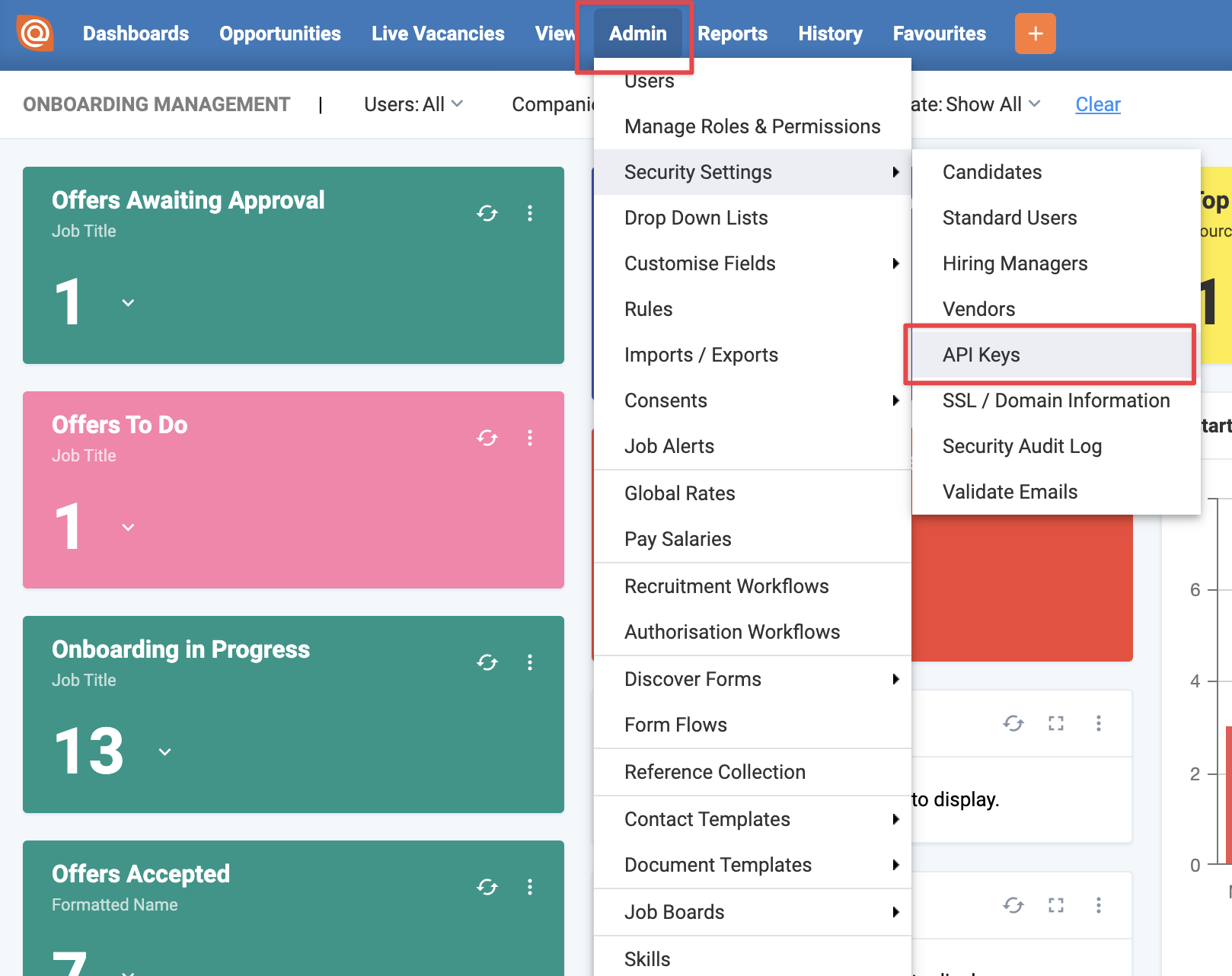
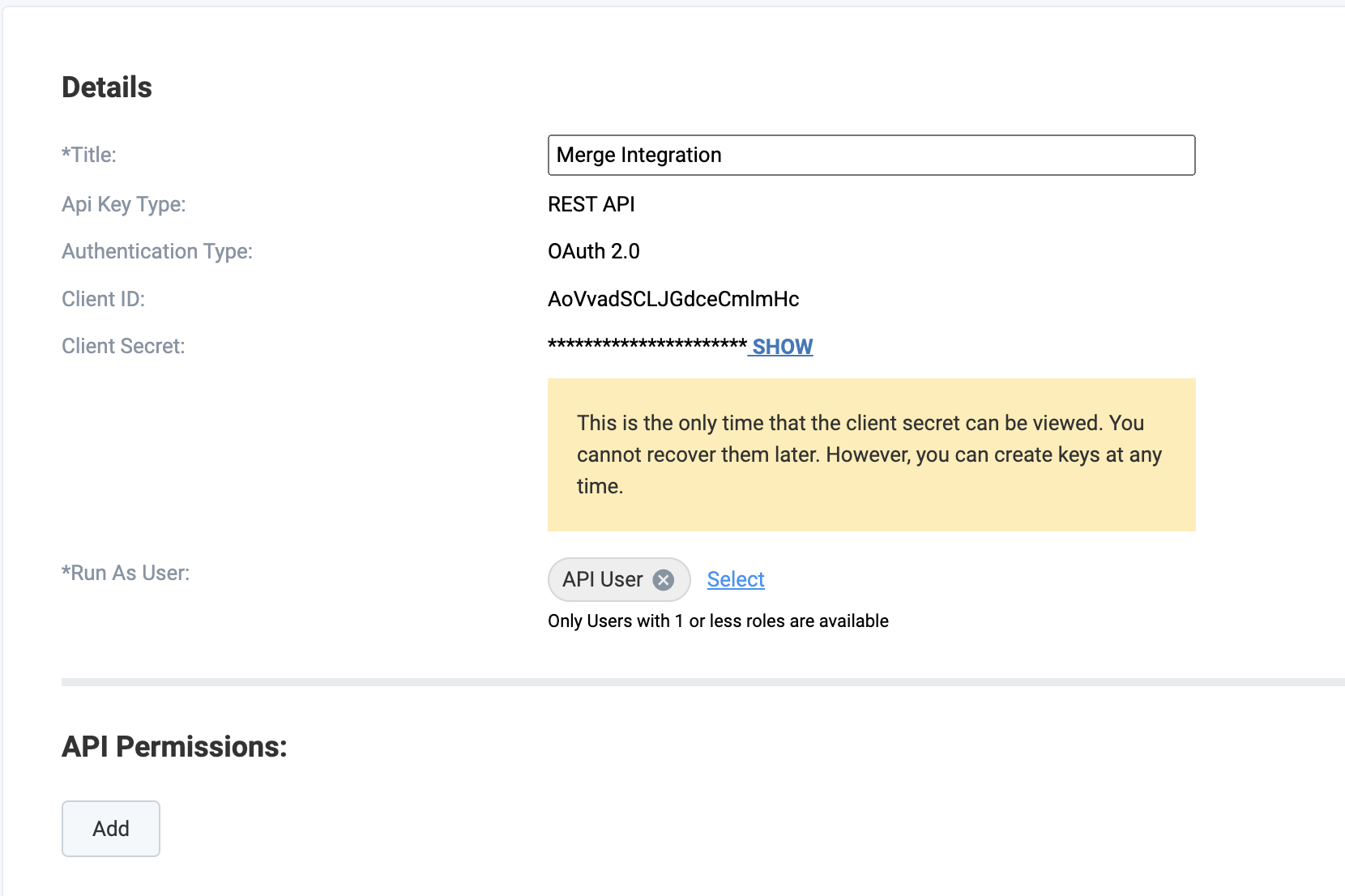
In your Eploy account, go to Admin > Security Settings > API Keys
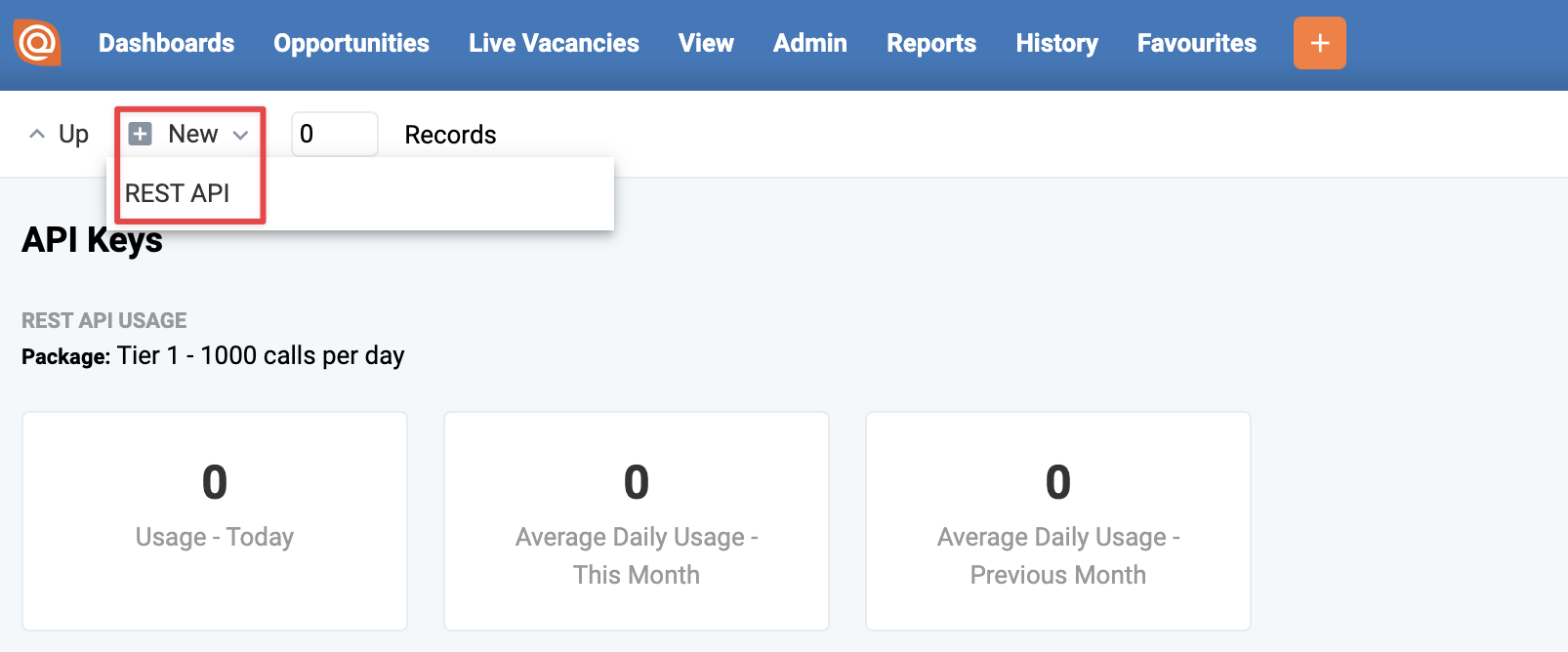
Click New > REST API
Give your API Key a name
Select your user account "Run As User"
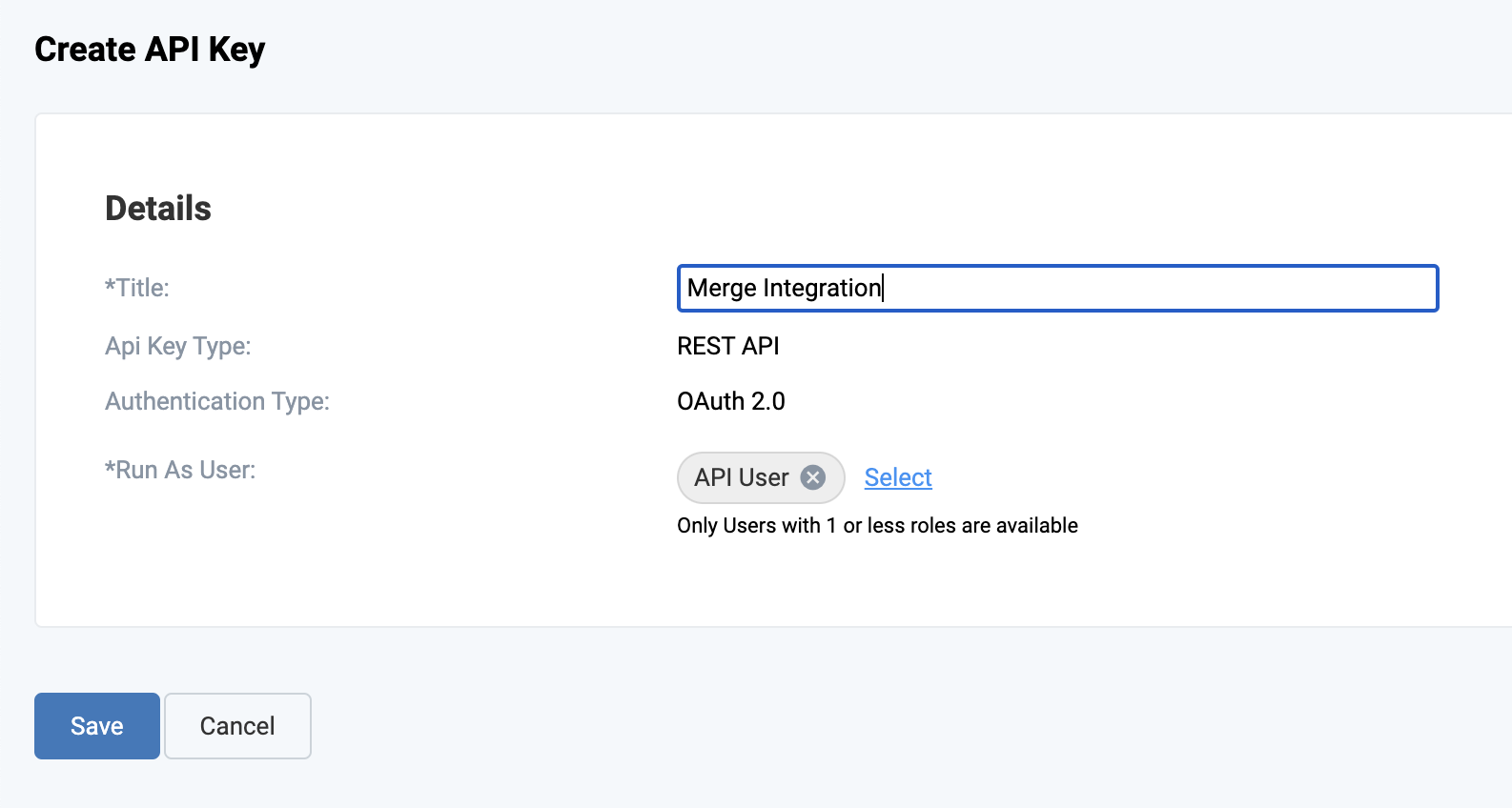
Click Save
Step 2: Retrieve credentials
Copy the Client ID and Client Secret, which will be used to authenticate your account in Step 4
Step 3: Add API Permissions
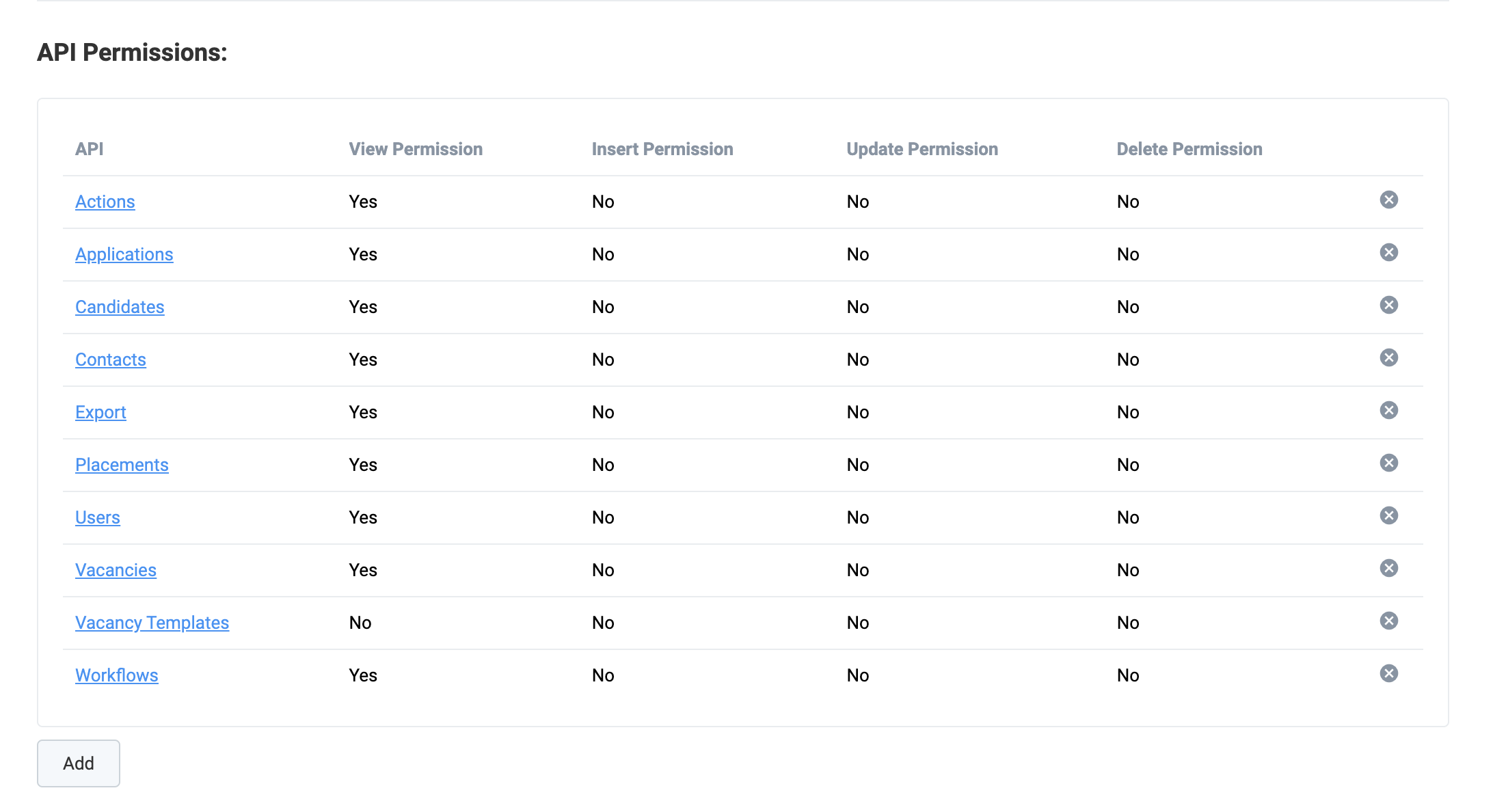
Click "Add API Permissions"
Add the following View Permissions(note: if your use case requires creating or updating information in Eploy, select Insert and Update permission accordingly):
Actions
Applications
Candidates
Contacts
Export
Placements
Users
Vacancies
Vacancy Templates
Workflows
Step 4: Enter your credentials
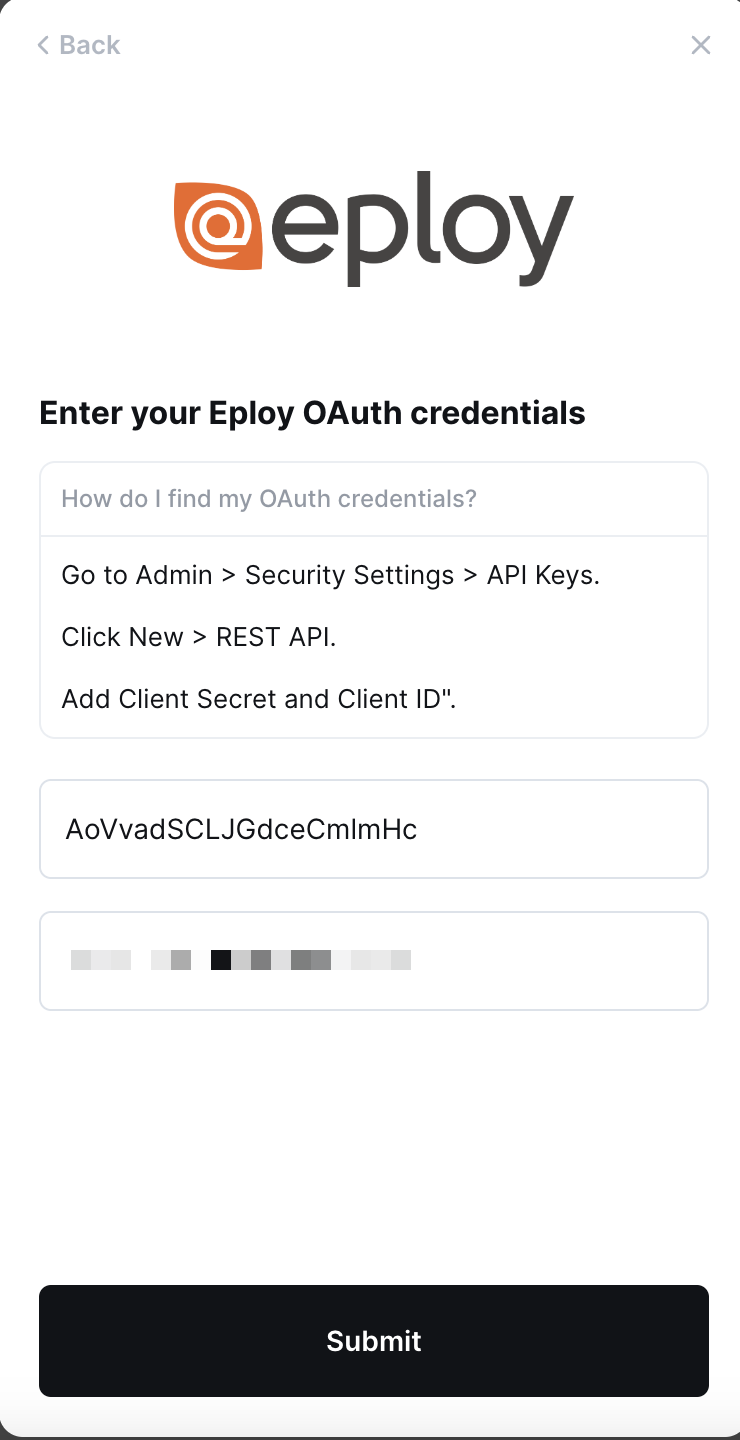
Copy the Client ID and Client Secret from Step 2 into the linking flow