Teamtailor - How do I link my account?
Last updated: July 8, 2026
Overview
This guide will walk you through creating an API key within Teamtailor and entering it into the linking flow.
Instructions
Step 1: Generate your API key
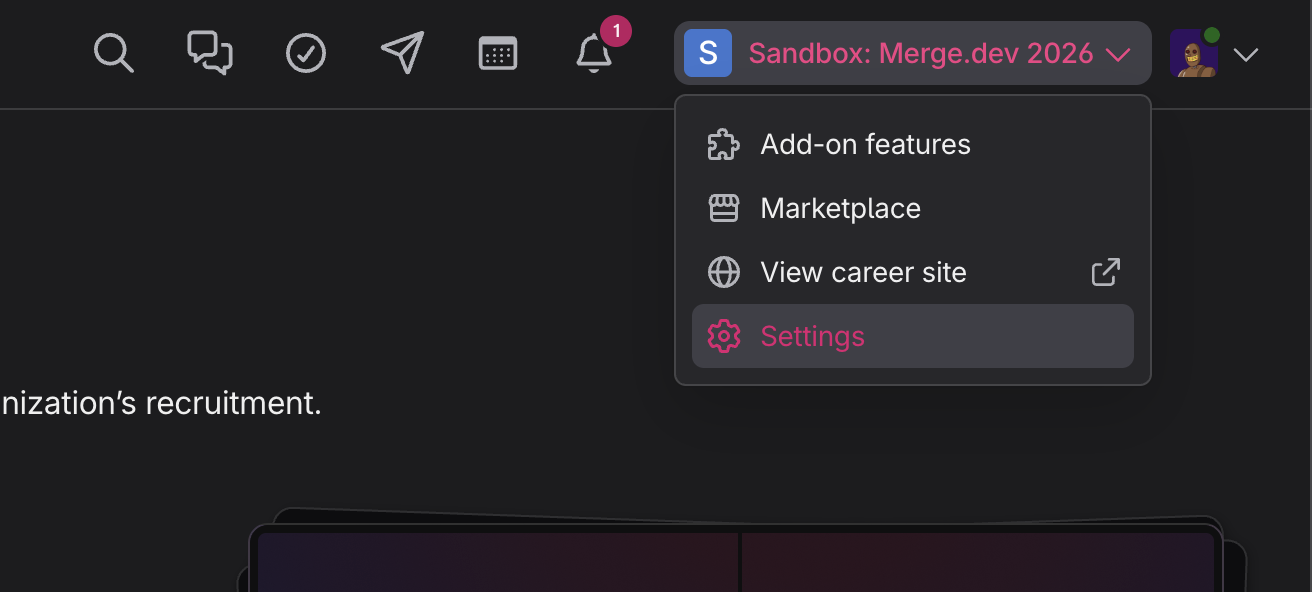
Log in and click Settings on the top navigation menu under your Account Name.
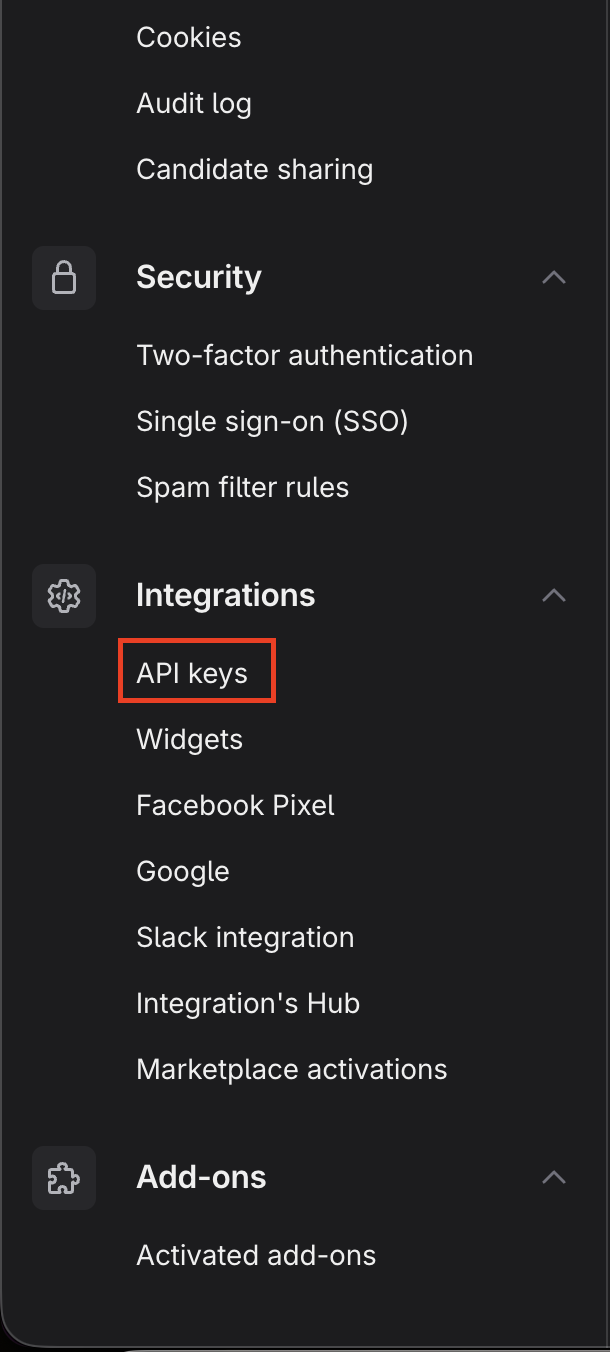
Scroll down on the left navigation bar until you see Integrations. Select API keys.
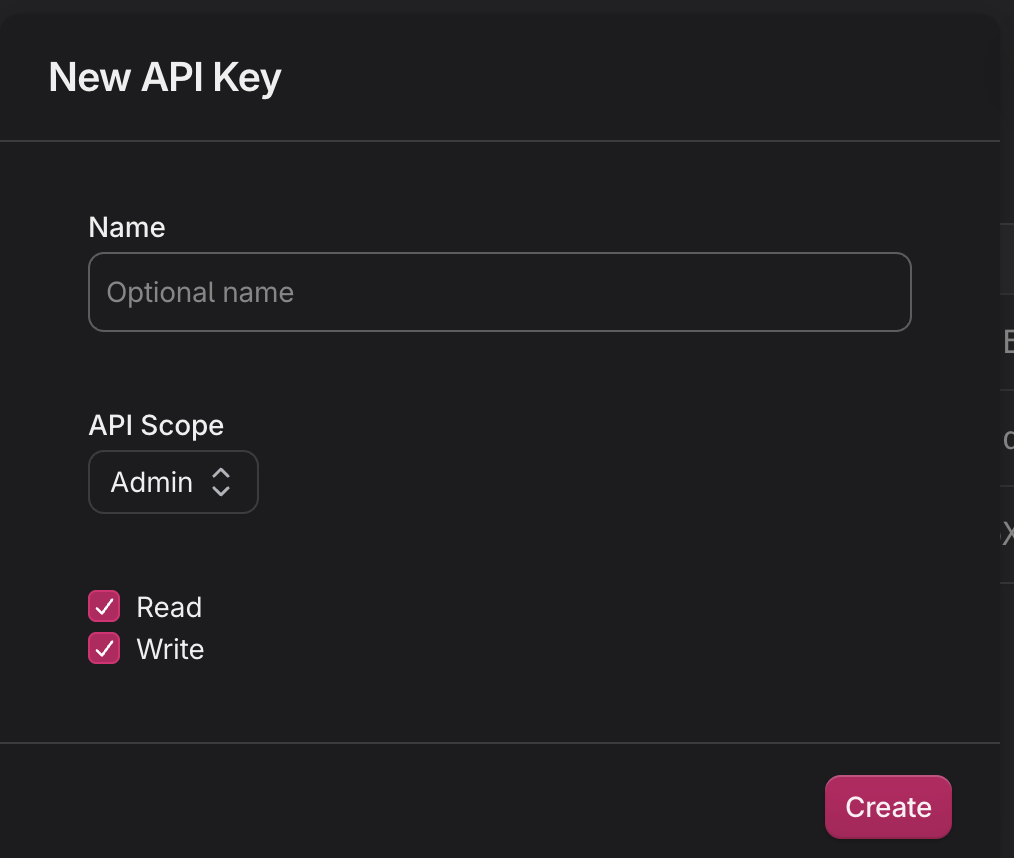
Click + New API Key on the top right.

Enter a name for the API key. Select Admin for the API Scope, check off Read and Write, and click Create.
Copy the API key you have just created.

Step 2: Enter your API key in the linking flow
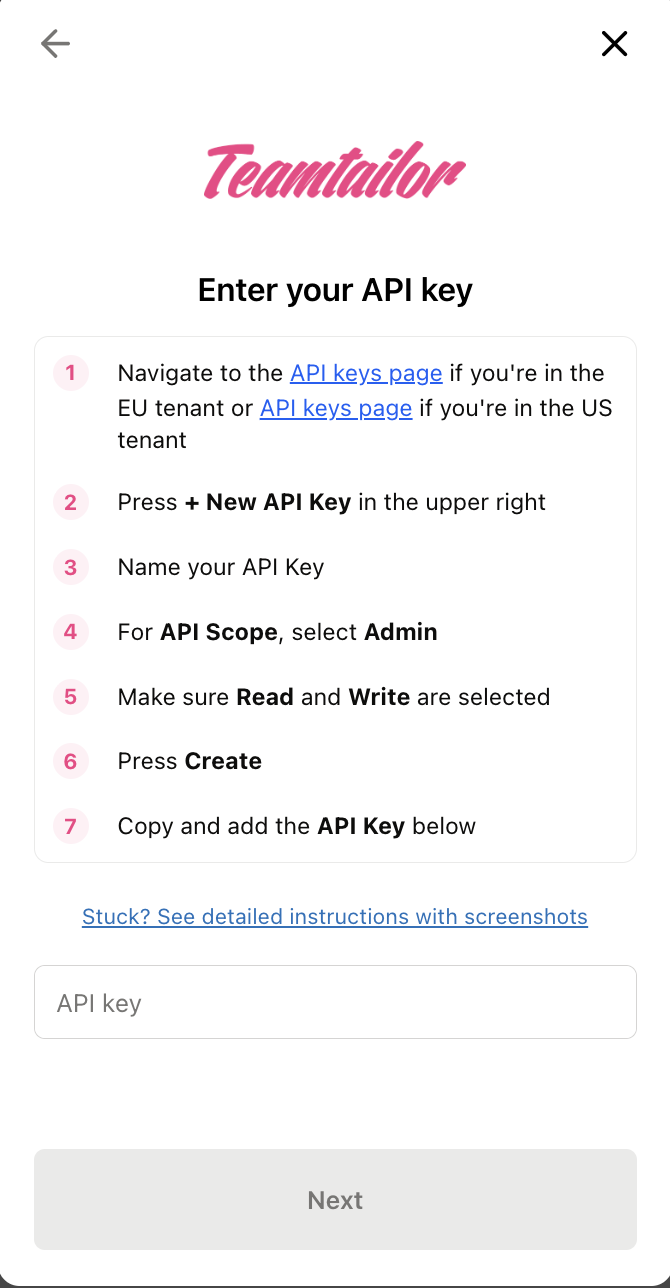
If you are linking with a partnered organization, you might also have received a partner API key. We do not currently require this partner key. Instead, please follow the steps outlined above to request a regular API key.