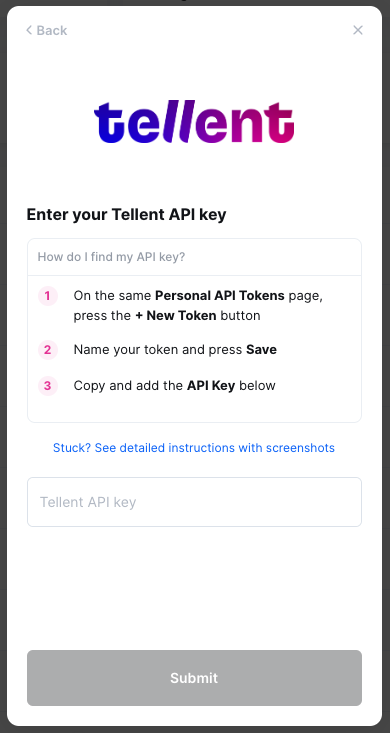
Tellent by Recruitee - How do I link my account?
Last updated: May 28, 2025
Overview
To authenticate Tellent, you will need to provide the following information:
Subdomain
API Key
Prerequisites
Please ensure you fulfill all the requirements to set up the integration:
You have Administrator permissions in your Tellent instance
Instructions
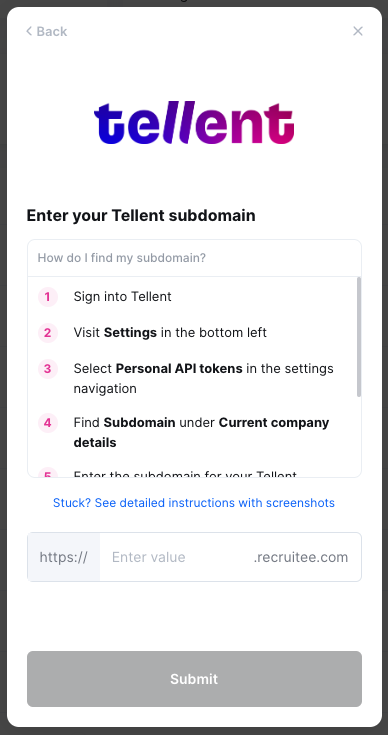
Step 1: Find your Tellent subdomain
Log into Recruitee by Tellent account
Ensure you are logged in under the correct Recruitee company by selecting your profile in the top right and confirming the company
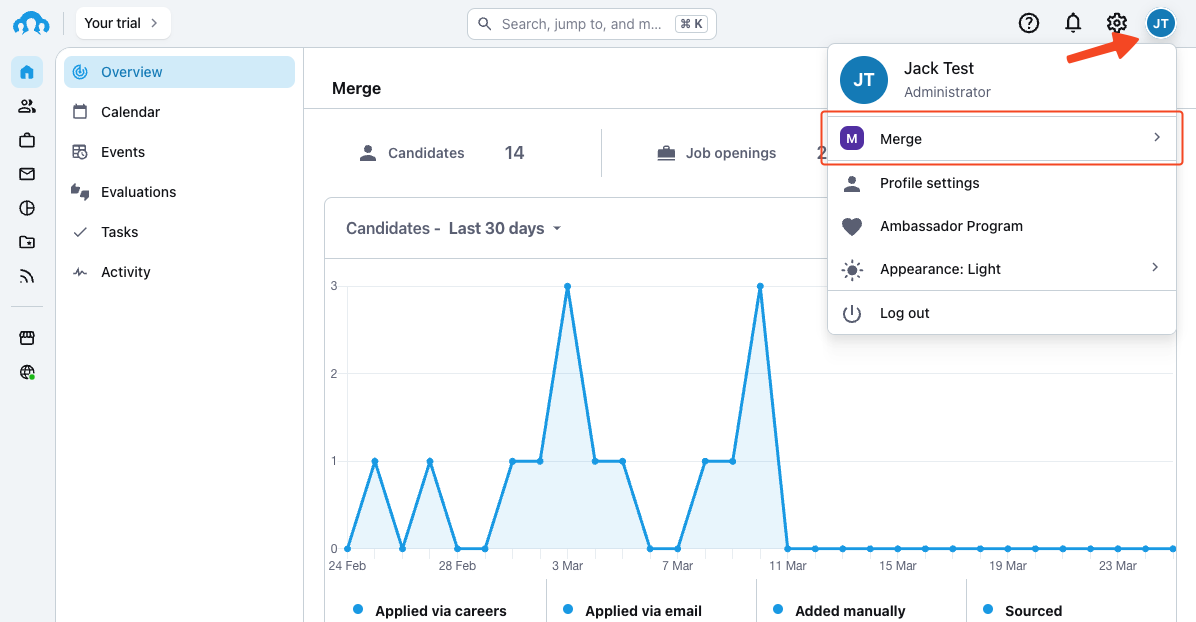
Navigate to your Settings by selecting the Gear icon in the top right of the page
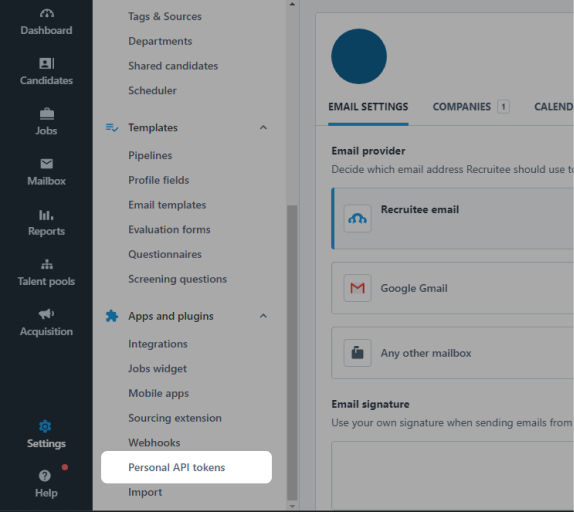
Scroll down the left navigation bar that appears and click Personal API tokens under Apps and plugins
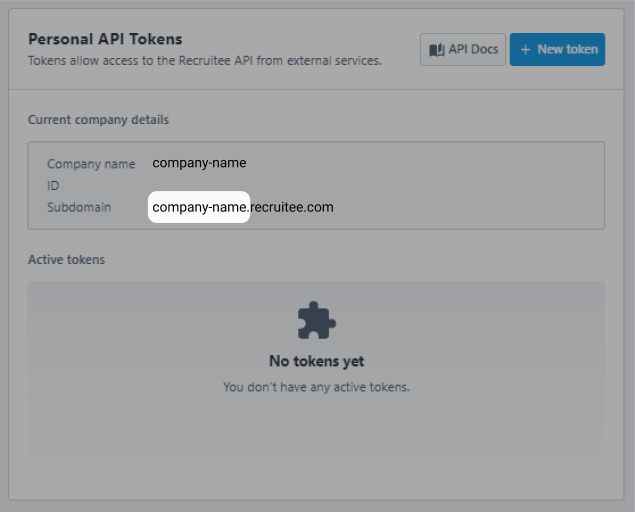
Enter below the bolded word that appears before ".recruitee.com" under current company details
For example, for company-name.recruitee.com, please enter company-name. Do not enter the full {companydomain}.recruitee.com
Paste your subdomain in the linking flow
Step 2: Finding your API key
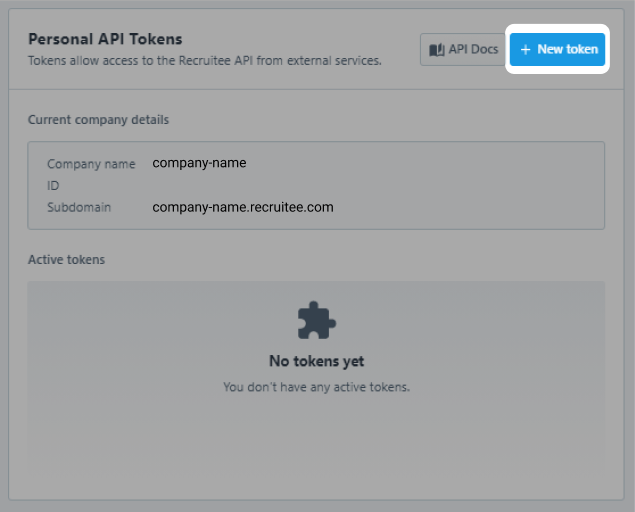
On the same page, click the + New token button
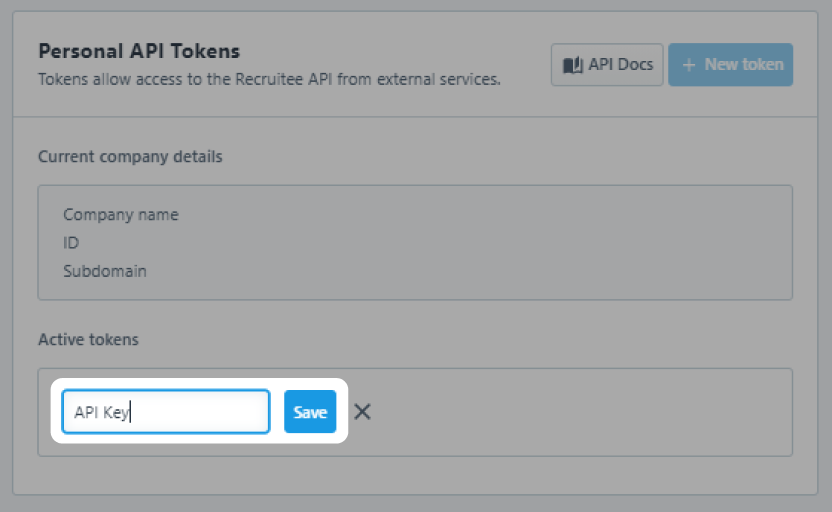
Enter a name for the token and click Save
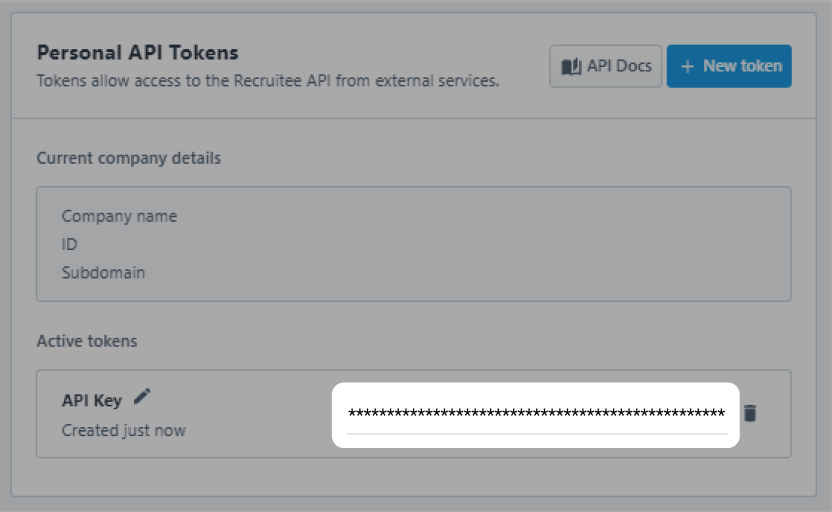
Copy the API key and paste the API key in the linking flow