Ashby - How do I link my account?
Last updated: October 5, 2026
Overview
To authenticate Ashby, you will need to provide the following information:
API key
This guide will walk you through finding or creating the API key within Ashby.
Prerequisites
You must be an Ashby admin to create an API key.
Instructions
Step 1: Create a new API key
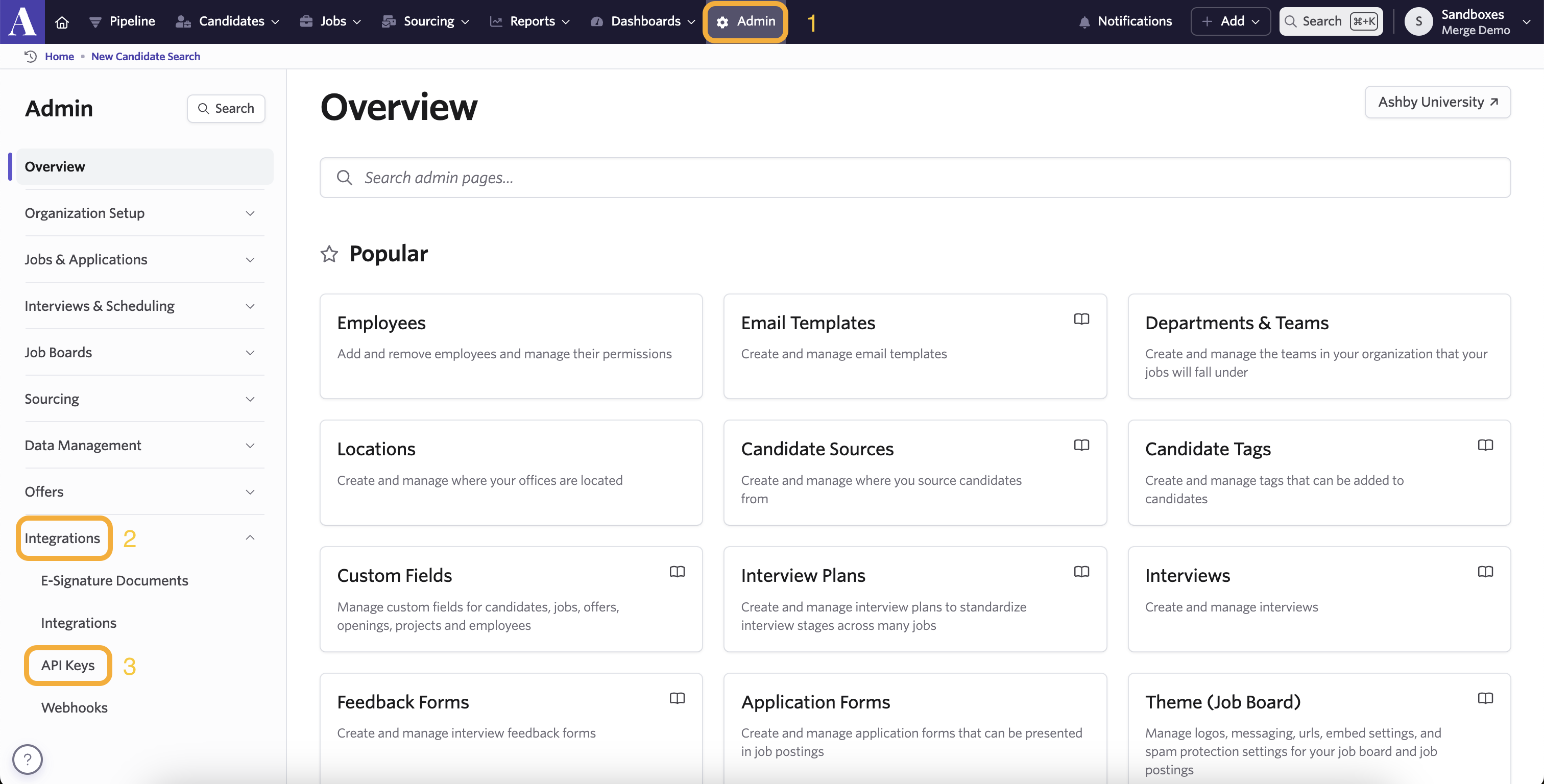
Sign in to Ashby and click Admin in the top navigation bar.
Navigate to Integrations > API Keys.
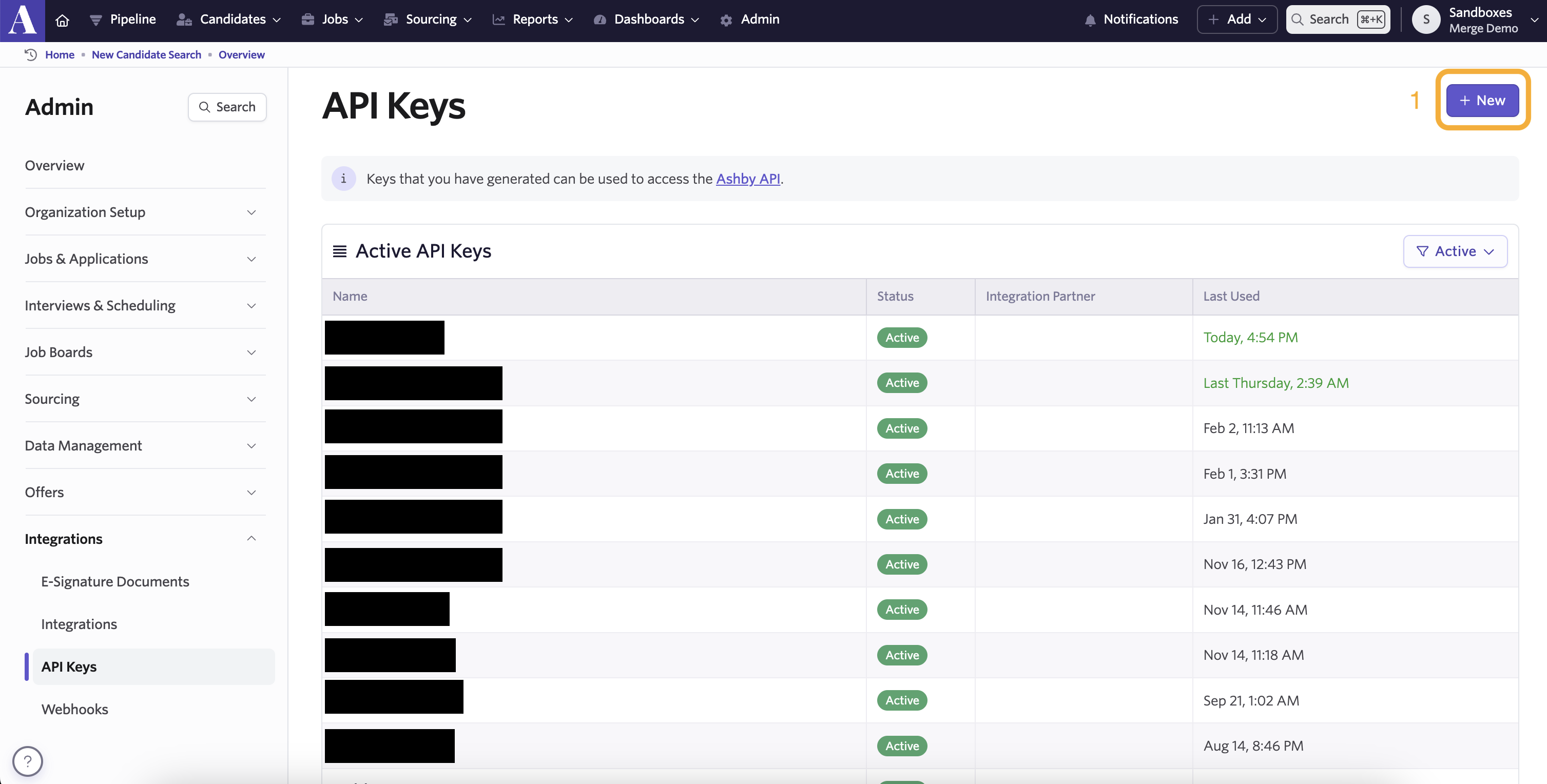
Click + New in the upper right corner.
Add a name for the new API key, then click Create API Key.
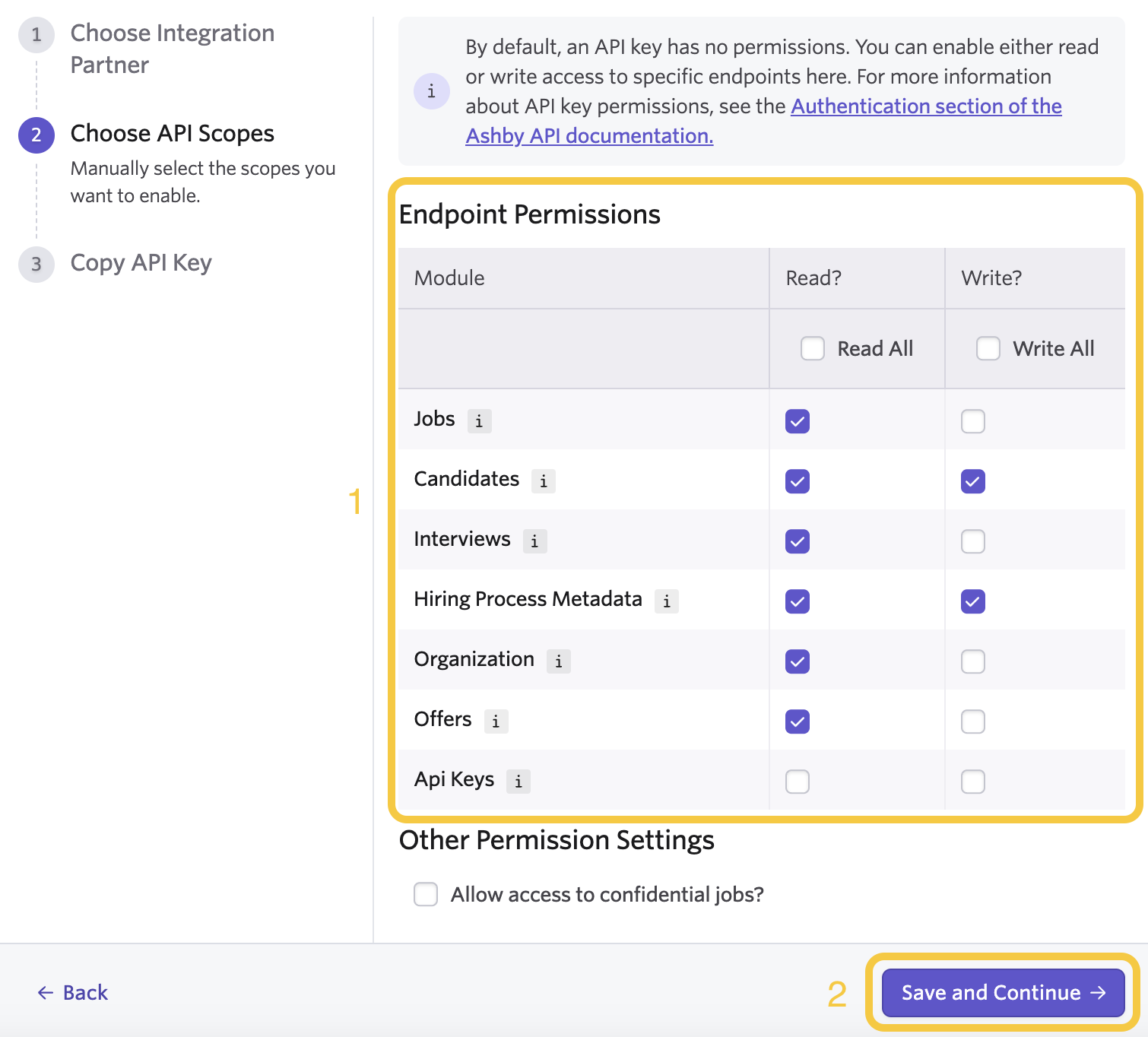
Grant the following permissions to your API key (Write permissions are only required if you intend to send data to Ashby).
Permission | Required at minimum | Explanation |
|---|---|---|
Jobs: Read | Y* | Required if Candidates: Read is not granted |
Candidates: Read | Y* | Required if Jobs: Read is not granted |
Candidates: Write | N | Needed if writing candidates |
Interviews: Read | Y | |
Hiring Process Metadata: Read | Y | |
Hiring Process Metadata: Write | N | Needed if writing hiring process metadata |
Organization: Read | Y | |
Offers: Read | Y |
Step 2: Copy and paste the API key into the linking flow
Copy the API key and paste it into the API key field in the linking flow.