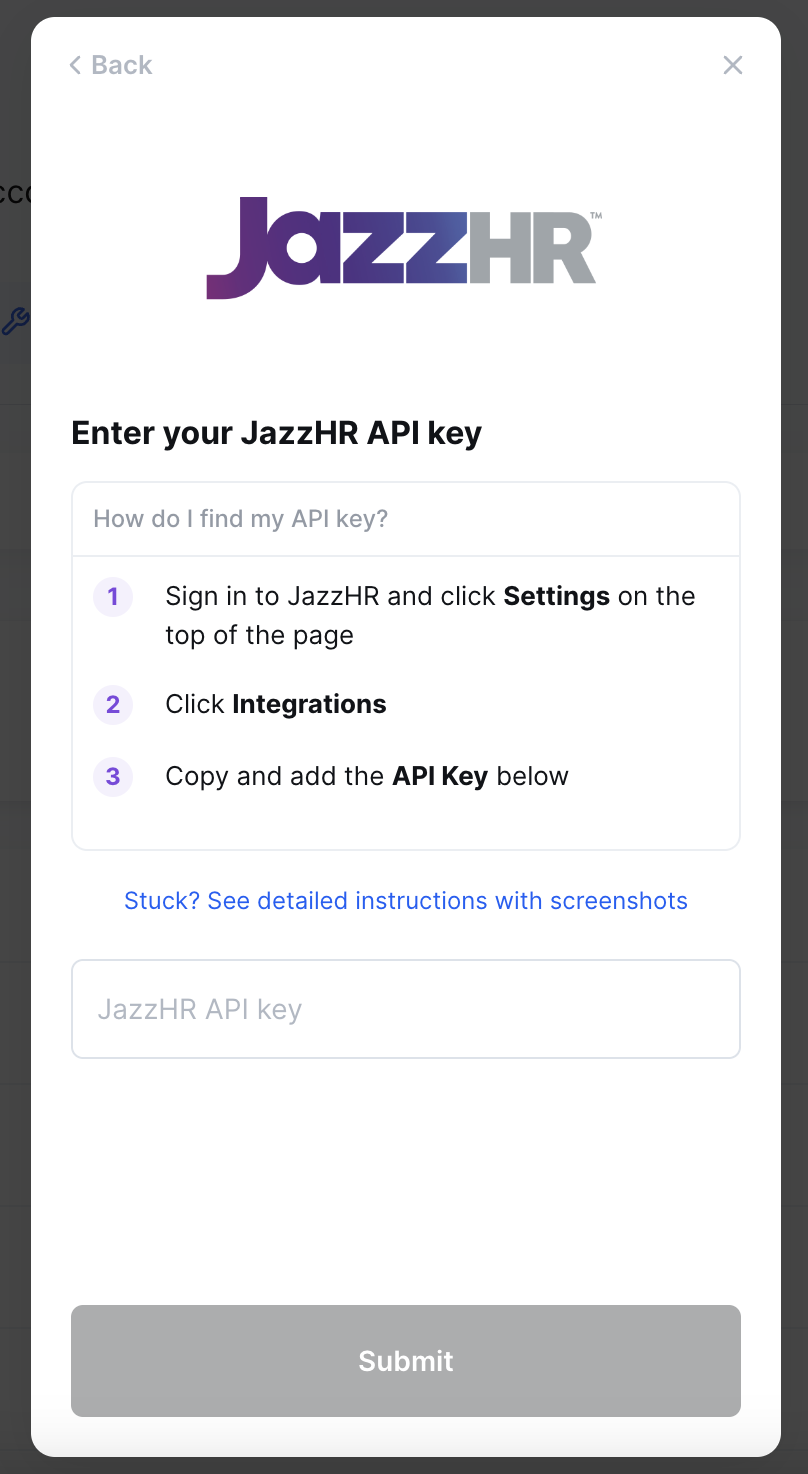
JazzHR - How do I link my account?
Last updated: May 28, 2025
Overview
To authenticate JazzHR, you will need to provide the following information:
API key
Instructions
Step 1: Retrieve your API key from JazzHR
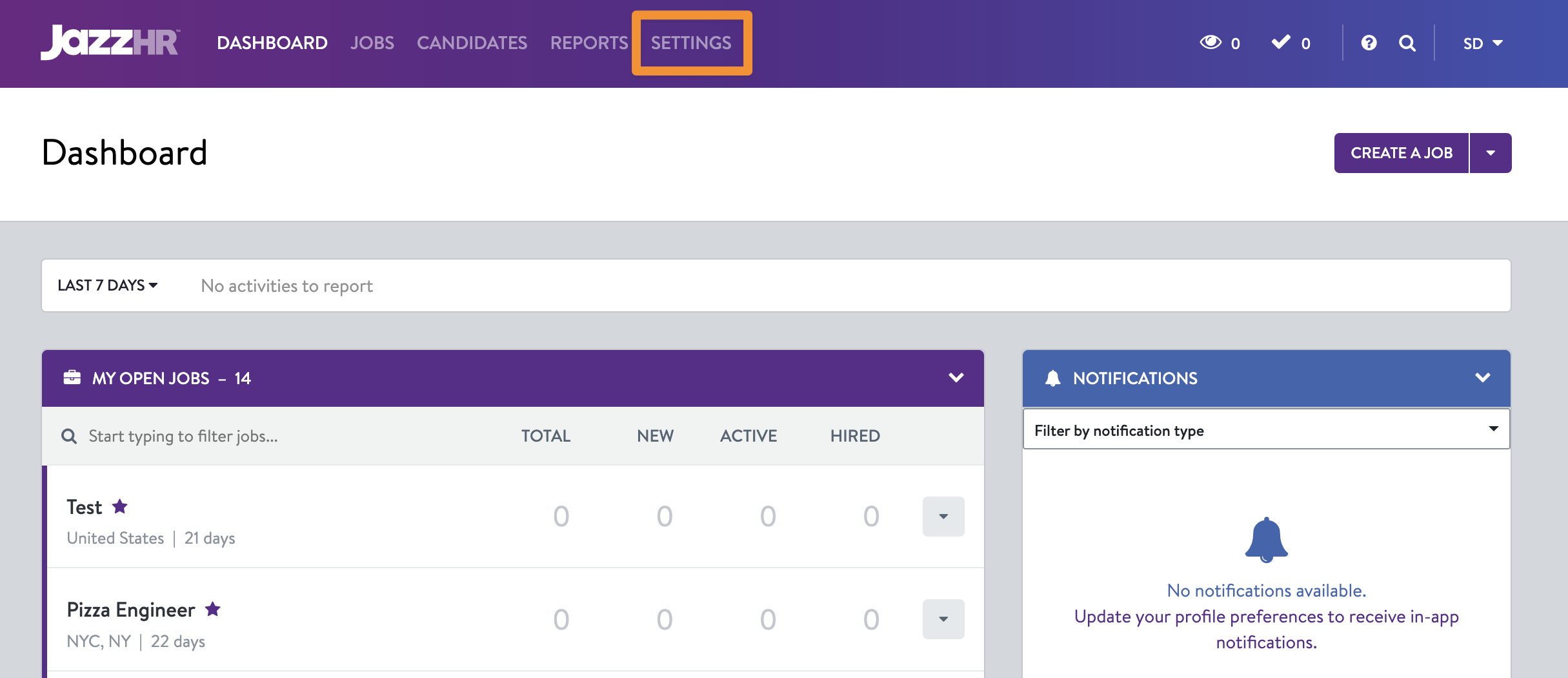
Log in to your JazzHR account
Click Settings on the top navigation menu:
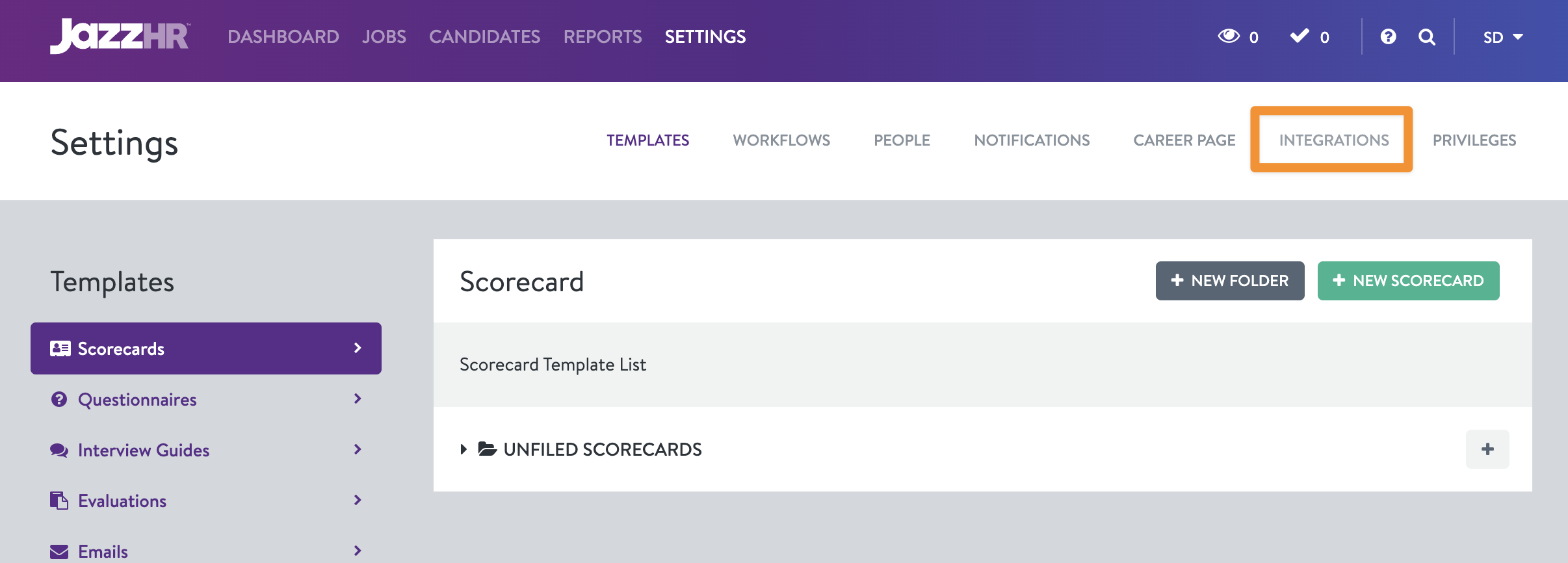
Click Integrations in the second level navigation menu:
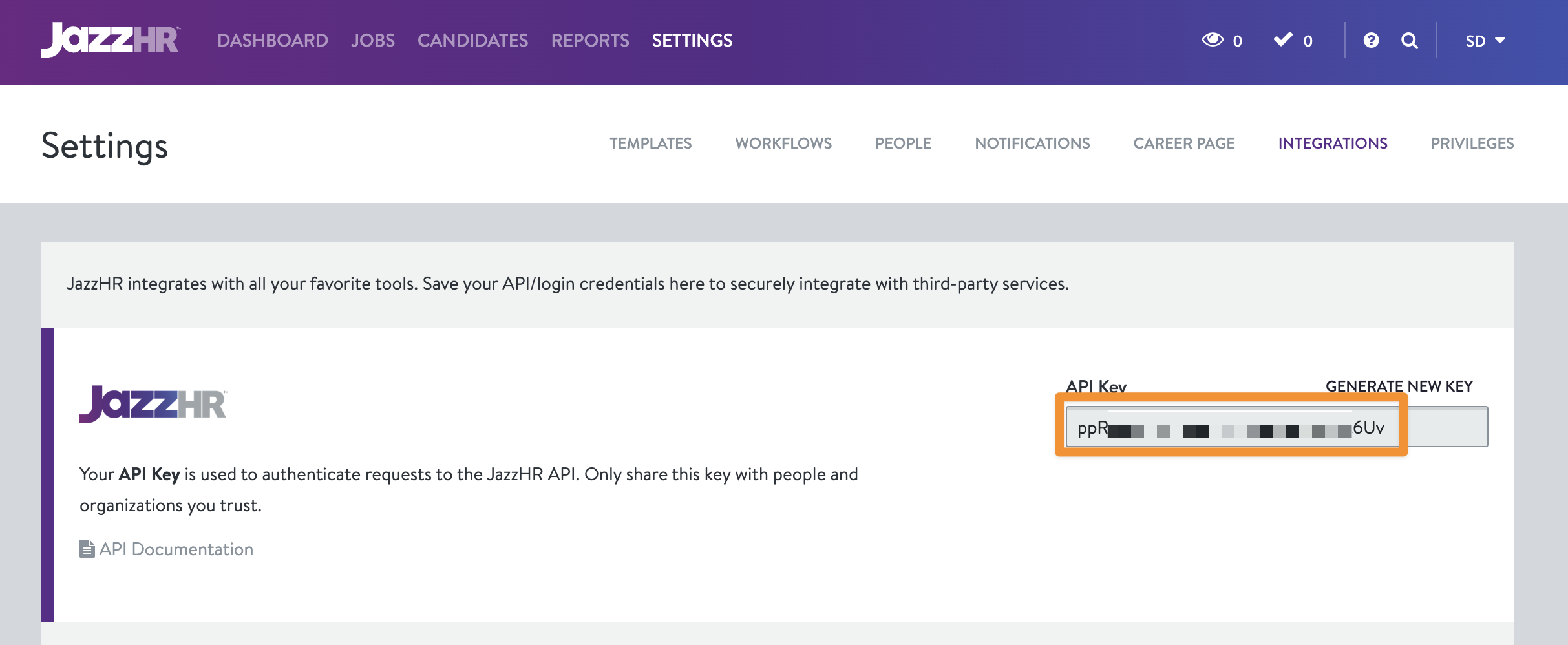
Copy the API key:
Step 2: Paste your API key in the linking flow.
In the linking flow, paste the API key from Step 1 into the respective field and click Submit to finish linking your account: