HiBob - How do I link using OAuth?
Last updated: July 21, 2026
Overview
To authenticate HiBob using OAuth, you will need to provide the following information:
App ID
Client ID
Client secret
Please ensure you fulfill all the requirements to set up the integration:
You have Administrator permissions in your company's HiBob instance
Prerequisites
Step 1: HiBob app creation
Follow the latest instructions provided by HiBob to create an OAuth app in the Bob Developer Portal.
In the OAuth section for the app you created, set the Redirect URI to Merge's OAuth callback URL:
https://app.merge.dev/oauth/callback.While creating the app, you will have to select scopes required by the app. Merge uses
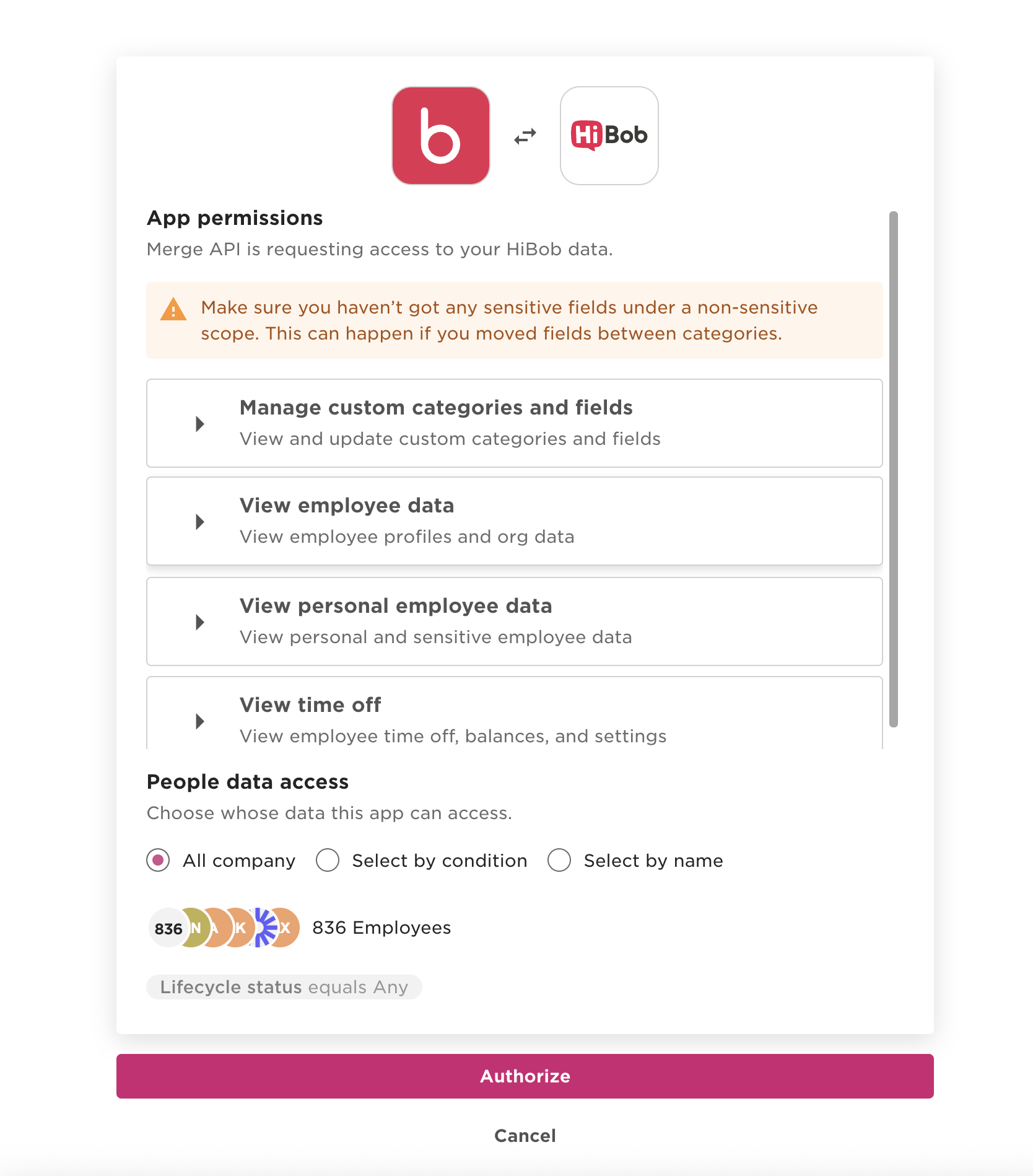
employee_data:read(View employee data),employee_data.sensitive:read(View personal employee data), andtimeoff:read(Time off).Submit the app for approval following the latest instructions for doing so from HiBob.
Step 2: Configure your credentials in Merge
Once your app is approved for the HiBob Marketplace, input your credentials in the Merge dashboard for use.
Existing Linked Accounts will continue to be connected via Merge even after you input your partner credentials. This means that there will be no disruption to existing Linked Accounts when you add your partner credentials. Your end users will be connected via your partner credentials only if/when they need to relink their accounts.
Find the Client ID and Client secret under Production credentials, and the App ID in the OAuth section of your app in the Bob Developer Portal.
Important: You may see a Client ID and Client secret under Development credentials. These may be used for testing and are NOT the credentials which you should provide to Merge.
Within your Merge dashboard, open the Integrations > HRIS page. Extend the HiBob section and click on Edit.
Enter the credentials from step 1 above in the App Id, OAuth Client Id and OAuth Client Secret fields.
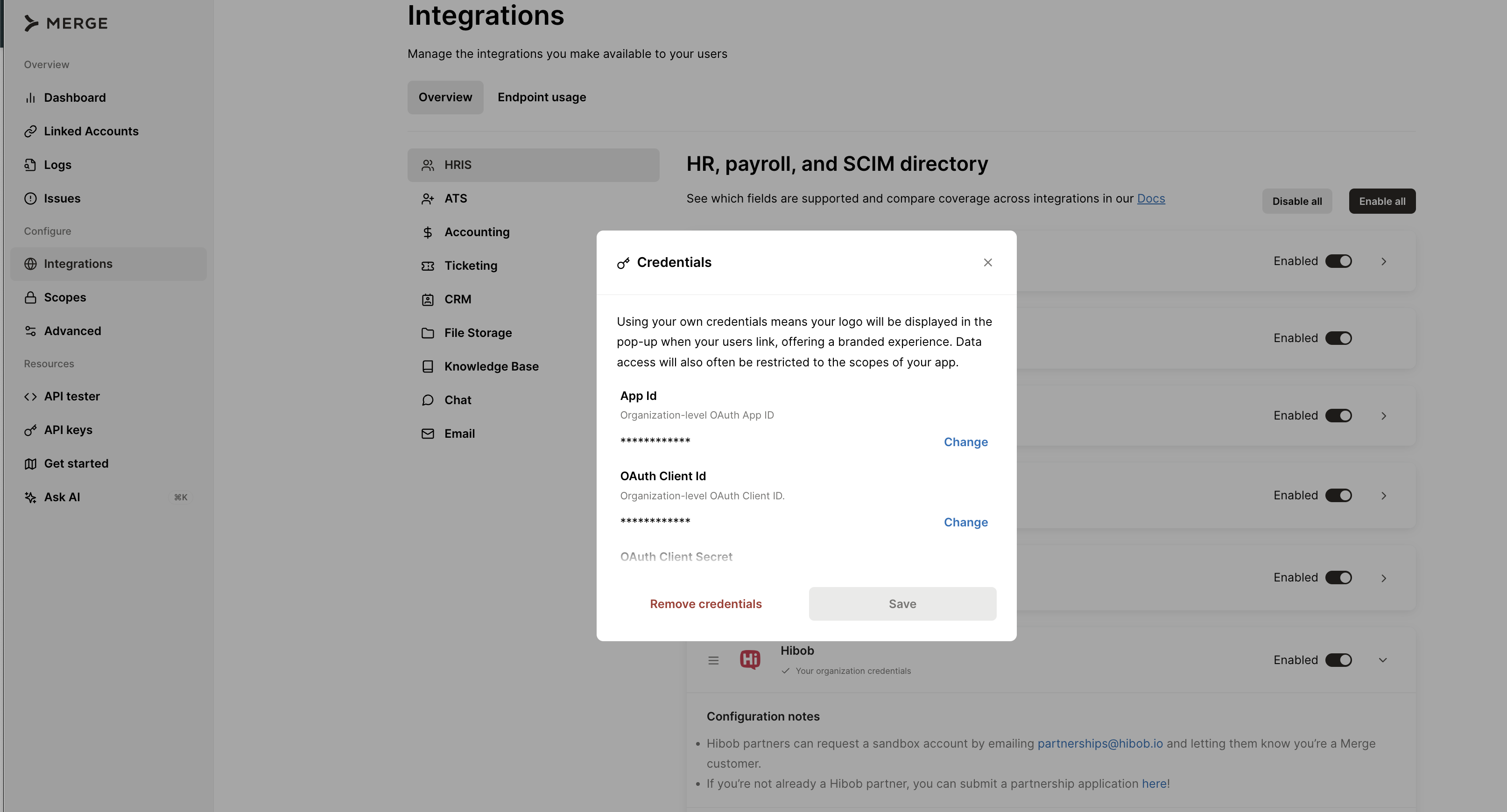
Enter
https://app.merge.dev/oauth/callbackas the OAuth Redirect Uri.Click Save once done.
Instructions
Link an account through Merge Link.
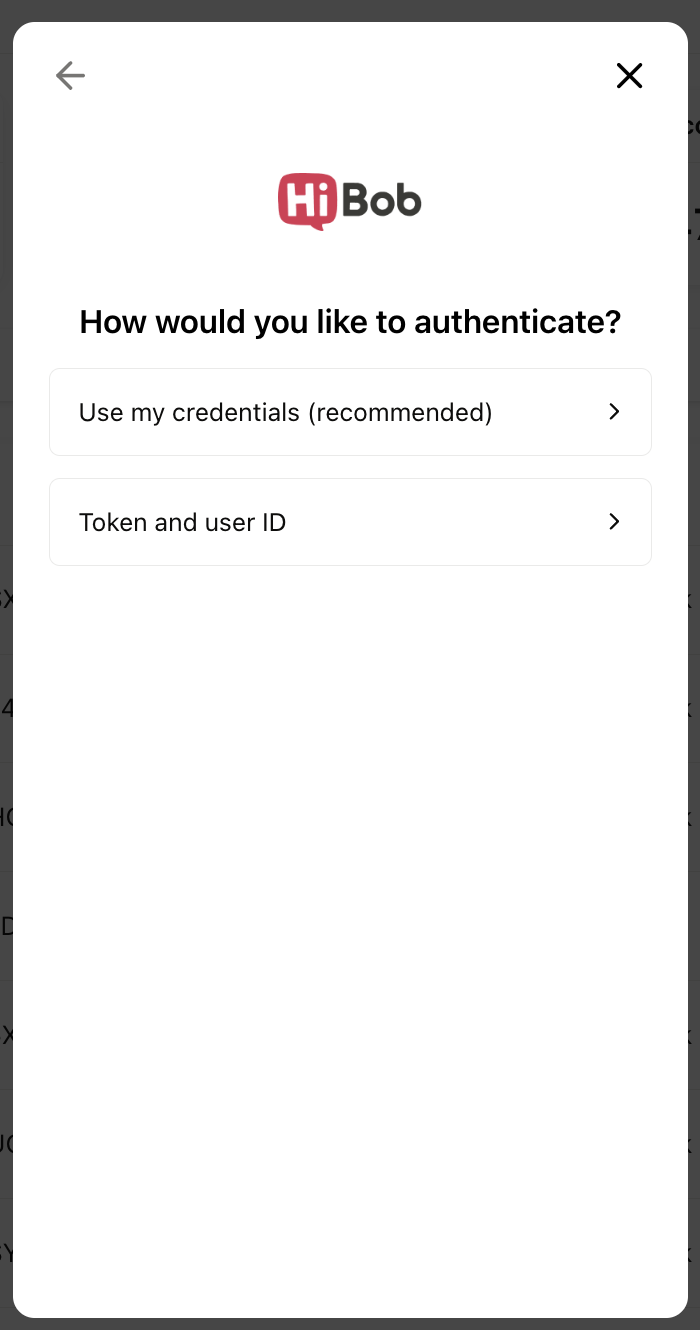
Authenticate with Use my credentials.
When prompted sign in to HiBob and authorize the OAuth app.
After proceeding through the rest of Merge Link, you are done! Initial sync of data has begun.