JazzHR - How do I set up third-party webhooks?
Last updated: May 28, 2025
Instructions
This requires coordination between you and your customer. It is best to complete together.
Work with your customer to define a signature key that will be used to connect the webhook. This can be defined by you or your customer.
In Merge, go to your JazzHR account. Go to Webhooks
Enable both the VERIFY and CANDIDATE-EXPORT webhooks. Enter the signature key from step 1. Save both.
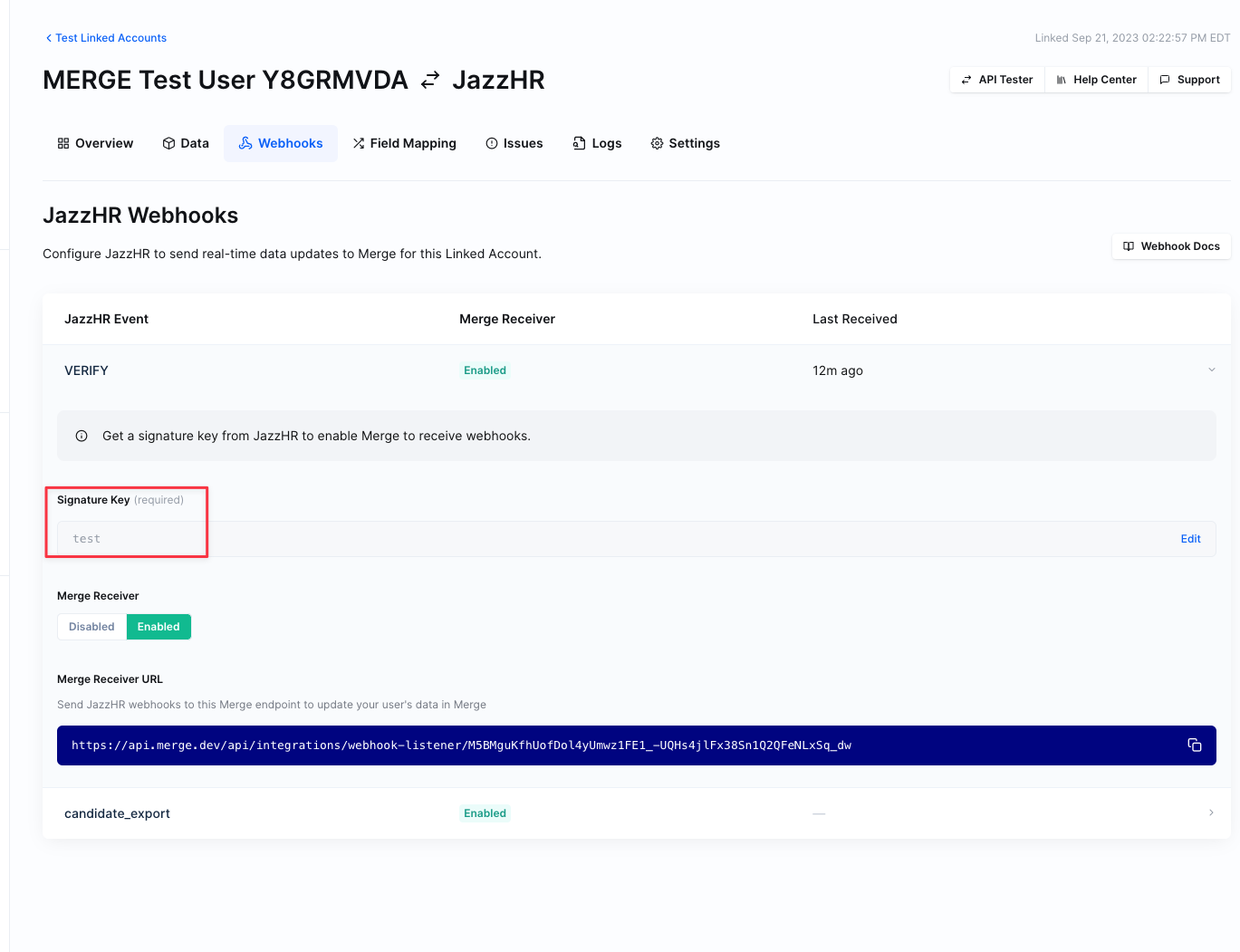
Copy the Merge Receiver URL (it will be the same for both VERIFY and CANDIDATE-EXPORT).
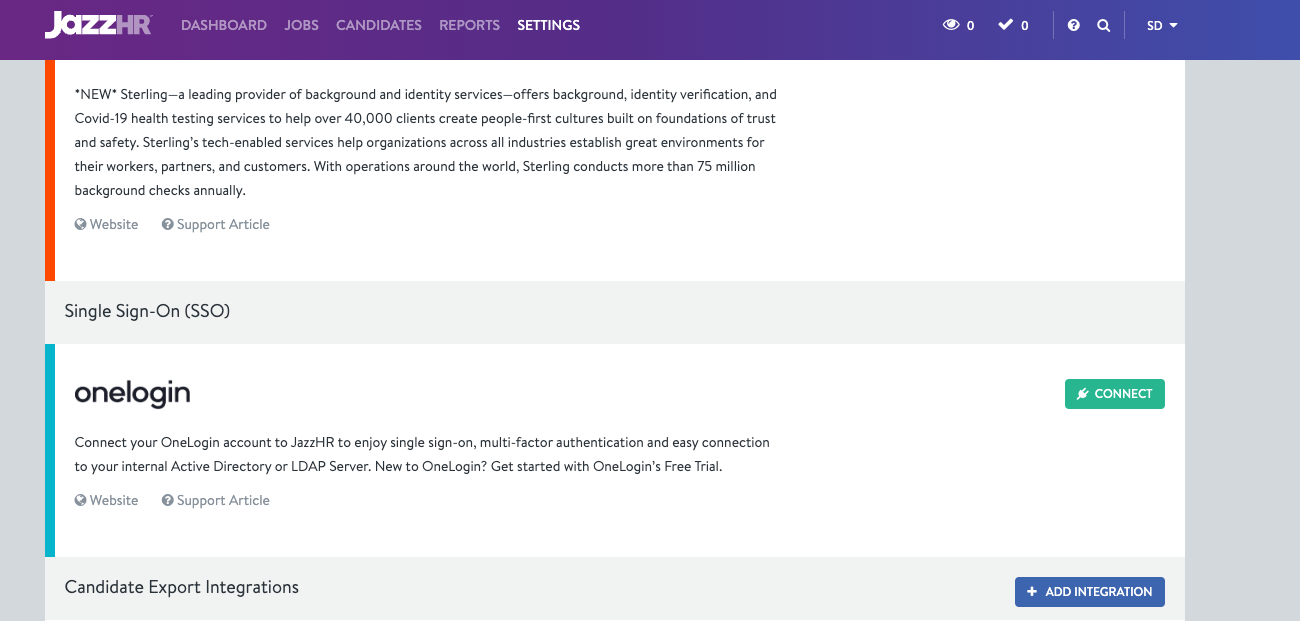
Have your customer go into JazzHR and then go to Settings -> Integrations
Scroll to the bottom. Next to Candidate Export Integrations click Add Integration
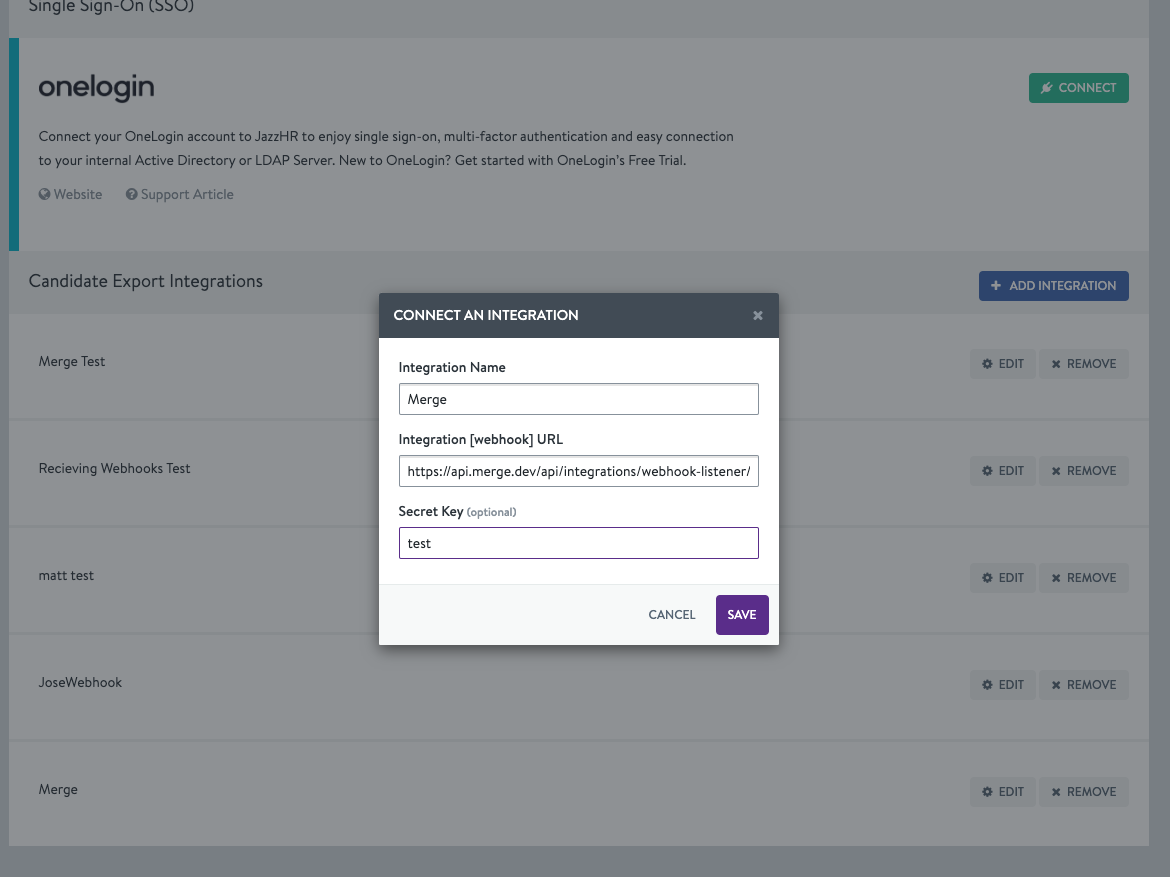
Enter a name for the integration, the webhook URL (from step 4), and the signature key (from step 1).
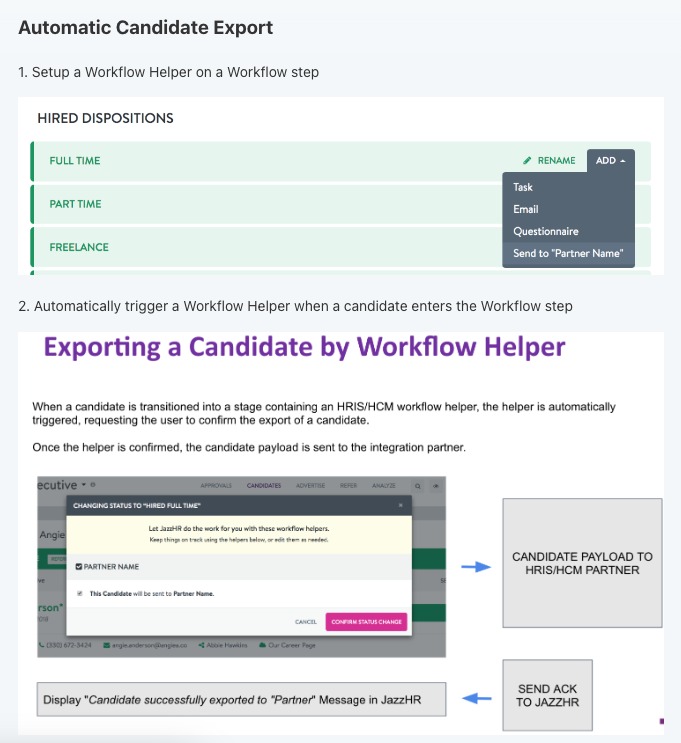
Follow the steps here to set up an automatic candidate export workflow in JazzHR!