Paylocity - How do I set up third-party webhooks for Time Off data?
Last updated: September 8, 2026
Overview
To receive Paylocity time off approvals in real time, you'll need to set up a webhook connection between Paylocity and your Linked Account. This involves giving Paylocity a listener URL to send data to, along with a username and password they'll use to authenticate every request. Once set up, approved time off requests will sync automatically as they happen.
Some data may sync differently than expected because of third-party constraints:
Merge will only sync Time Off objects that are approved after the Linked Account is created.
Merge won't capture any changes to Time Off objects after they are approved.
Instructions
Step 1: Retrieve your webhook listener URL
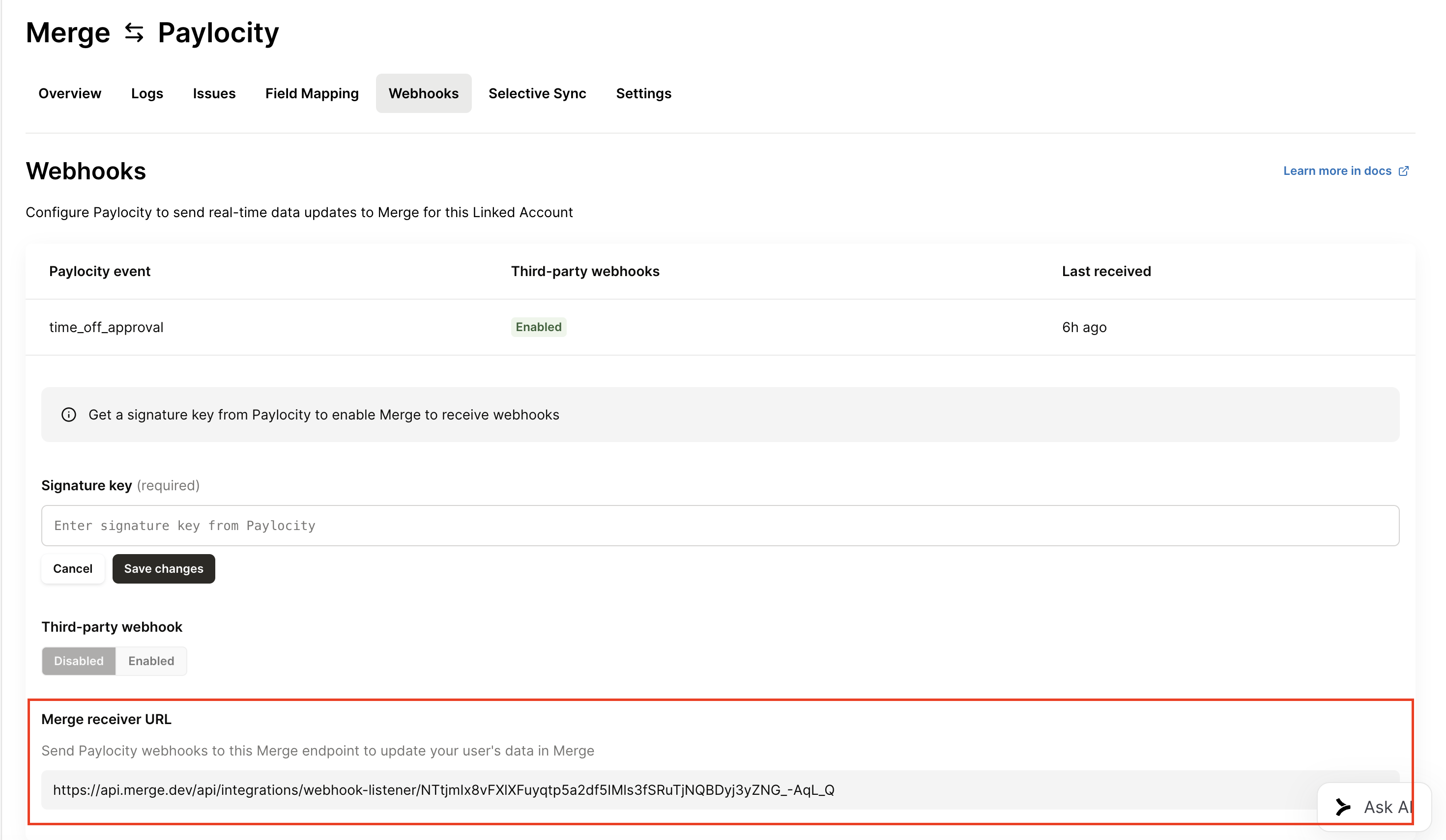
Go to your Paylocity Linked Account page and copy the webhook listener URL shown there. You'll need to give this URL to Paylocity in their Web Services Access Request Form to have them set up the webhook subscription on their end.
Step 2: Choose a username and password
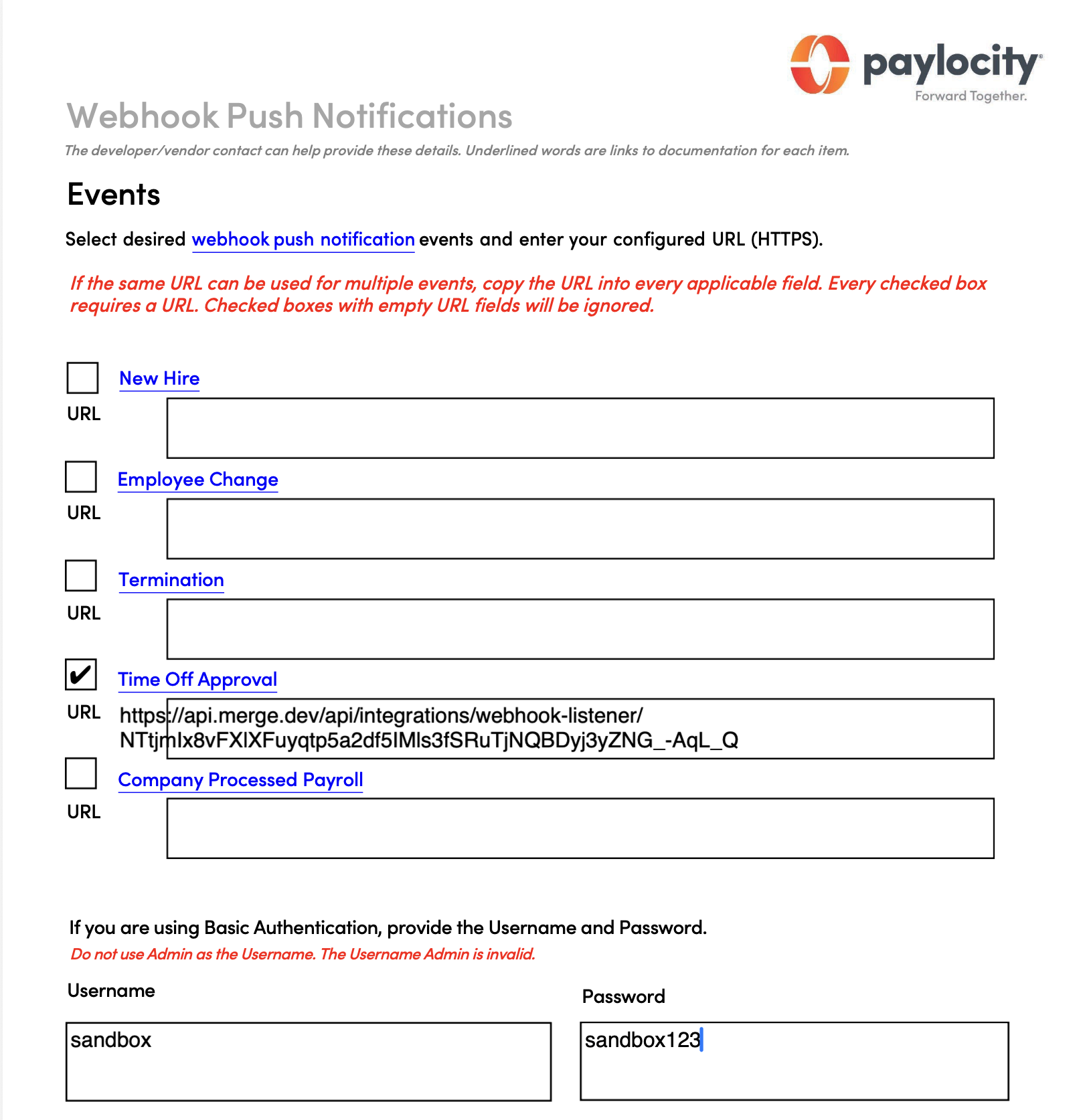
Decide on a username and password. Paylocity will use these credentials to authenticate every webhook request it sends. Include this username and password along with your listener URL when you submit the Web Services Access Request Form.
Step 3: Base64-encode your username and password
Combine your username and password into a single string in the format username:password, keeping the colon between them. Encode that entire string using base64. Do this on your own machine, and don't share your raw username and password anywhere else — only the encoded result should be shared going forward.
For example, on Mac or Linux:
printf '%s' 'username:password' | base64Step 4: Add the encoded string to your webhook configuration
Go to the Paylocity webhook event row in the Merge Dashboard. Paste the base64-encoded string into the signature key field. Don't include Basic or any other prefix — just the encoded string itself.

Step 5: Turn on the webhook event
Toggle the webhook event row to active. Once enabled, it's ready to receive events from Paylocity.