Workday - POST Employee Deductions
Last updated: October 28, 2026
Overview
To enable Workday POST employee deduction passthrough requests you must:
Configure the correct domain security policy permissions, activate the security policy changes, and ensure the DSP status is active
Create a new deduction code
Set a calculation + tax treatment
Create a payroll input batch
Prerequisites
Completed the Workday - How do I link my account with an Integration System User (ISU)? guide
Created an Integration System User (ISU)
Created a Security Group and assigned an Integration System User
Configured domain security policy permissions
Added GET and PUT Worker Data: Payroll (Payroll Input) Domain Security Policy permissions to the ISU: Workday - What permissions do I need for HRIS data?
Activated security policy changes
Instructions
Step 1: Create a deduction code
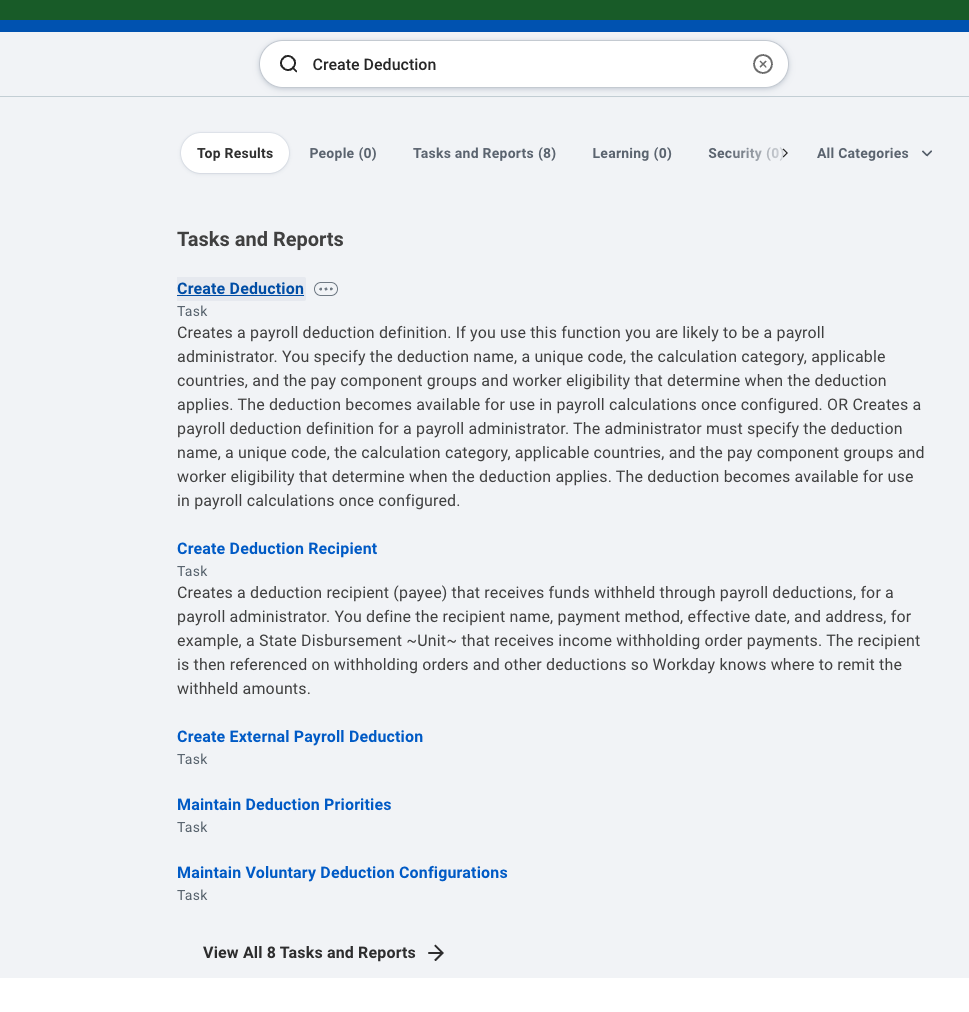
Search for Create Deduction.
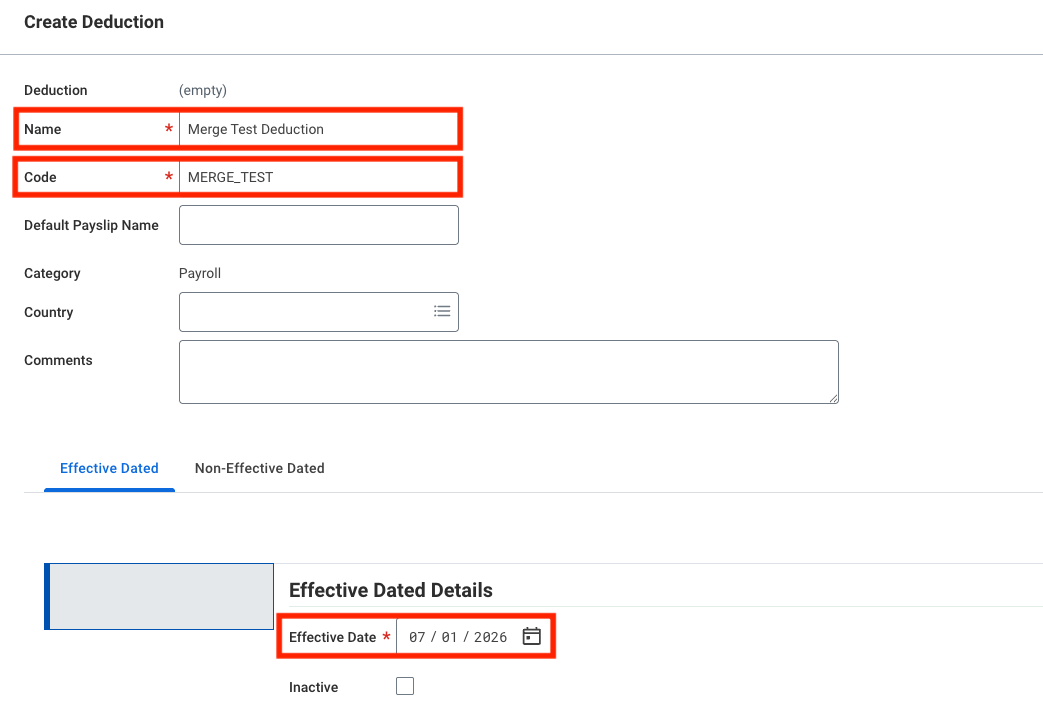
Select a Name, Code, and Effective Date.
Set the Effective Date on or before the earliest period you'll calculate.
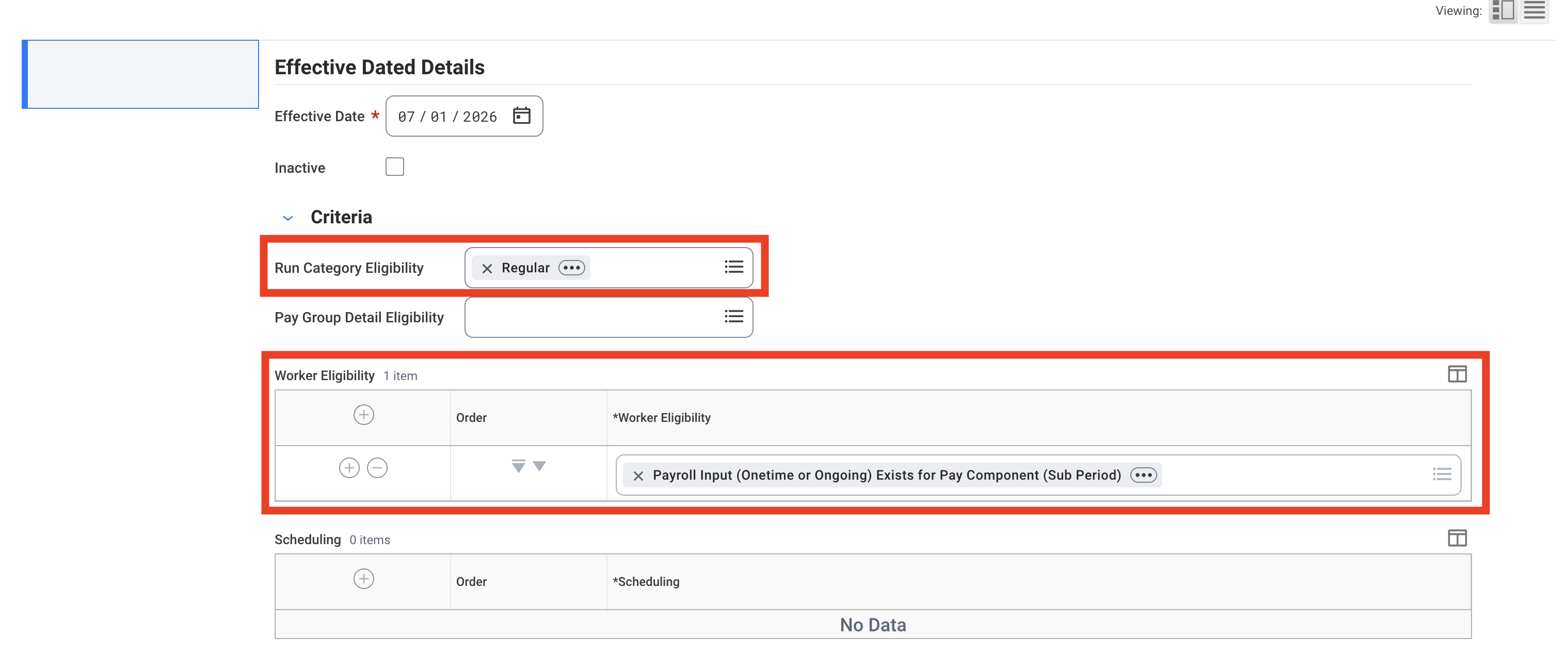
Set the eligibility fields:
Set Run Category Eligibility to Regular.
Set Worker Eligibility to Payroll Input (Onetime or Ongoing) Exists for Pay Component (Sub Period).
Step 2: Set a calculation
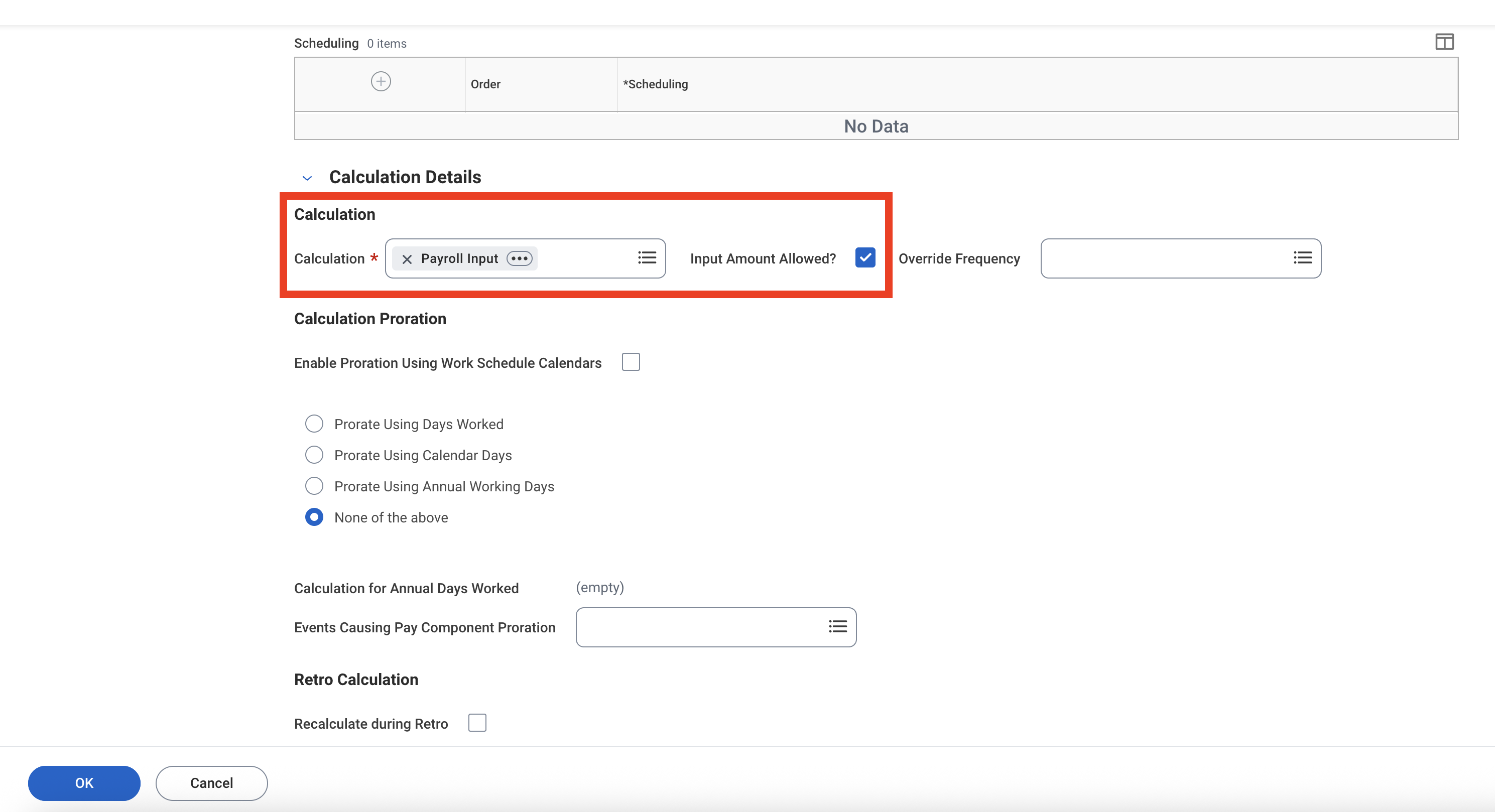
Workday requires every deduction to have an associated calculation.
Select Payroll Input and check Input Amount Allowed?
Step 3: Set tax treatment
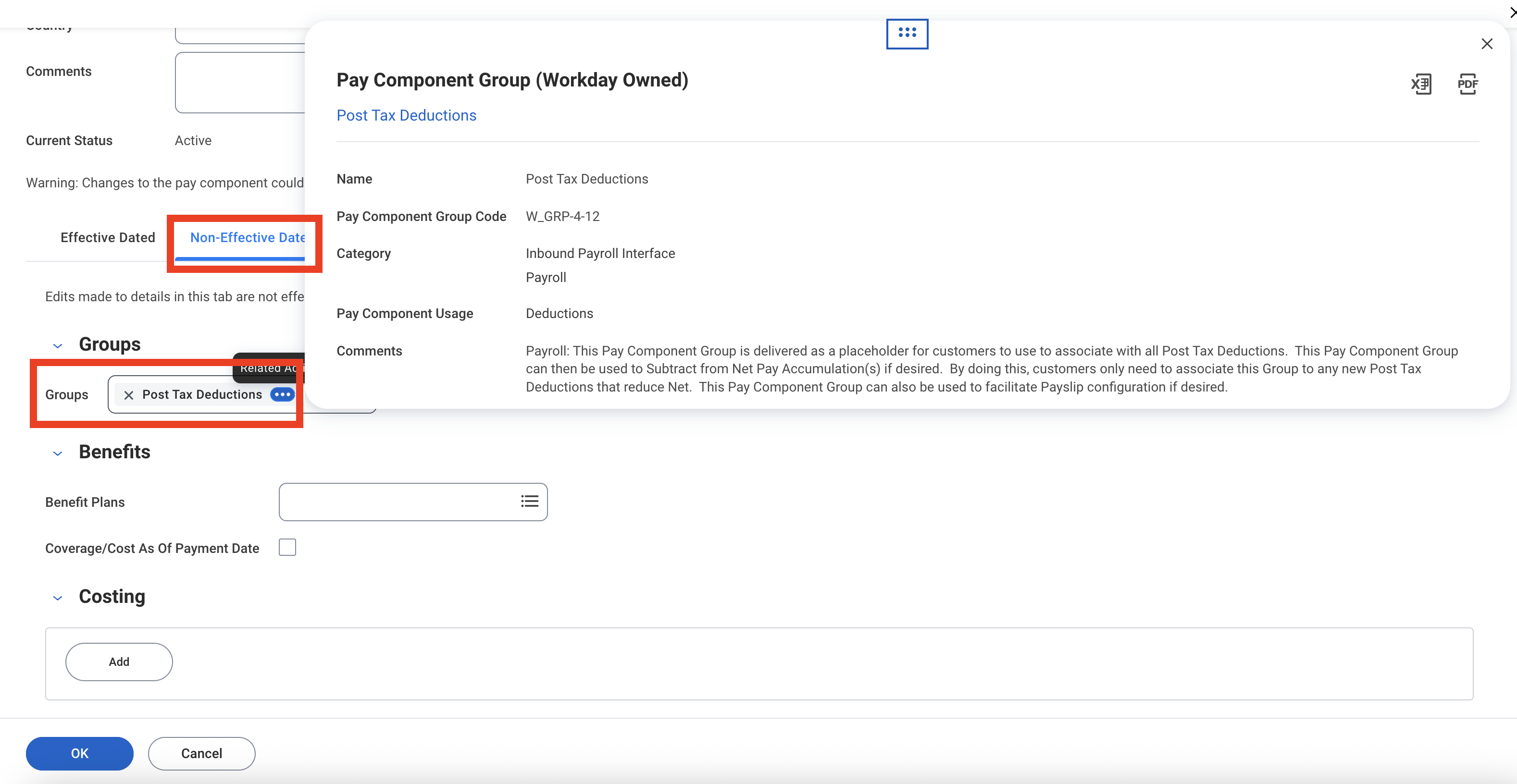
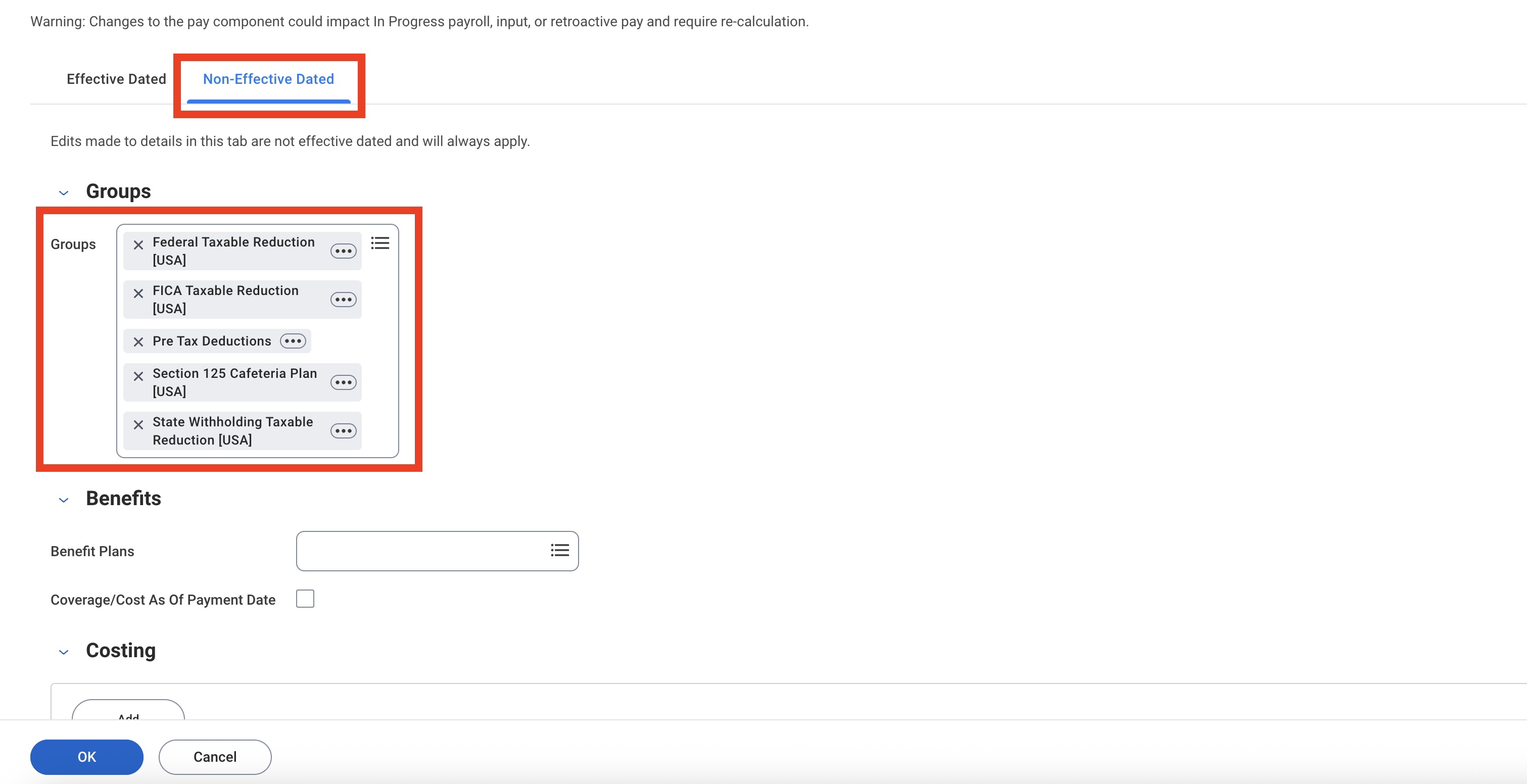
Navigate to Non-Effective Dated → Groups.
Add the deduction to groups based on how it should be taxed:
Post-tax — This is the default. A deduction is post-tax unless it's in a taxable reduction group. You can optionally add it to the Workday-delivered Post Tax Deductions group for net pay accumulation and payslip grouping.
Pre-tax — Add the deduction to the taxable reduction group for each tax it should be excluded from, such as Federal Taxable Reduction, State Withholding Taxable Reduction, FICA Taxable Reduction, or Section 125 Cafeteria Plan (for a cafeteria plan premium). Confirm the right groups with your payroll or benefits team.
Step 4: Create a new payroll input batch
A Payroll Input Batch is a shared label you attach to a group of submitted payroll inputs so Workday can track, report on, and clean them up together.
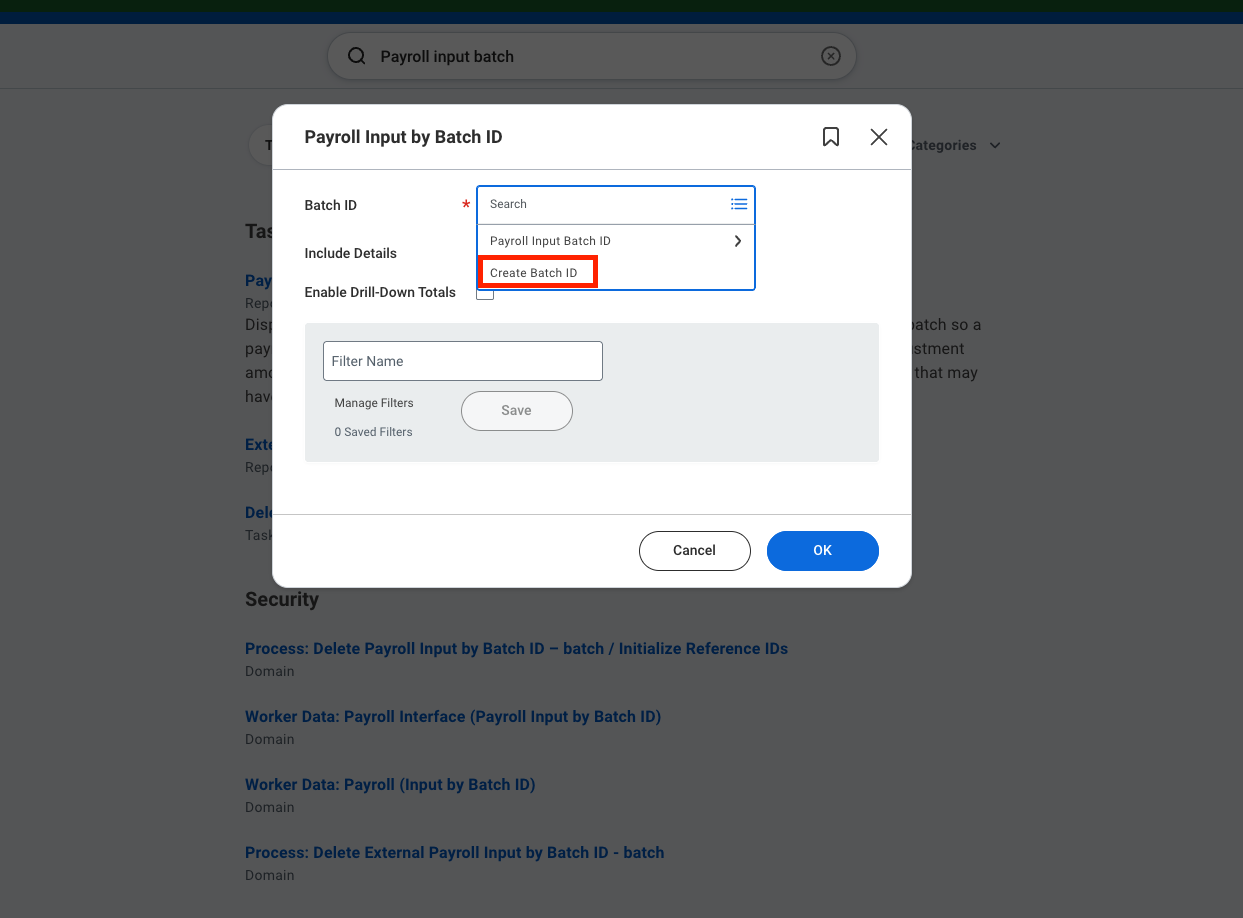
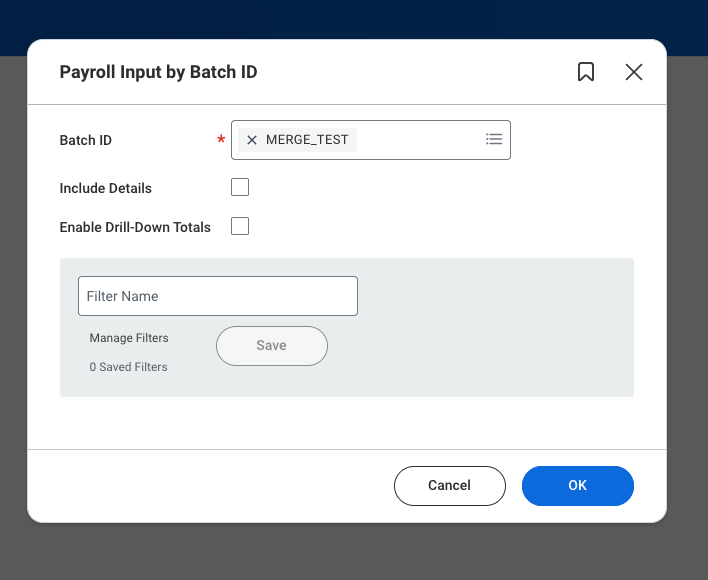
Search for Payroll Input by Batch ID.
Click Create Batch ID.
Enter a Batch_ID and Usage category.
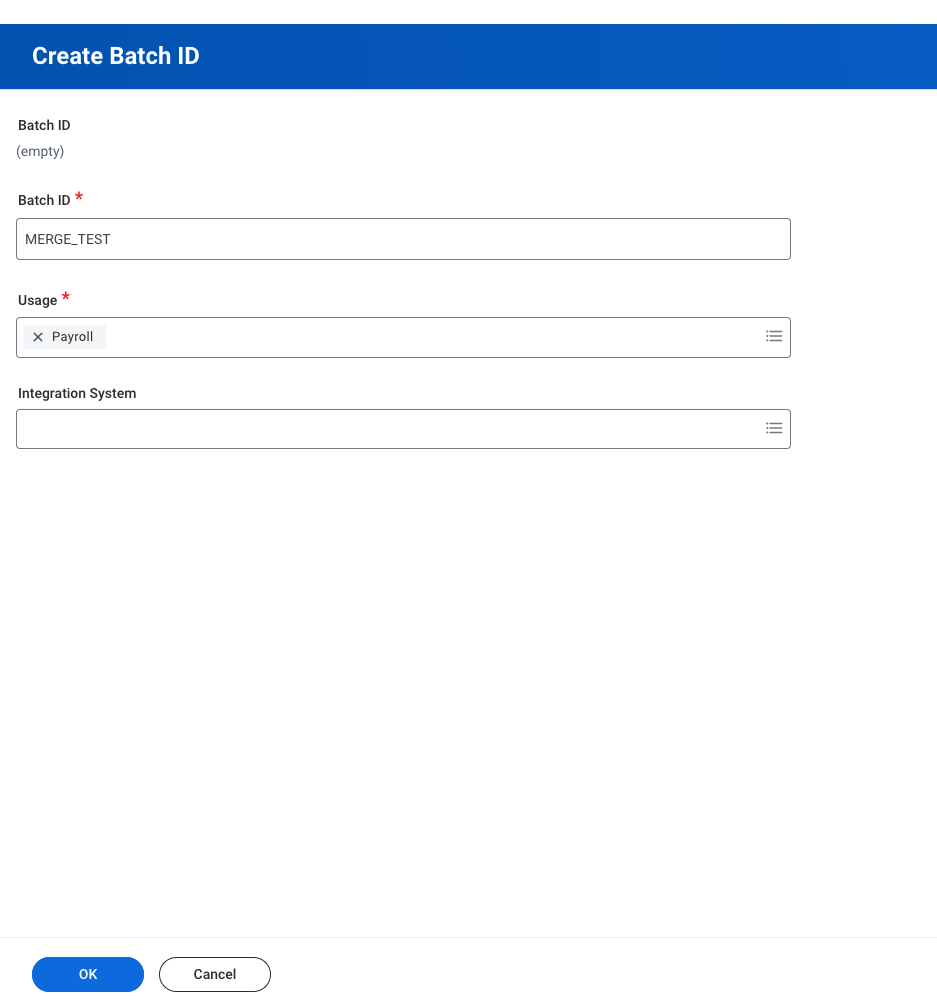
Click OK.
Notes
Changing a deduction amount mid-period
Workday charges every ongoing input that overlaps a pay period at full value, with no prorating. If you end a $100 input today and start a $200 input tomorrow, the employee is charged $300 for that period. To avoid this, end the old input on the last day of a pay period and start the new one on the first day of the next period.