Asymbl: POST Workflow and Samples
Last updated: May 4, 2026
Overview
This guide provides best practices, key considerations, and sample request bodies to help you successfully POST to Asymbl.
POST Activities
When you POST an Activity, Asymbl creates a matching record and assigns the type as Email or Task.
Note:
activity_typemust beEMAIL,NOTE, orOTHER
Example: Create an Attachment as an Email subtype
{
	"model": {
		"body": "Please email this candidate about next steps",
		"user": "{user_uuid}",
		"subject": "Candidate Email Outreach - Next Steps",
		"candidate": "{candidate_uuid}",
		"activity_type": "EMAIL"
	}
}
Example: Create an Activity as a Task subtype
{
	"model": {
		"body": "Candidate Async Assessment ",
		"user": "{user_uuid}",
		"subject": "Candidate Internal Note",
		"candidate": "{candidate_uuid}",
		"activity_type": "NOTE"
	}
}
POST Attachment
Integration parameter:
path_with_extension: Include the file’s trailing path including its extension. The extension tells Asymbl which attachment format to use.Example: For
https://www.{placeholder}.com/fake-resume.pdf, setintegration_params.path_with_extensiontofake-resume.pdf.
Example: Create an Attachment
{
  "model": {
    "file_url": "https://www.{placeholder}.com/fake-resume.pdf",
    "candidate": "{candidate_uuid}",
    "file_name": "Fake Resume",
    "integration_params": {
      "path_with_extension": "fake_resume.pdf"
    }
  }
}
POST Application
Our POST Application functionality lets you optionally create the candidate and or attachment in the same request.
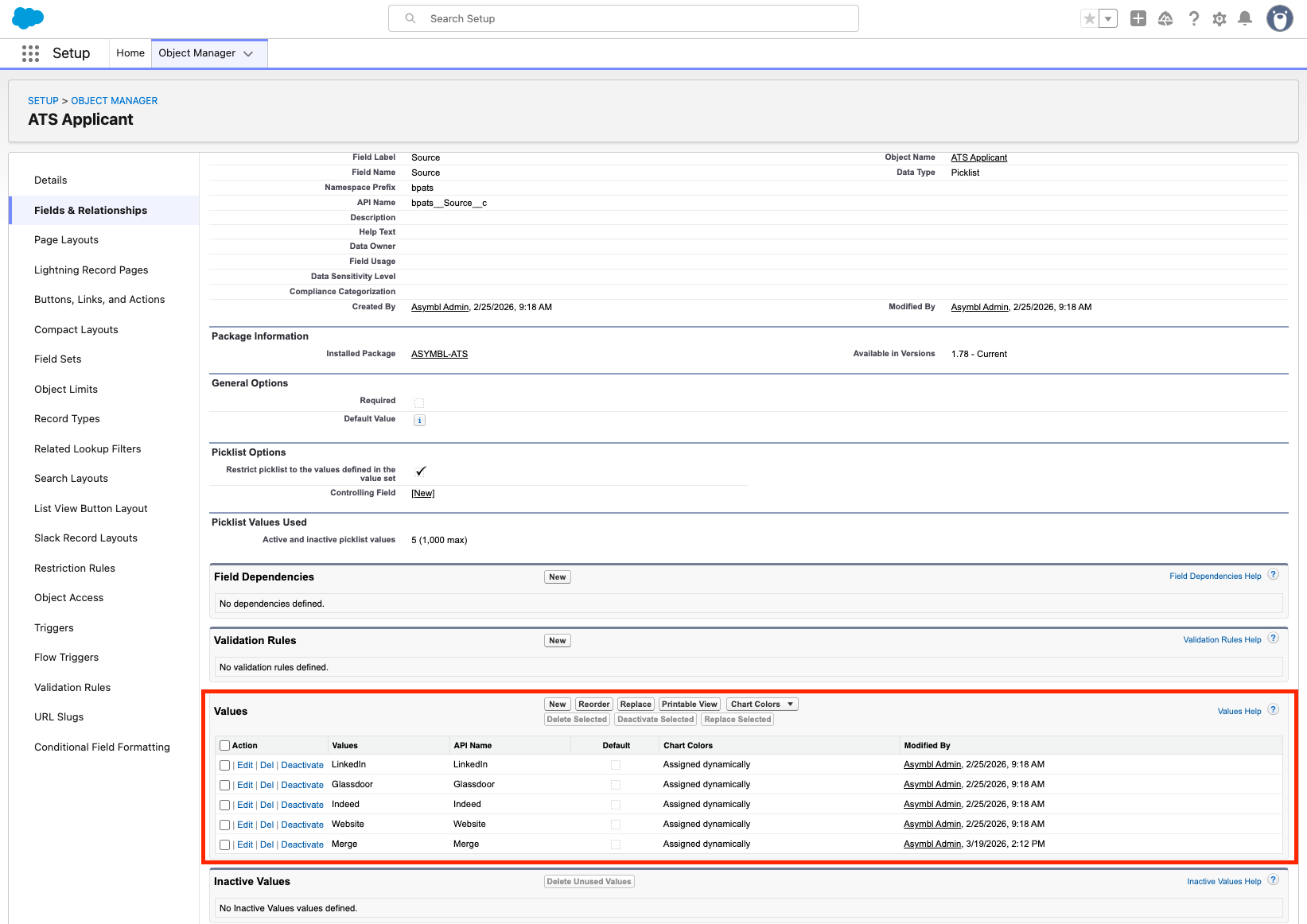
In order to customize the source options:
Edit the source pick list options:
Go to Salesforce Setup --> Object Manager --> ATS Applicant
Navigate to Fields & Relationships --> Source
Add a Picklist value (ie Merge)
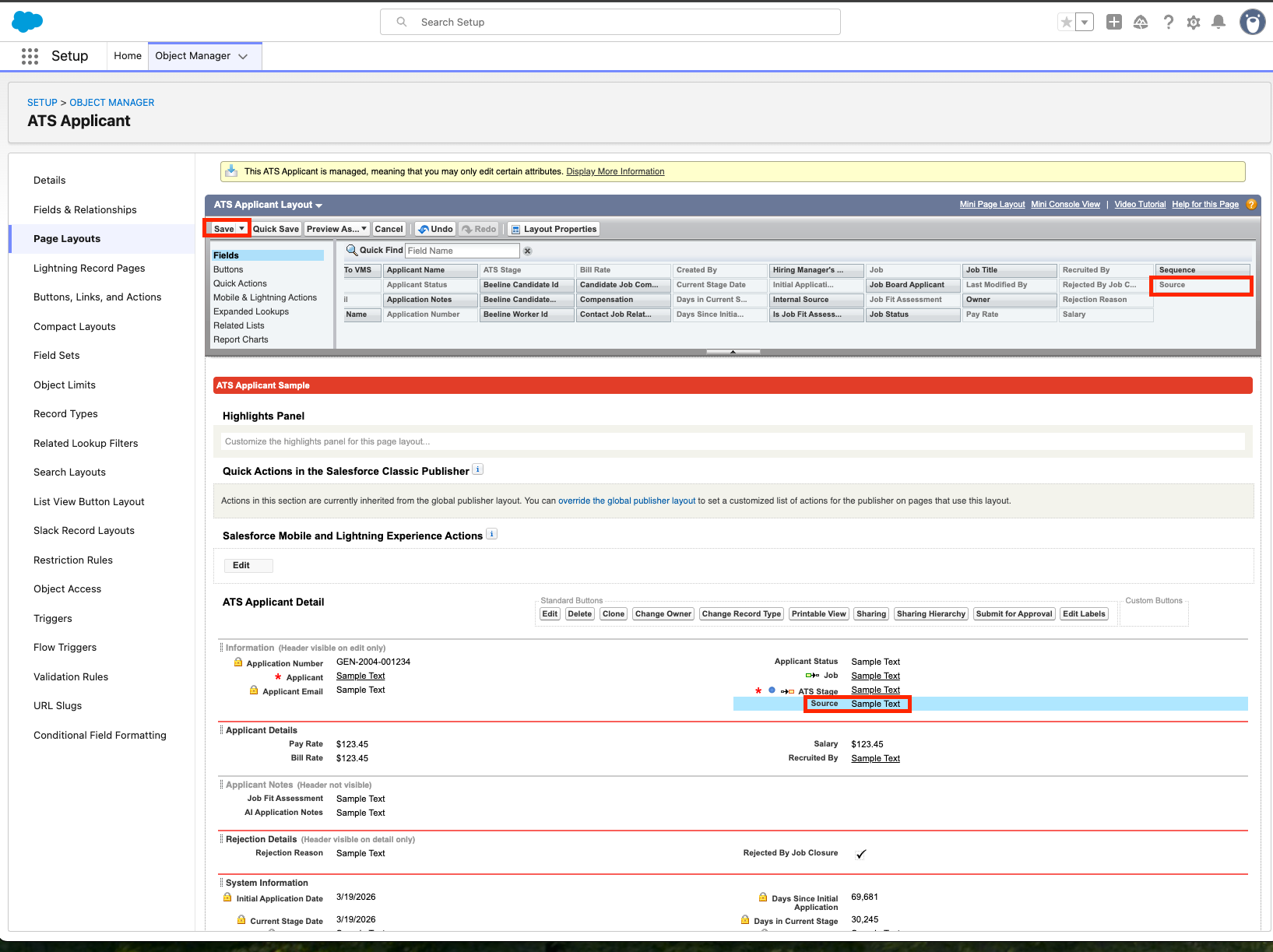
Edit the page layout to add source to the UI:
Go to Salesforce Setup --> Object Manager --> ATS Applicant
Navigate to Page Layout
Add the
sourcefield to the ATS Applicant Detail page
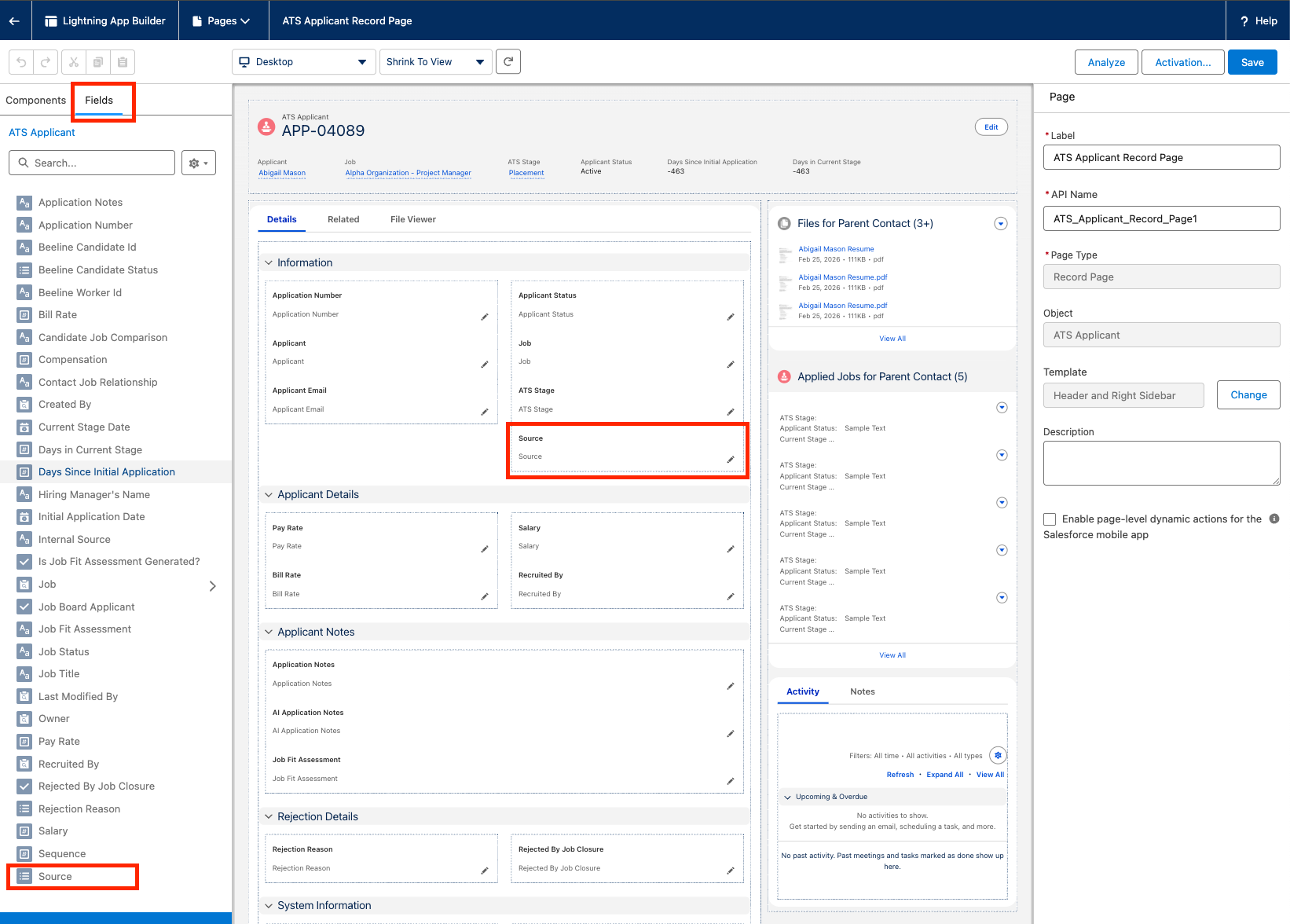
If the source field is still not visible, edit the Lightning App Builder for the record page:
Go to any ATS Applicant record
Click the ⚙icon (top right), click "Edit Page"
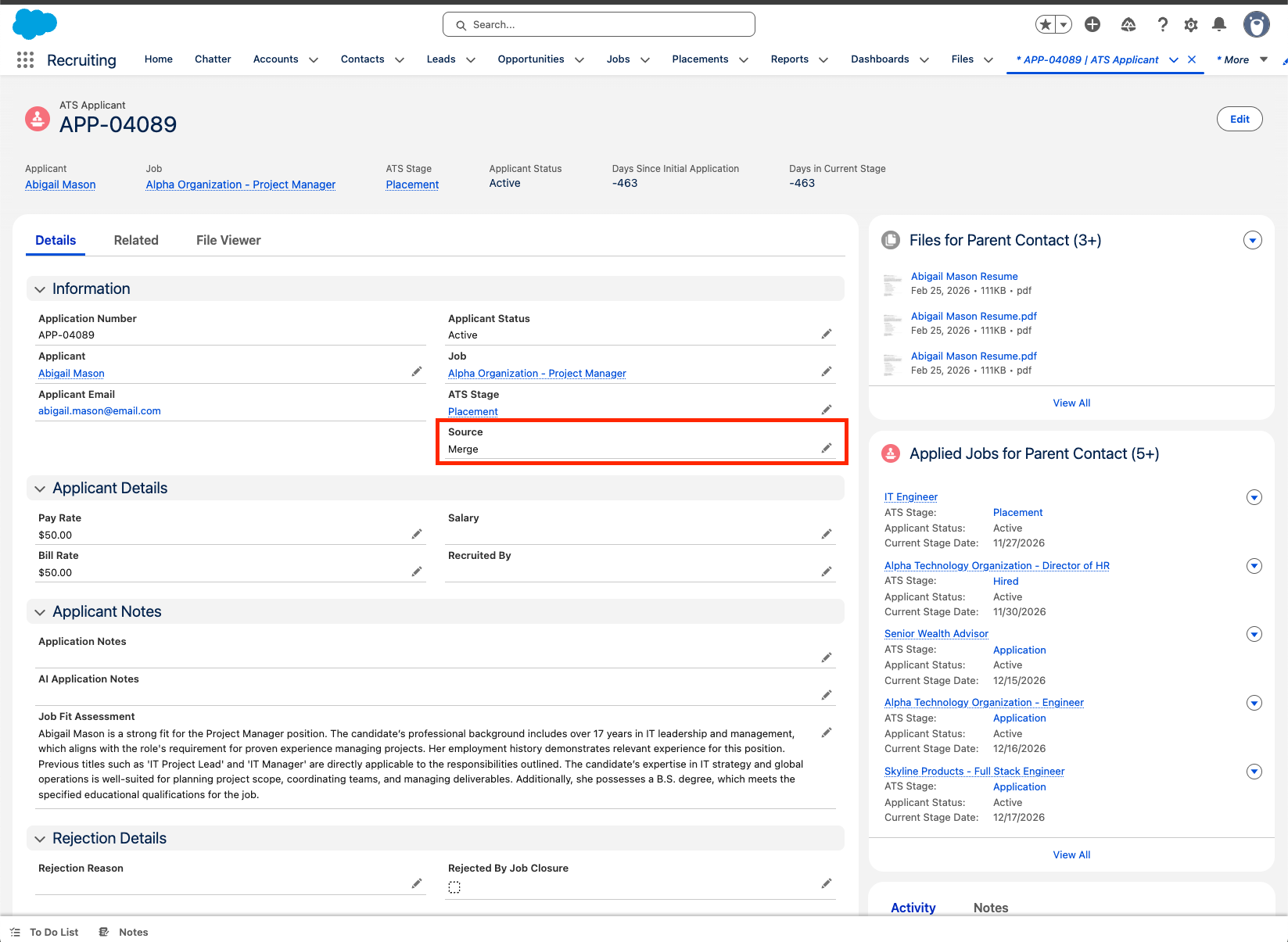
Custom
sourcefields appear in the UI:
POST Application with new candidate
Example: Create an application with a new candidate and resume attachment
{
  "model": {
    "candidate": {
      "last_name": "LastName",
      "first_name": "FirstName",
      "title": "Software Engineer",
      "attachments": [
        {
          "file_name": "Candidate Resume.pdf",
          "file_url": "https://pdfobject.com/pdf/sample.pdf",
          "integration_params": {
            "path_with_extension": "sample.pdf"
          }
        }
      ],
      "phone_numbers": [
        {
          "value": "1234567890",
          "phone_number_type": "MOBILE"
        }
      ],
      "email_addresses": [
        {
          "value": "[email protected]",
          "email_address_type": "WORK"
        }
      ]
    },
    "source": "Merge",
    "job": "{job_uuid}"
  }
}
POST Application with existing candidate
Example: Create an application with a existing candidate
{
  "model": {
    "source": "Merge",
    "candidate": "{candidate_uuid}",
    "job": "{job_uuid}"
  }
}
POST Application existing candidate with attachment
Example: Create an application for an existing candidate with a resume attachment
{
  "model": {
    "source": "Merge",
    "candidate": "{candidate_uuid}",
    "job": "{job_uuid}",
    "integration_params": {
      "attachments": [
        {
          "file_name": "Candidate Resume.pdf",
          "file_url": "https://pdfobject.com/pdf/sample.pdf",
          "integration_params": {
            "path_with_extension": "sample.pdf"
          }
        }
      ]
    }
  }
}
POST Candidate
When adding an email object to email_addresses, include only one email address. For phone numbers, you can set the type to HOME, MOBILE, or OTHER. Only the first city in the locations array will get posted to the candidates record in Asymbl. For locations please only post valid city names.
Email address must be unique. If you try to create a candidate with an existing email address, the post will fail.
Example: Create a candidate
{
  "model": {
    "title": "Software Engineer",
    "last_name": "Doe",
    "first_name": "John",
    "can_email": false,
    "locations": ["San Francisco"],
    "attachments": [],
    "applications": [],
    "phone_numbers": [
      {
        "value": "+1234567890",
        "phone_number_type": "HOME"
      },
      {
        "value": "+1234567890",
        "phone_number_type": "Mobile"
      }
    ],
    "email_addresses": [
      {
        "value": "[email protected]",
        "email_address_type": "Work"
      }
    ]
  }
}