Lattice HRIS - How do I set up my partner credentials?
Last updated: October 14, 2025
Overview
This guide will walkthrough the simple process of applying for a Lattice partnership, which is required in order to use the integration.
Prerequisites
Notify your Merge Customer Success Manager or reach out to [email protected] about your interest in using the Lattice integration.
Because Lattice is a beta integration, it is not enabled by default and will require your CSM to activate.
Instructions
Apply for a Lattice integration using the Merge-specific application form.
After review, Lattice will provide your Client ID and Client Secret. Lattice typically takes a day to a few days to complete the review.
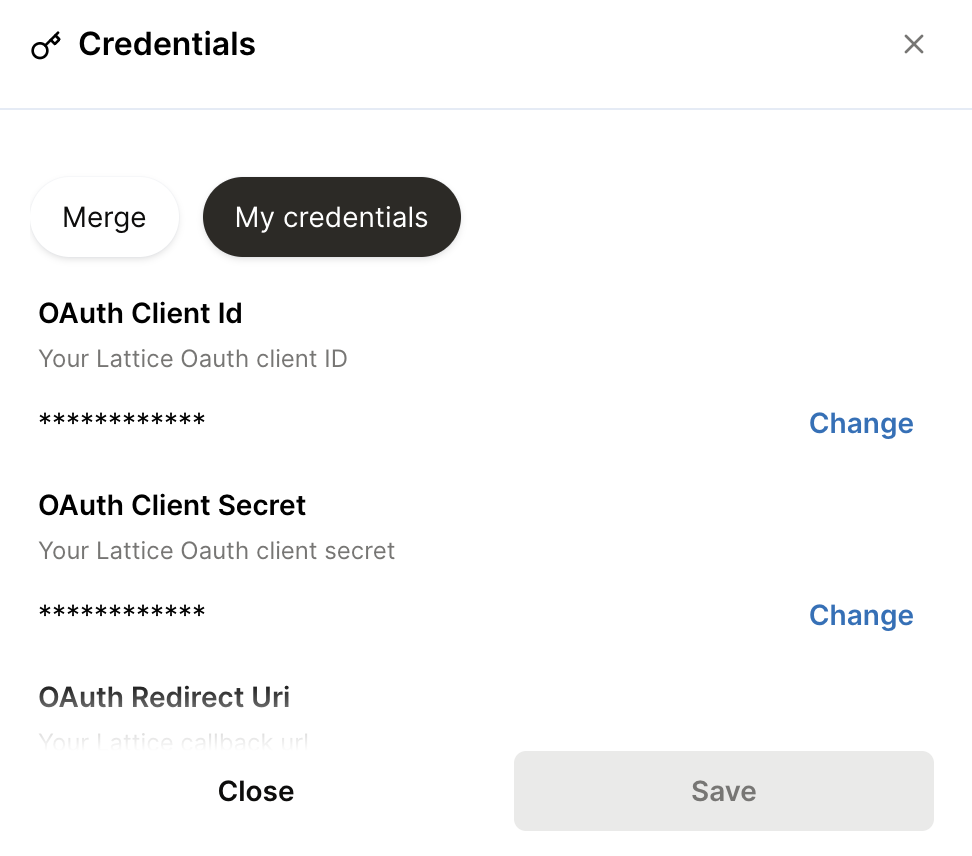
In the Integrations page of your Merge dashboard, input the Client ID, Client Secret, and Redirect URI for the Lattice integration and save.
The Redirect URI is
https://app.merge.dev/oauth/callback
You're done!