SAP SuccessFactors - Syncing additional fields with Selective Sync
Last updated: February 5, 2026
Overview
This article explains how Merge uses Selective Sync with SAP SuccessFactors to add OData navigation properties (often ending in Nav) to the data we sync.
These Selective Sync options are commonly used to:
Pull in additional related objects that are not returned by default.
Make additional custom fields available for mapping and downstream use.
If you are looking to filter which employees sync (for example, only a subset of the employee population), these $expand / $select options are typically not the right tool. They primarily control which fields and related objects are returned, not which primary records are included.
Context
How SAP SuccessFactors “nav paths” work
SAP SuccessFactors exposes data through OData endpoints. Many properties are returned as references that can be followed via navigation properties (for example employmentNav or personalInfoNav).
Merge can request those related objects by using:
$expandto include related objects inline.$selectto limit which fields are returned.
In Merge, these are configured through Selective Sync as predefined filter types for SAP SuccessFactors.
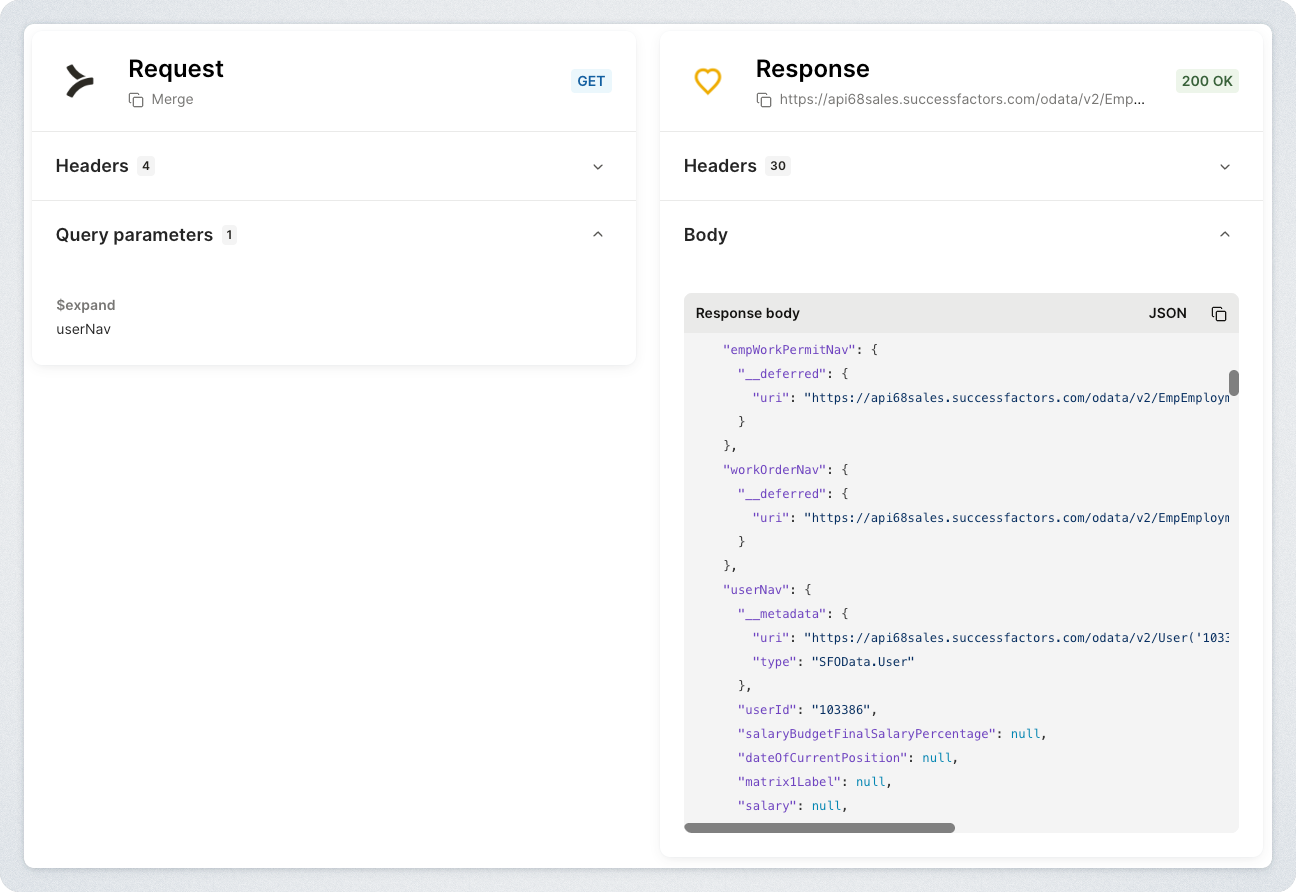
Supported Selective Sync options for SAP SuccessFactors
For SAP SuccessFactors, Merge supports configuring the following Selective Sync options on the Employee common model:
$expand on EmpJob$expand on PerPerson$select on EmpJob$select on PerPerson$select on PerPersonal
Each option corresponds to setting the $expand or $select query parameter on the underlying SAP SuccessFactors OData request for that object.
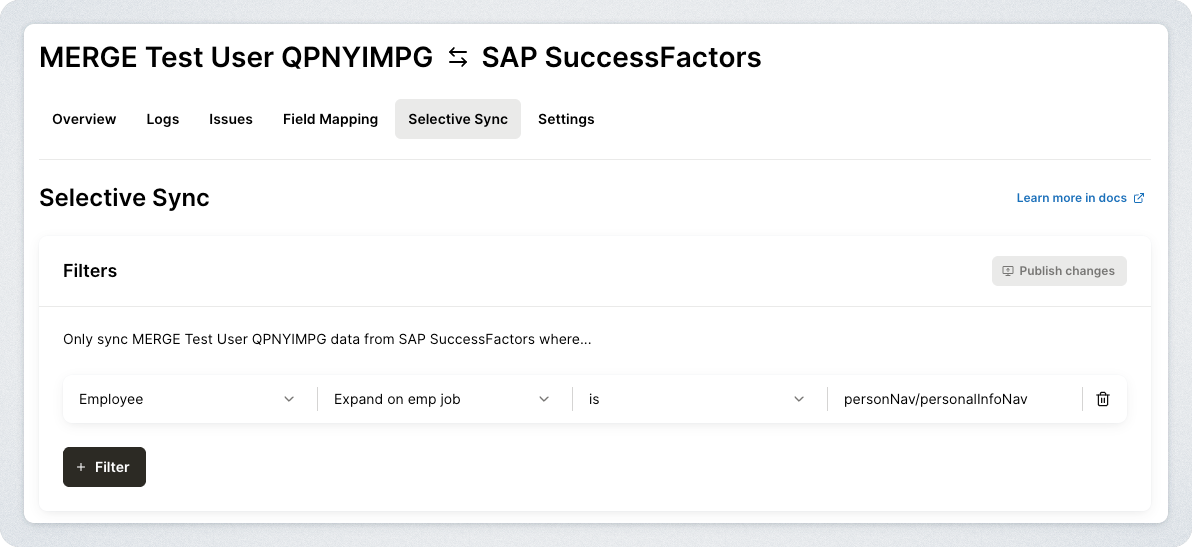
Instructions
How to format nav paths
When you configure an $expand option, you will enter a nav path.
Simple expand
Example:
employmentNav
Nested expand
You can often expand nested relationships using /.
Example:
personalInfoNav/customString2Nav
Expanding picklist labels
Some custom string fields can be further expanded to include picklist label metadata.
Example:
personalInfoNav/customString2Nav/picklistLabels
Important behavior notes
These options are additive
In SAP SuccessFactors, these Selective Sync options are primarily used to expand the data returned from the API. In other words:
They generally add fields and related objects.
They do not usually remove or exclude records from syncing.
Not every nav path works for every customer tenant
SAP SuccessFactors configurations vary by customer. A nav path may fail if:
The customer tenant does not have that navigation property enabled.
The service account does not have permission to access the related entity.
The nav exists, but requires expanding through a different parent object.
Some expands may not behave consistently across objects
Depending on the SAP SF object and tenant configuration, the same logical data may be accessible from multiple objects (for example, from an employment object versus a person object). If a nav path does not work on one object, it may work when applied via a different supported option.
Troubleshooting
If a nav path is not working:
Confirm the property exists in the SAP SF OData API for that tenant.
Confirm the linked account service user has permission to access the related entity.
Try applying the expand on a different supported object (EmpJob vs PerPerson vs PerPersonal), if applicable.
Check the Merge Dashboard logs for the underlying API request and response.
If you are still blocked, contact Merge Support with:
The linked account ID.
The nav path you attempted.
A screenshot or export of the relevant API request from the Merge Dashboard logs.