Microsoft Entra ID - Syncing additional fields with Selective Sync
Last updated: July 22, 2026
Overview
This article explains how Merge uses Selective Sync with Microsoft Entra to add custom extension attributes in our outbound field selection criteria.
These Selective Sync options are commonly used to:
Pull in additional related objects that are not returned by default.
Make additional custom fields available for mapping and downstream use.
If you are looking to filter which users sync (for example, only a subset of the user population), the user_expand option is not the right tool. It controls which fields are returned, not which primary records are included.
Please note that this custom filter for Entra is only available to customers on our Professional or Enterprise plans.
Instructions
Navigate to the Selective Sync tab of the Merge Dashboard.
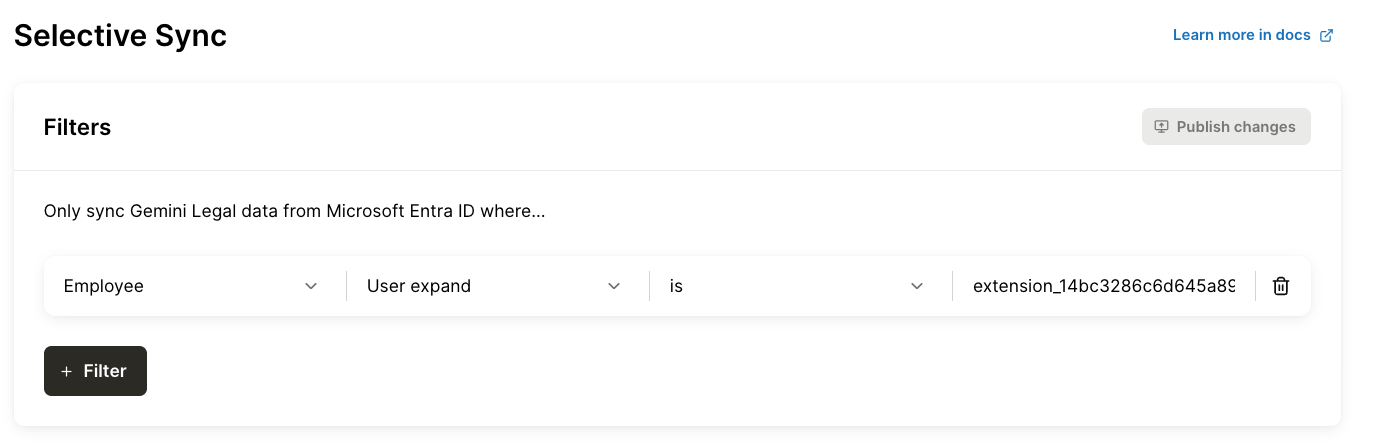
Add a Selective Sync filter on the Employee object with the "User expand" option.
Enter comma-delimited list of custom extension attributes to pull for the Employee.
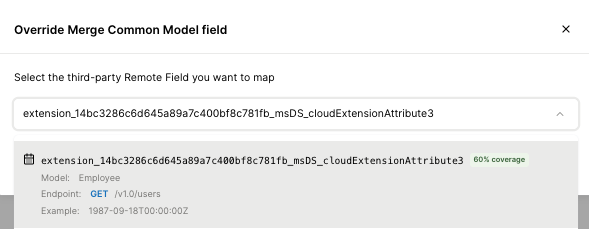
This will kick off a full resync of the linked account, after which field mapping can be used to map the extension attribute. Be sure to enter the full custom extension attribute identifier from Microsoft Entra.