SharePoint - How do I set up an admin user with access to just a few Sites?
Last updated: December 6, 2025
Overview
The integration with SharePoint inherits the permissions of the authenticated user through the use of delegated permissions. If you only want to give access to a limited set of SharePoint sites, you just have to ensure the user authenticating only has access to that limited set of sites. This guide will take you through how to set up an admin user with access to just a few Sharepoint sites.
Prerequisites
You have Microsoft admin access
Steps
Create a new User by following Microsoft's official guide
The user must be added with a license to access SharePoint
You will need to log in as the user, so make sure to remember the user's password
Assign the created user the SharePoint Administrator role by following Microsoft's official guide
This means the created user will have access to manage SharePoint, but it does not mean the integration will. The integration will only be able to read SharePoint site and document data, user data, and group data. The requested permissions will be presented when you authenticate the connection later on.
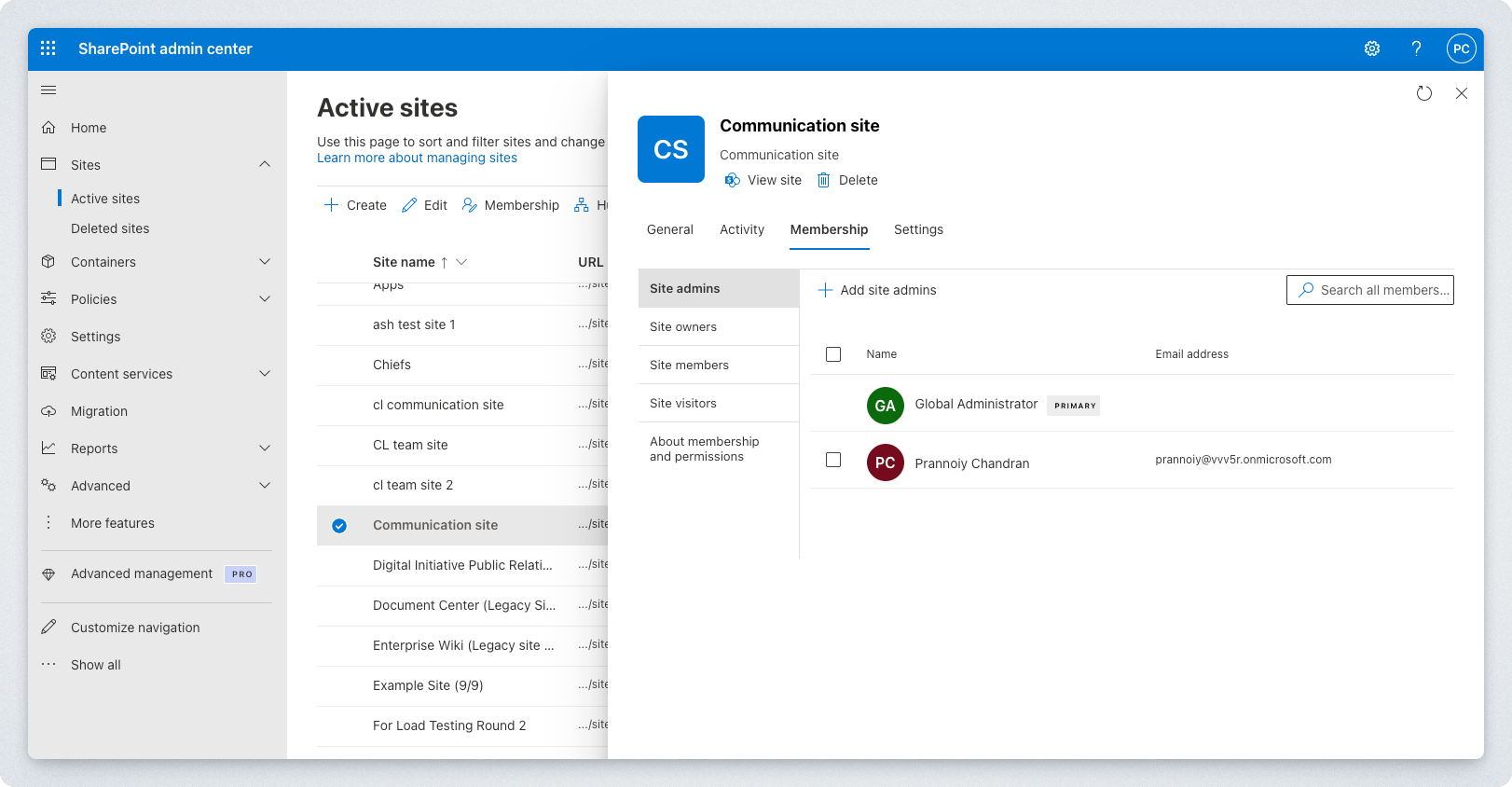
Navigate to the Active sites page of your SharePoint instance in your SharePoint admin center
For every site you want to grant access to, follow the below steps:
Click on the site
On the side panel that opens, navigate to the Membership tab
Add the created user as an Owner or Site admin
If the site is private, add the created user as an Member or Site member. This allows the Site to be searchable in Microsoft's API.
Once all sites have been added, you can now authenticate the connection. Log in as the authenticated user and connect.