How do I enable third-party cookies in my browser?
Last updated: September 8, 2025
Why do I need to enable third-party cookies?
To securely authenticate your integration, you must enable third-party cookies in your browser. These cookies are essential to maintain a secure session and prevent other sites from making unauthorized requests. They are set only for security purposes and are never used for tracking or advertising.
How do I enable third-party cookies?
Each browser and operating system has different steps to enable third-party cookies. Follow the links below for your relevant browser. Note that enabling third-party cookies this way will enable them for all sites. You may wish to revert to blocking third-party cookies after connecting your integration.
Google Chrome
Mozilla Firefox
Microsoft Edge
Arc Browser
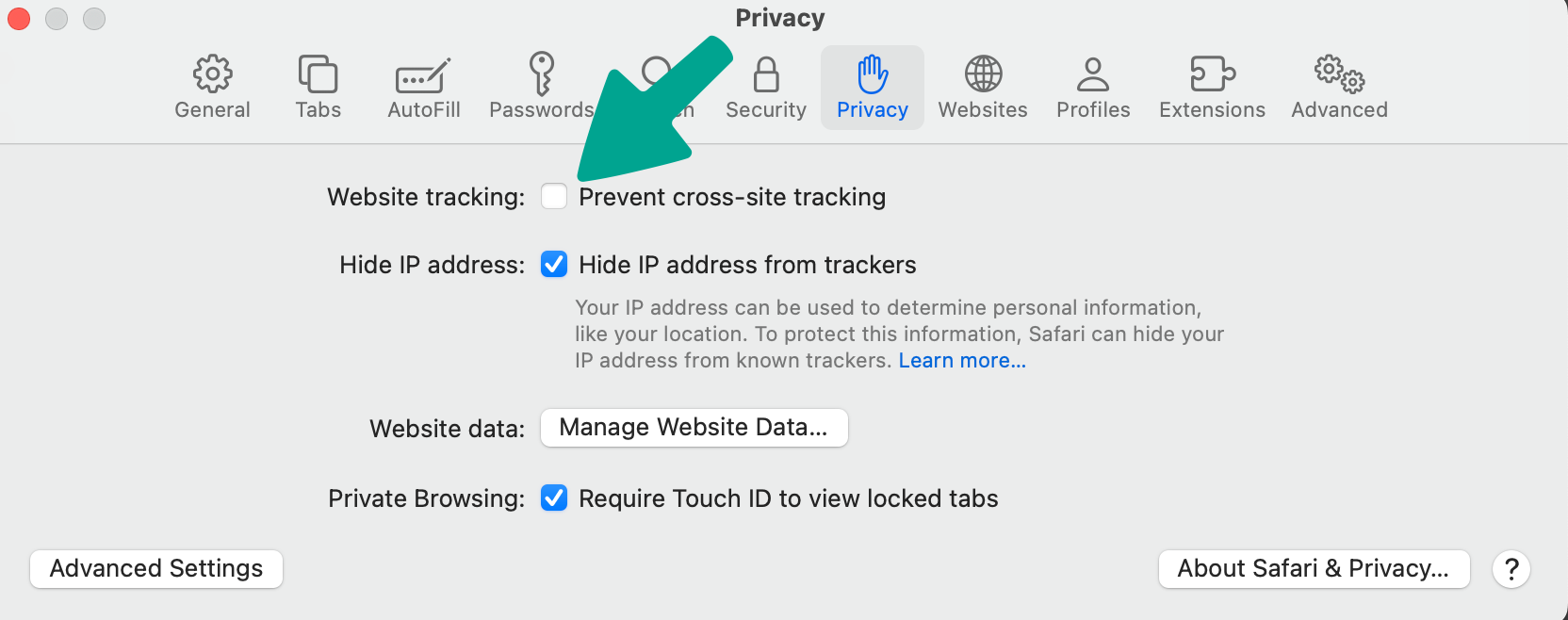
Safari
Note: For Safari you will also need to uncheck the box for Website tracking.
What if I can't access the settings in the guides?
If you cannot access these settings, an administrator may control your device and relevant privacy policies. Making policy changes typically involves a call to your IT department, which will take too long. Consider using a personal device and following the above steps.
What if my browser isn't listed here?
You may be able to use other browsers, but we recommend using a device with the named browsers.