Zelt - How do I set up my partner credentials for OAuth?
Last updated: May 28, 2025
Overview
If you would like to use OAuth to allow your customers to link their Zelt accounts, you'll need to register a Zelt Client and enter its credentials within Merge. This is recommended if you would like to have multiple end users link their accounts.
Instructions
Step 1: Sign up for Zelt!
Sign up at https://zelt.app
Step 2: Create and publish your Zelt application
Navigate from Settings -> Security -> Developer hub
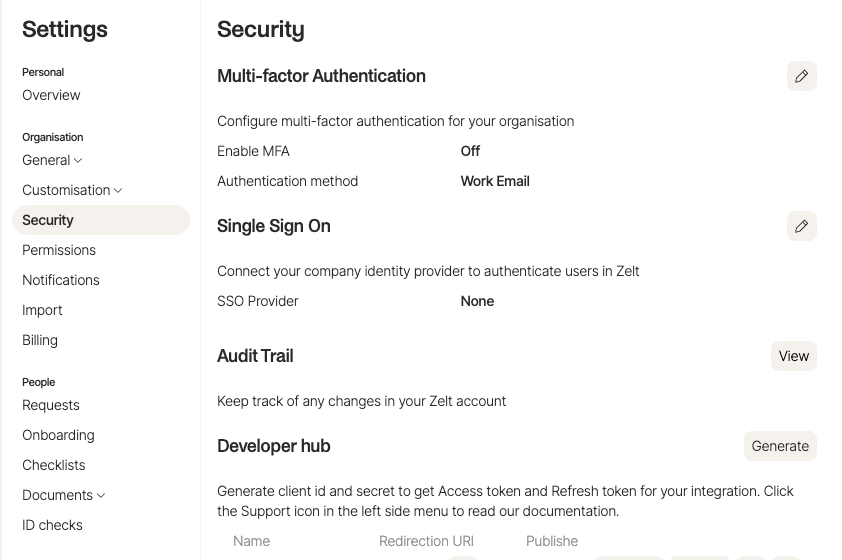
Click
Generateto fill in details about your Zelt application.Fill in the name, description, and set the Redirection URI to https://app.merge.dev/oauth/callback
Click
Generateto get yourclient_idandclient_secret
Copy and save your
client_idandclient_secretReach out to the Zelt team at [email protected] to get your Zelt application published!
Step 3: Add your Zelt client credentials to Merge
On the Merge Dashboard, navigate to the Integrations tab
Under HR, identify the Zelt integration
Enable the integration using the toggle on the right
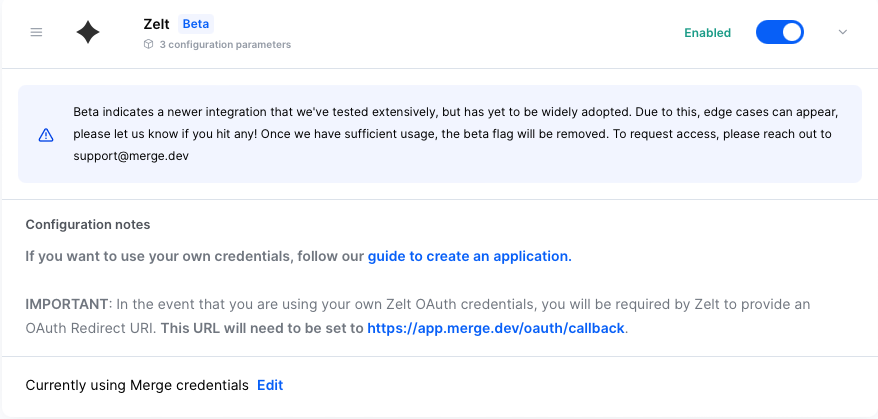
Click Set up organization-level credentials
Select My Credentials
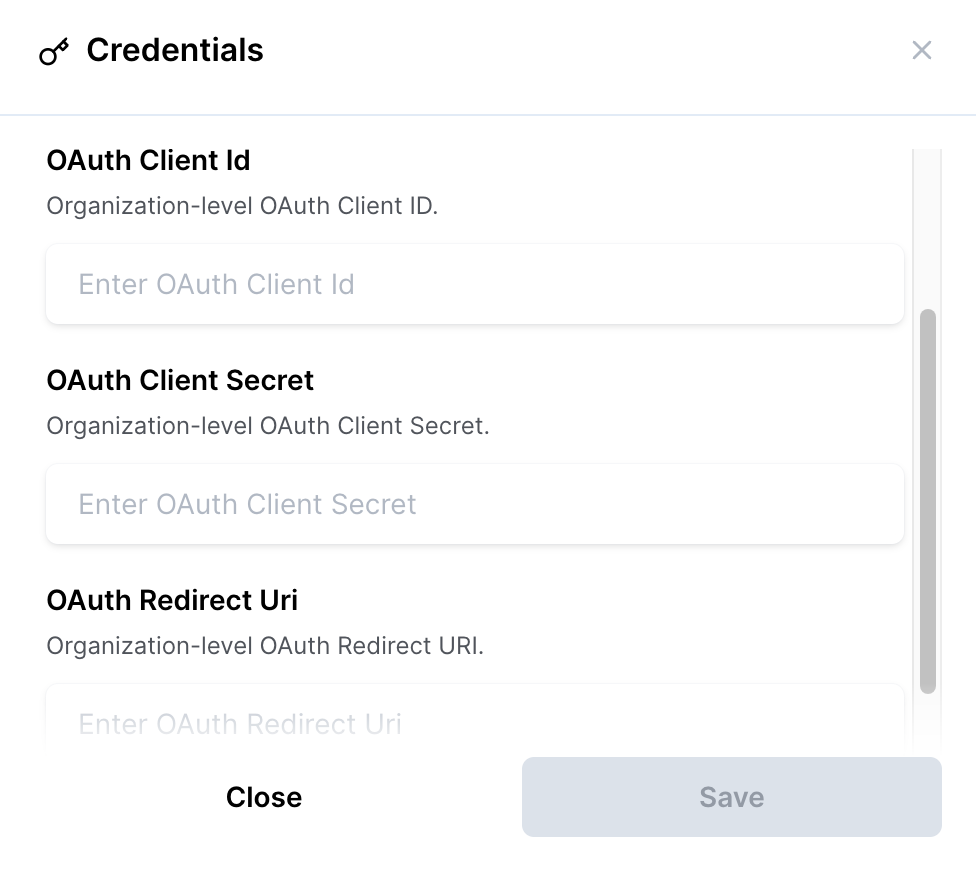
Enter the following information in the corresponding fields
OAuth Client Id: The Client ID value from “Auth” → “App credentials”\
OAuth Client Secret: The Client secret value from “Auth” → “App credentials”
OAuth Redirect URI: https://app.merge.dev/oauth/callback