Linear - How do I set up my partner credentials?
Last updated: May 31, 2025
Overview
Rather than use Merge's Linear developer app to connect to your customers' Linear account, you may want to set up your own Linear developer app. The below steps will take you through the required process:
Instructions
Step 1: Create a Linear Developer App
If you already have a Linear account you may skip the first step, below. You may want to consider using a Linear workspace dedicated to managing the developer app, as each admin user of the workspace will have access.
Begin creating a Linear account through the Linear sign up form
Note that proceeding with these steps will create a free Linear account. This is required to create a developer app, but you do not need to use the account
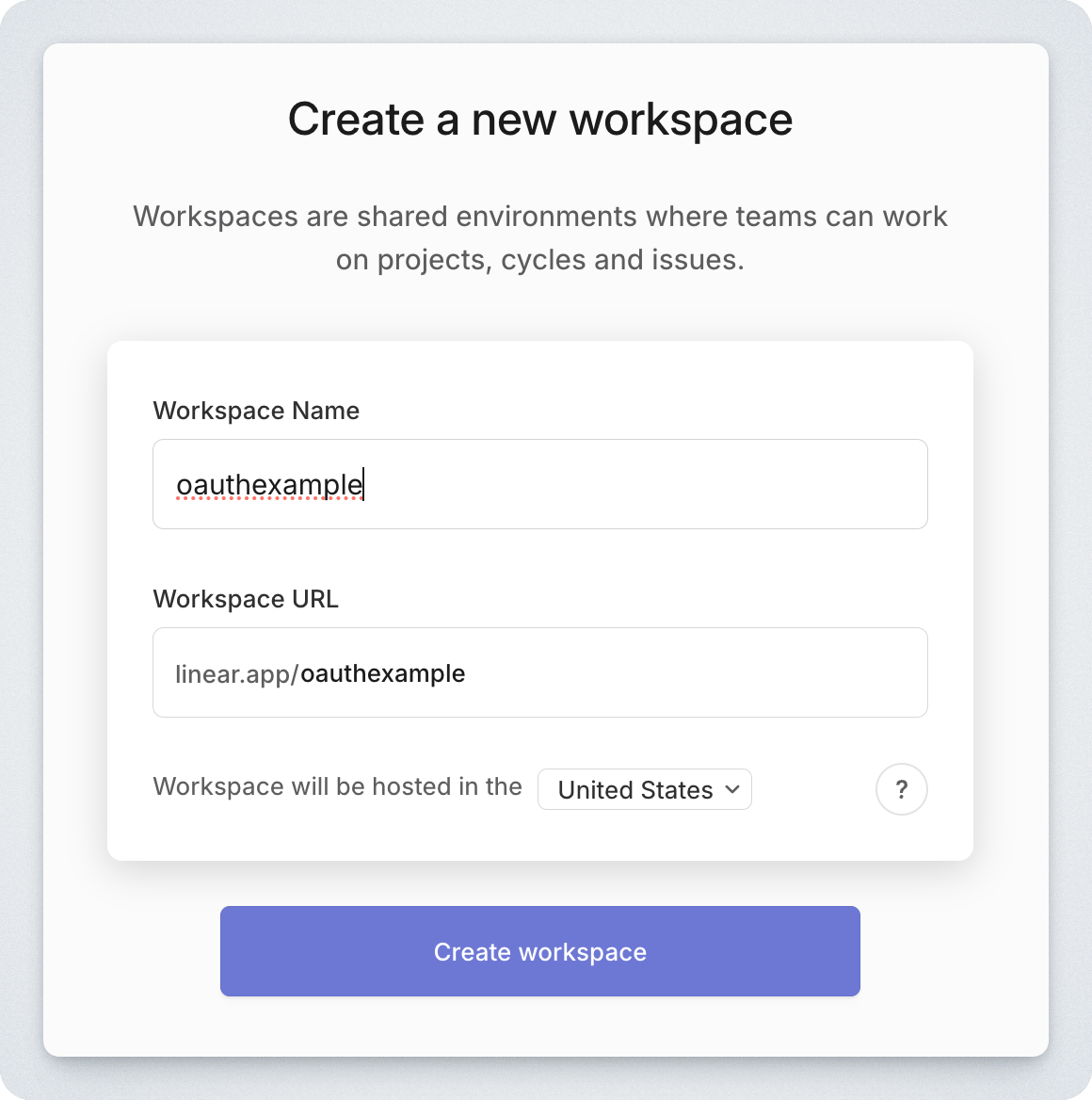
After signing up, create a new workspace
After continuing through the Get Started steps, navigate to the workspace Settings
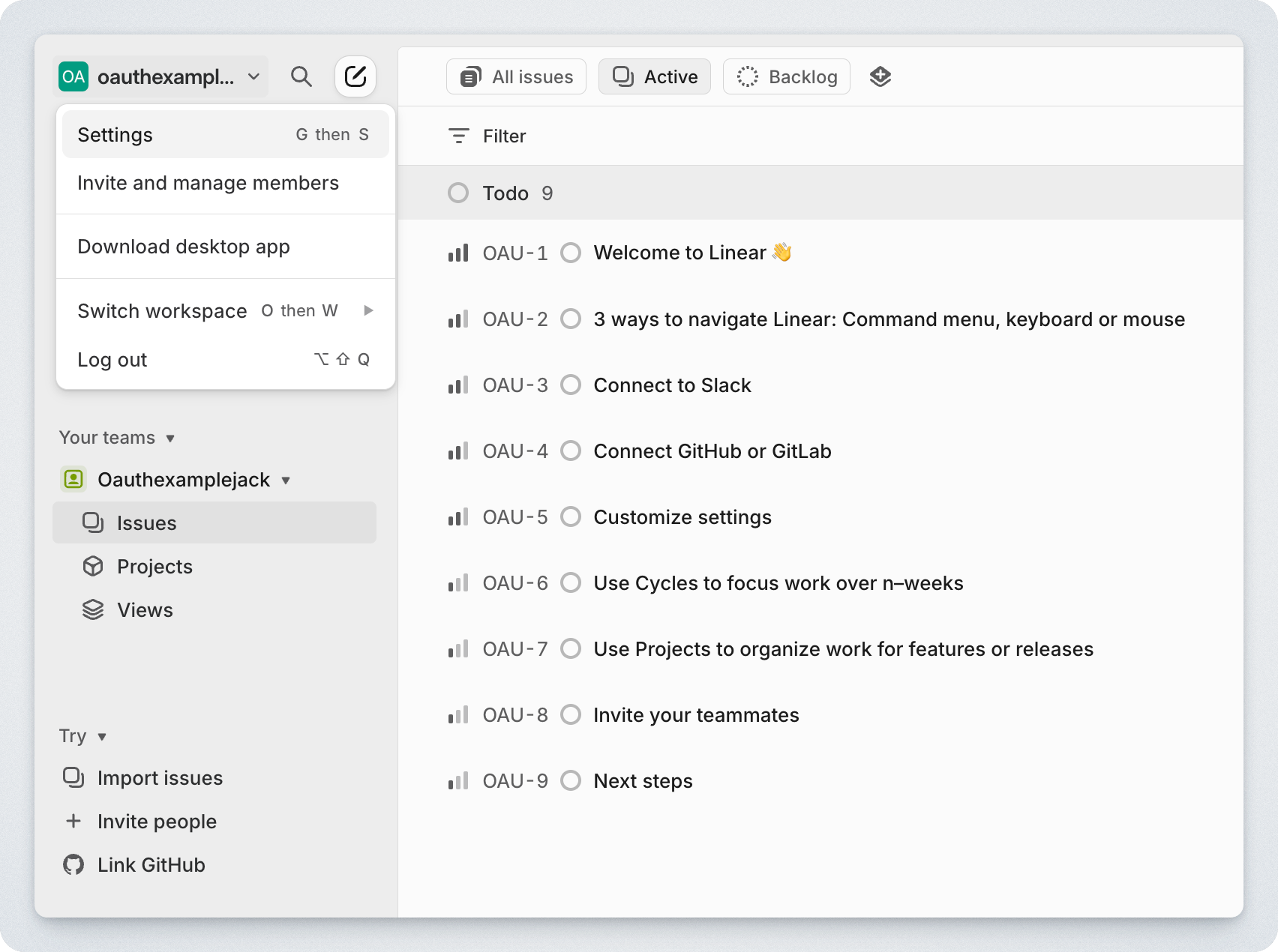
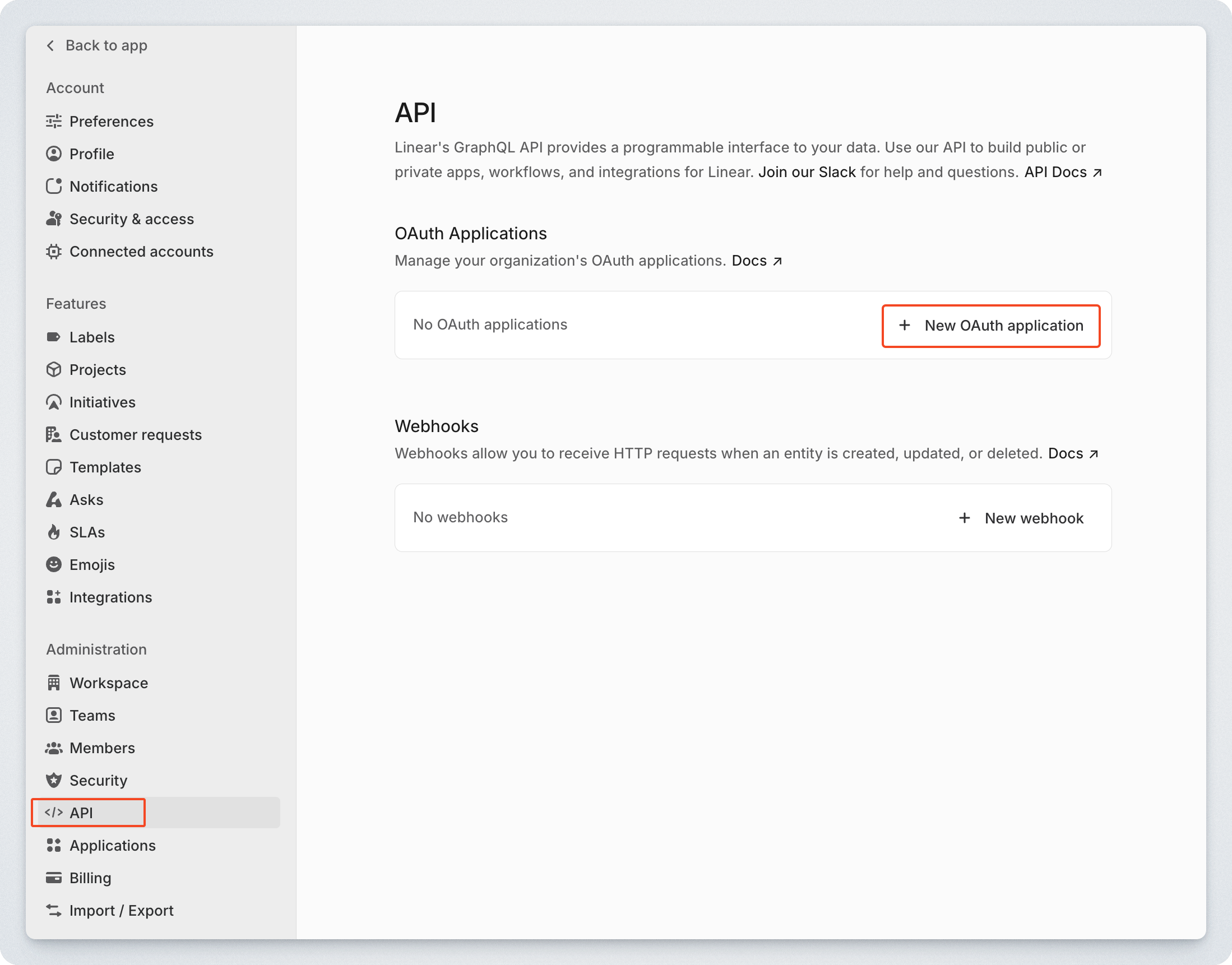
Under Administration > API add a New OAuth application
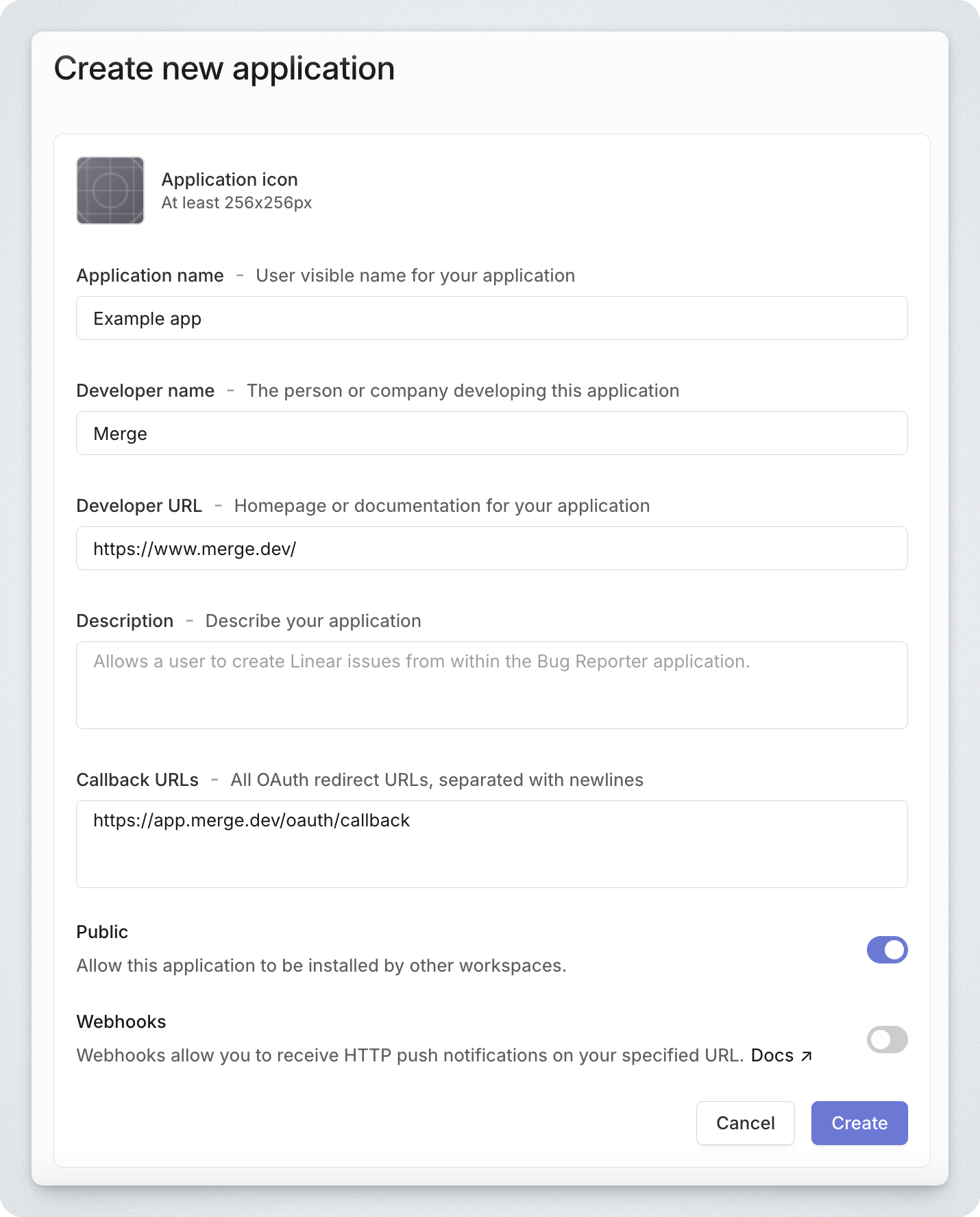
Populate the Create new application form and click Create. Be sure to set the below values:
Callback URLs:
https://app.merge.dev/oauth/callbackPublic: Ensure this is toggled on
Note, if you'd like to set up third-party webhooks, follow this guide 📄 Linear - How do I set up third-party webhooks?
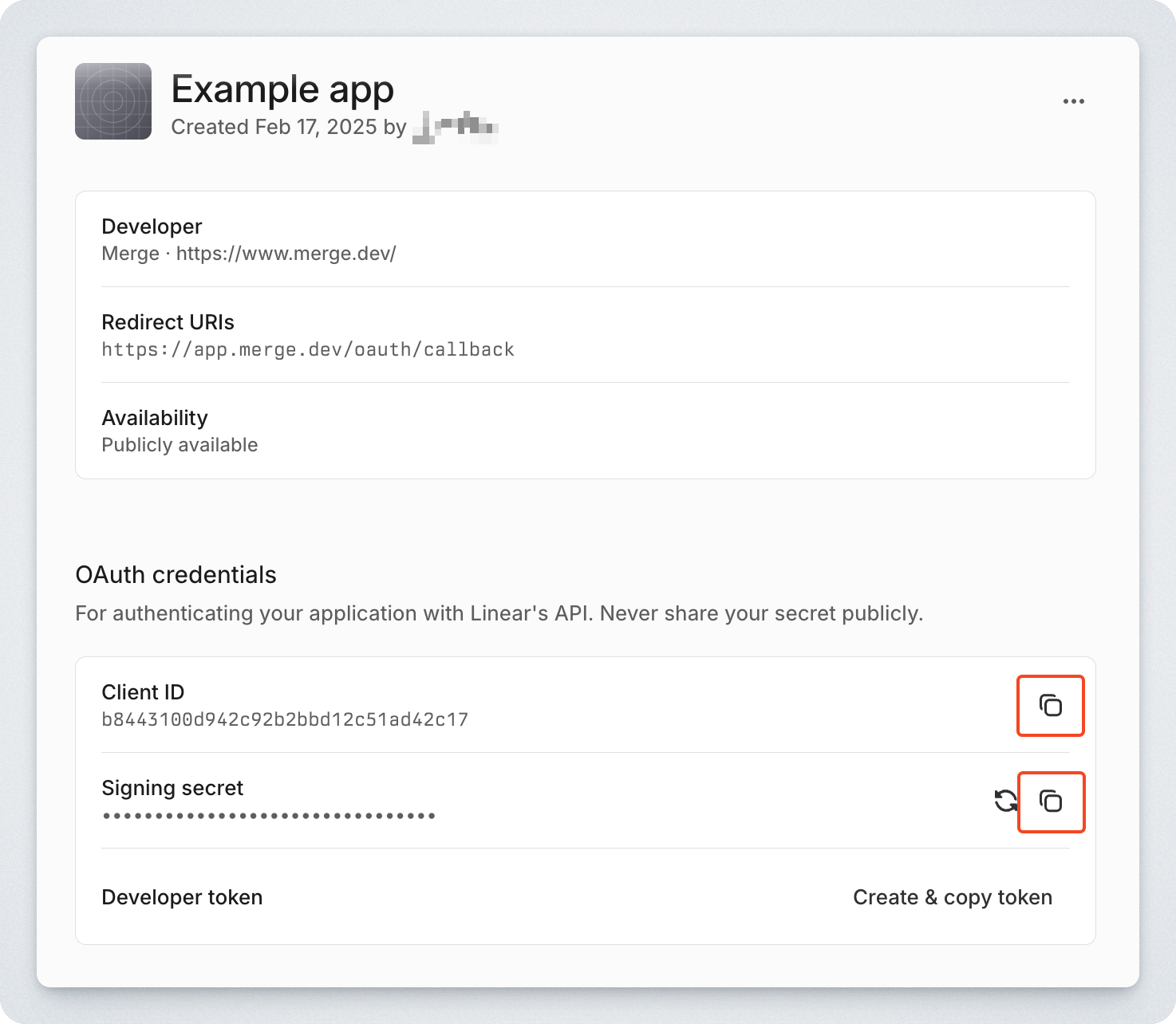
Copy your Client Id and Signing secret
Step 2: Populate your app's details within Merge
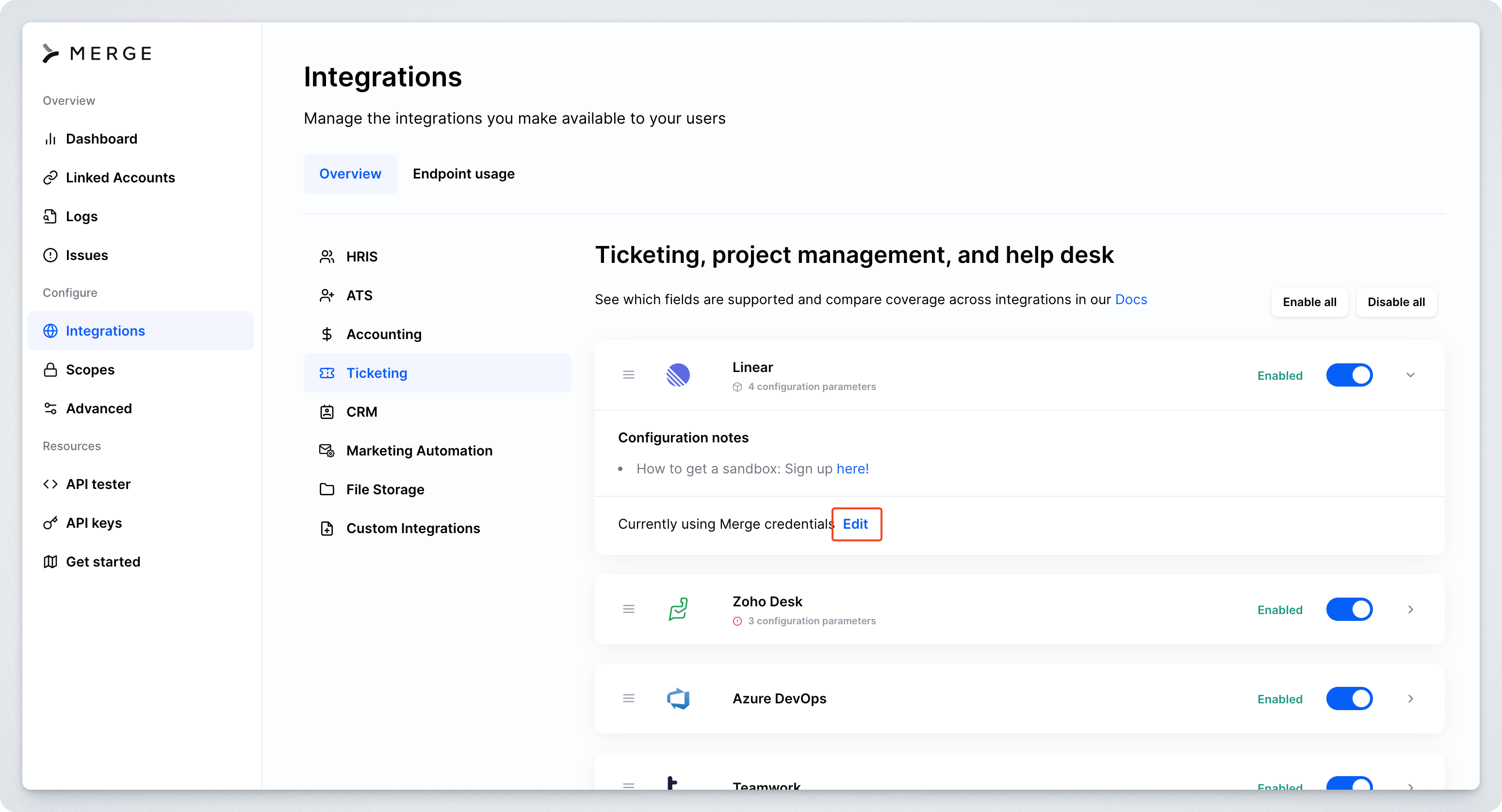
Navigate to the Integrations > Ticketing page in the Merge dashboard
Expand the Linear integration and select Edit
Populate your credentials:
OAuth Client Id: Your Client Id from the first step
OAuth Client Secret: Your Signing secret from the first step
Redirect URI:
https://app.merge.dev/oauth/callback