Zendesk - How do I link my account?
Last updated: November 12, 2025
Overview
To authenticate Zendesk using an API key, you will need to provide the following information:
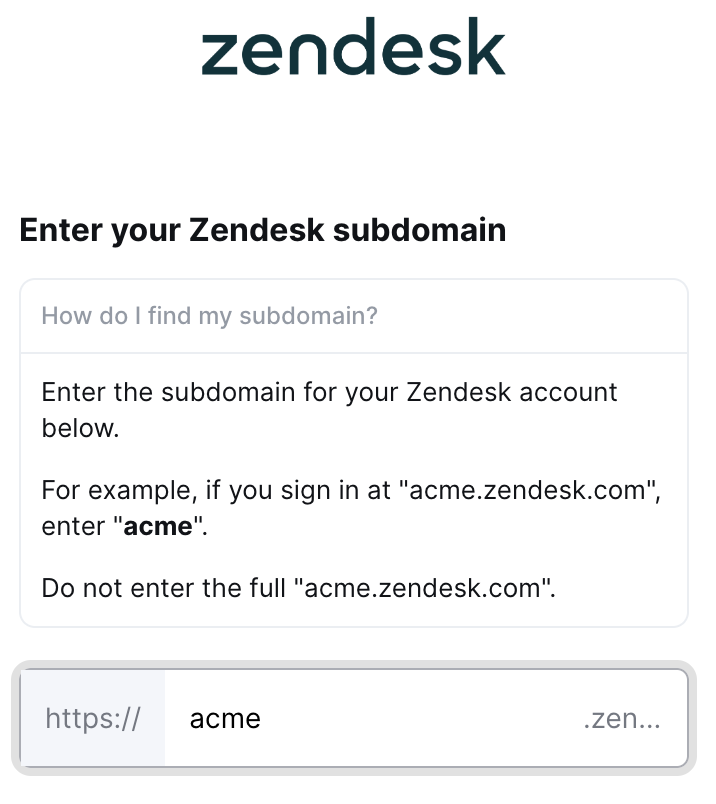
Zendesk subdomain
Zendesk API key
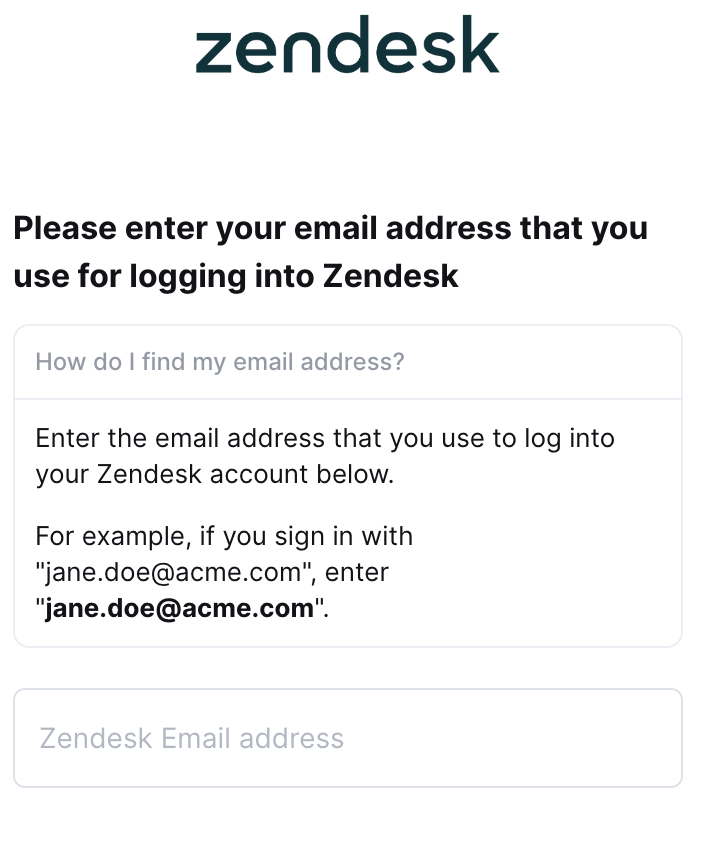
Email address used to log into your Zendesk account
This guide will walk you through finding or creating those credentials within Zendesk.
Instructions
Step 1: Find your Zendesk subdomain into the linking flow
Identify the sign-in URL used for your Zendesk account. For example, if you sign in at "acme.zendesk.com", your subdomain would be "acme"
Step 2: Enter your Zendesk subdomain into the linking flow
Enter the Zendesk subdomain from Step 1 into the linking flow
Step 3: Find your Zendesk API key
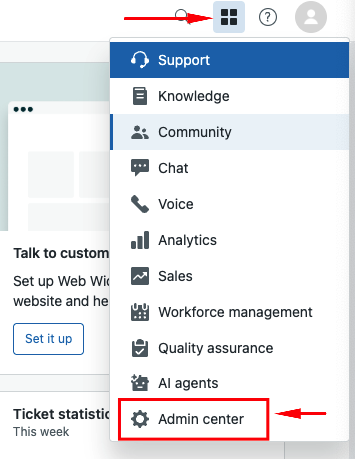
Within Zendesk, click the Grid icon next to your profile avatar and then select Admin Center from the prompted dropdown menu
From here, expand the Apps and integrations dropdown in the left menu and select API Tokens
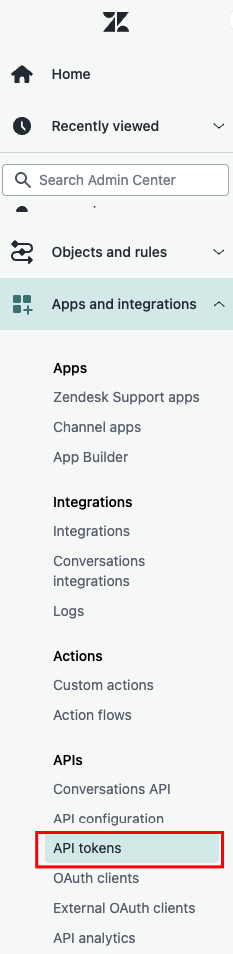
Click on Add API token
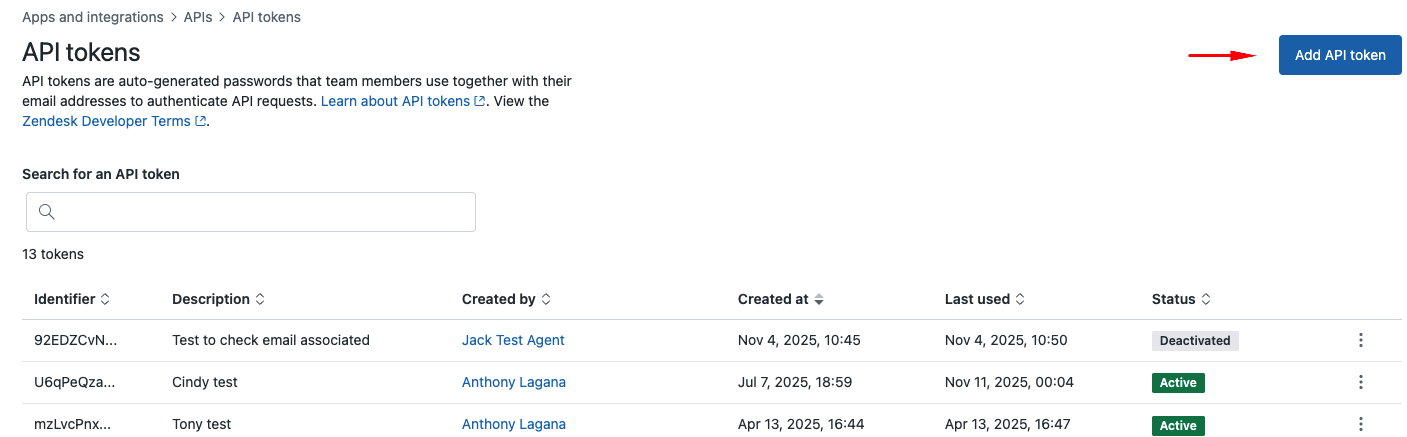
Copy the API key and then click Save
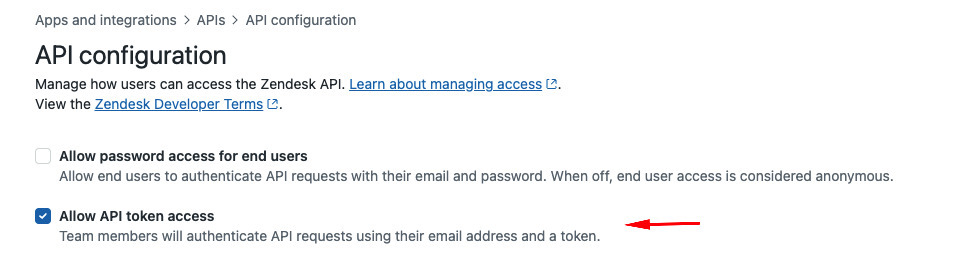
Note: Make sure that token access is enabled, under the API Configurations
Step 4: Enter your Zendesk API key and email into the linking flow
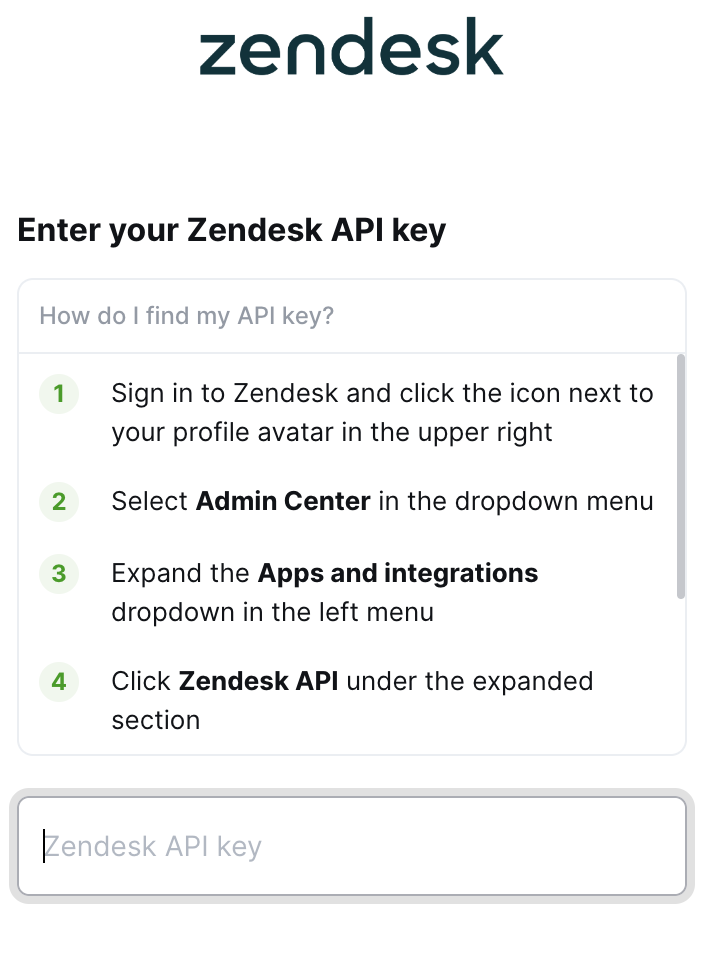
Enter the API key you copied into the linking flow
Enter the email address that you use to log into your Zendesk account