Freshdesk - How do I link my account?
Last updated: May 28, 2025
Overview
To authenticate your Freshdesk account, you will need to provide the following information:
Freshdesk subdomain
Freshdesk API key
This guide will walk you through finding or creating those credentials within Freshdesk.
Instructions
Step 1: Find your Freshdesk subdomain
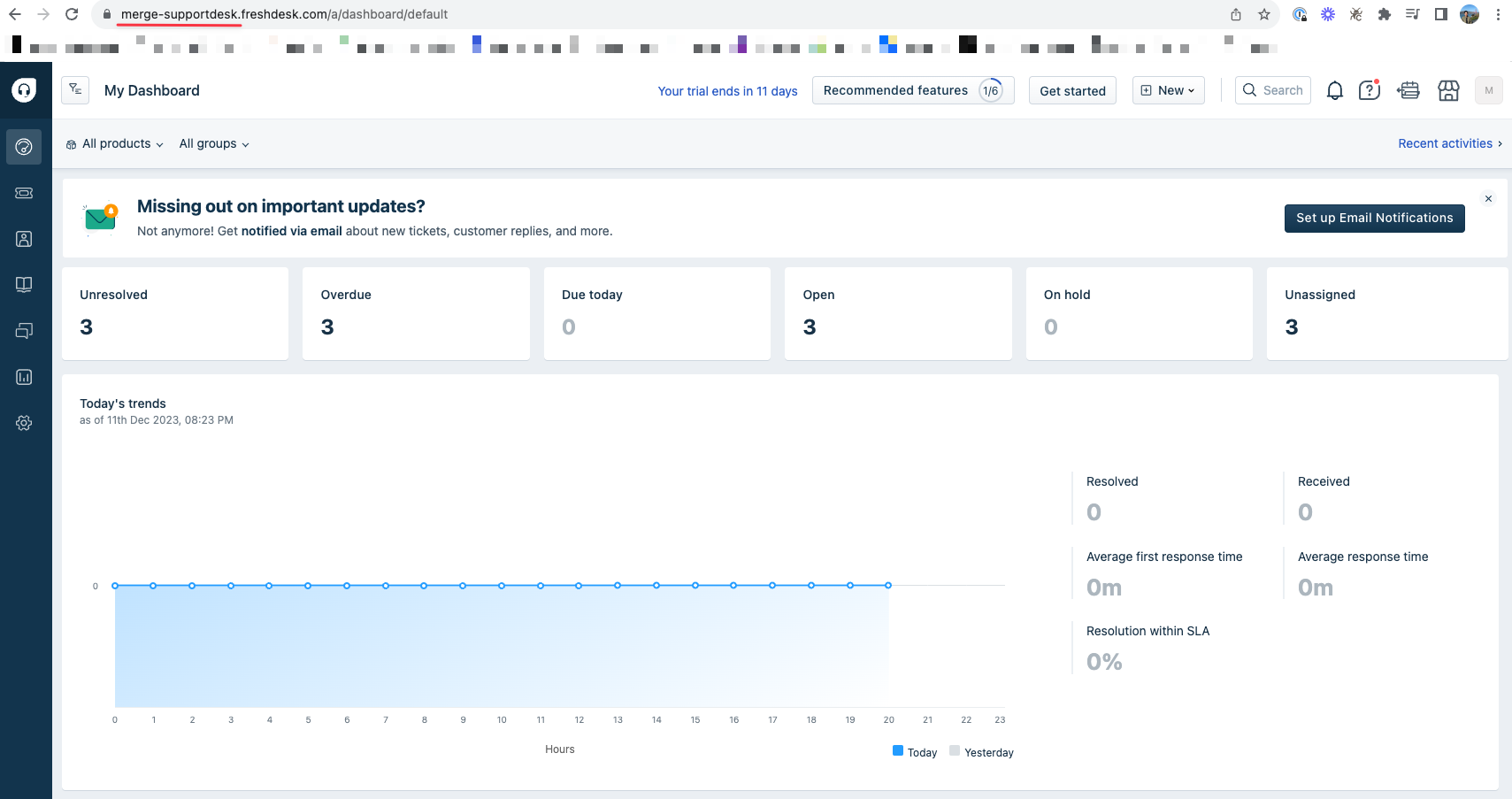
Log into Freshdesk and copy your subdomain, which can be found in the first part of the URL (highlighted in red in the screenshot below). For example, if your full Freshdesk URL is "merge-supportdesk.freshdesk.com", your subdomain is "merge-supportdesk"
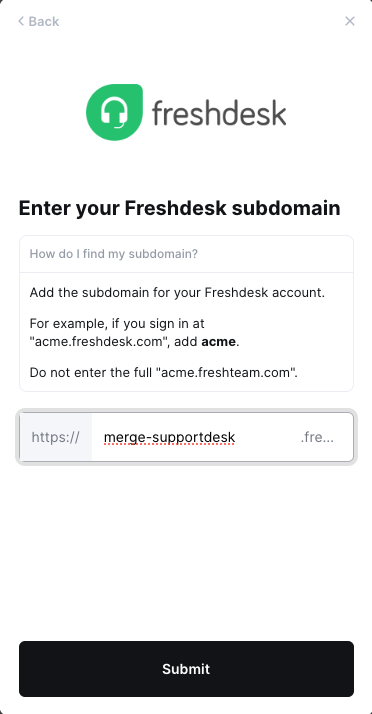
Step 2: Enter your subdomain into the linking flow
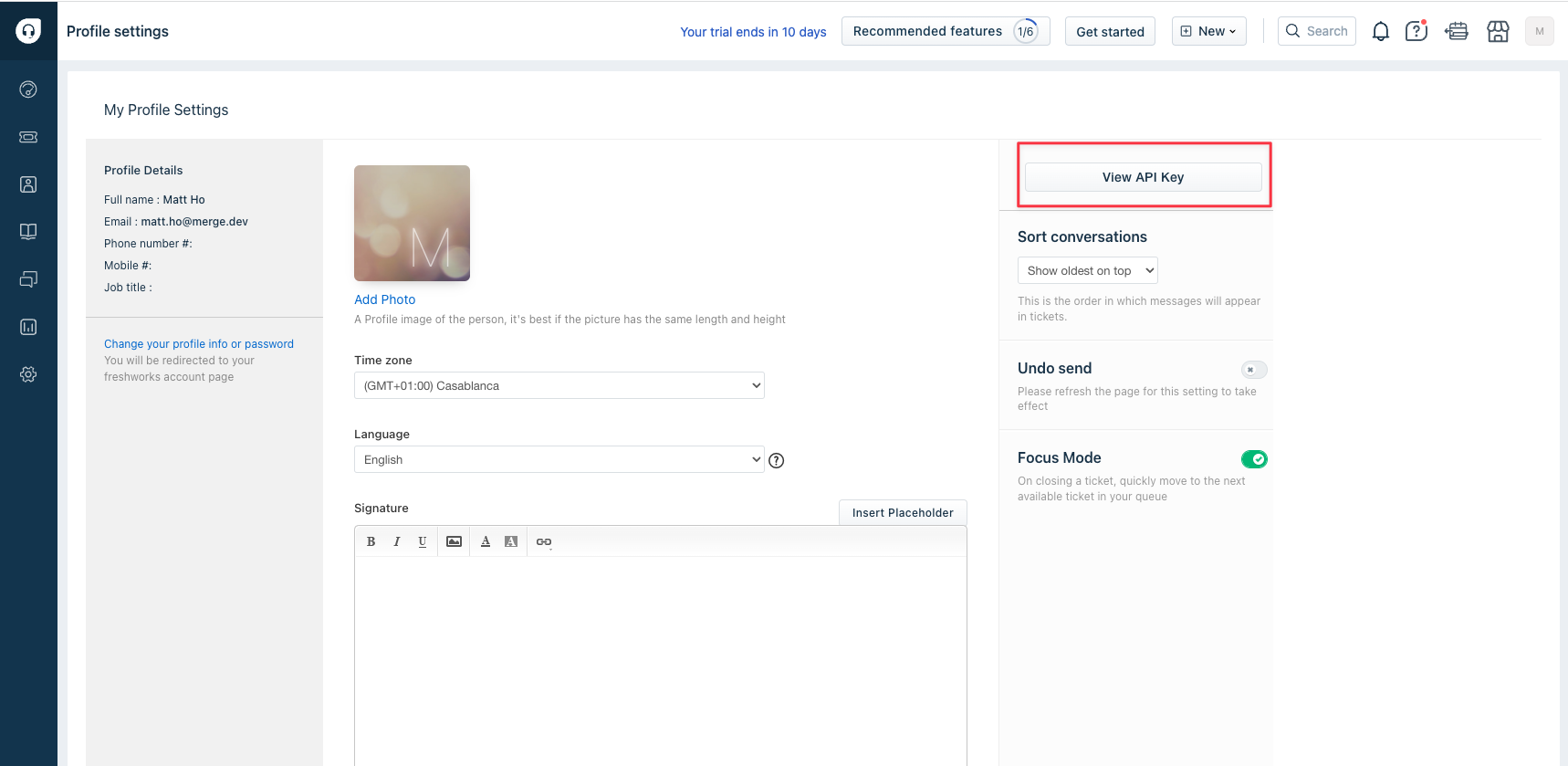
Step 3: Find your Freshdesk API key
In Freshdesk:
Navigate to Profile Settings
Select View API Key
Copy this API key
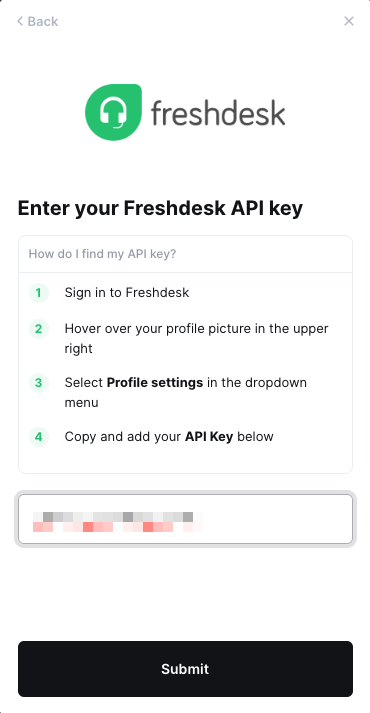
Step 4: Enter your copied API key into the linking flow
Important Note
Merge will create automated ticketing rules in your Freshdesk account if the Merge customer you are connecting through has third-party webhooks enabled to allow for real-time data updates.
Please reach out to the customer you are connecting to if you notice any unintended rules affecting your tickets in Freshdesk.