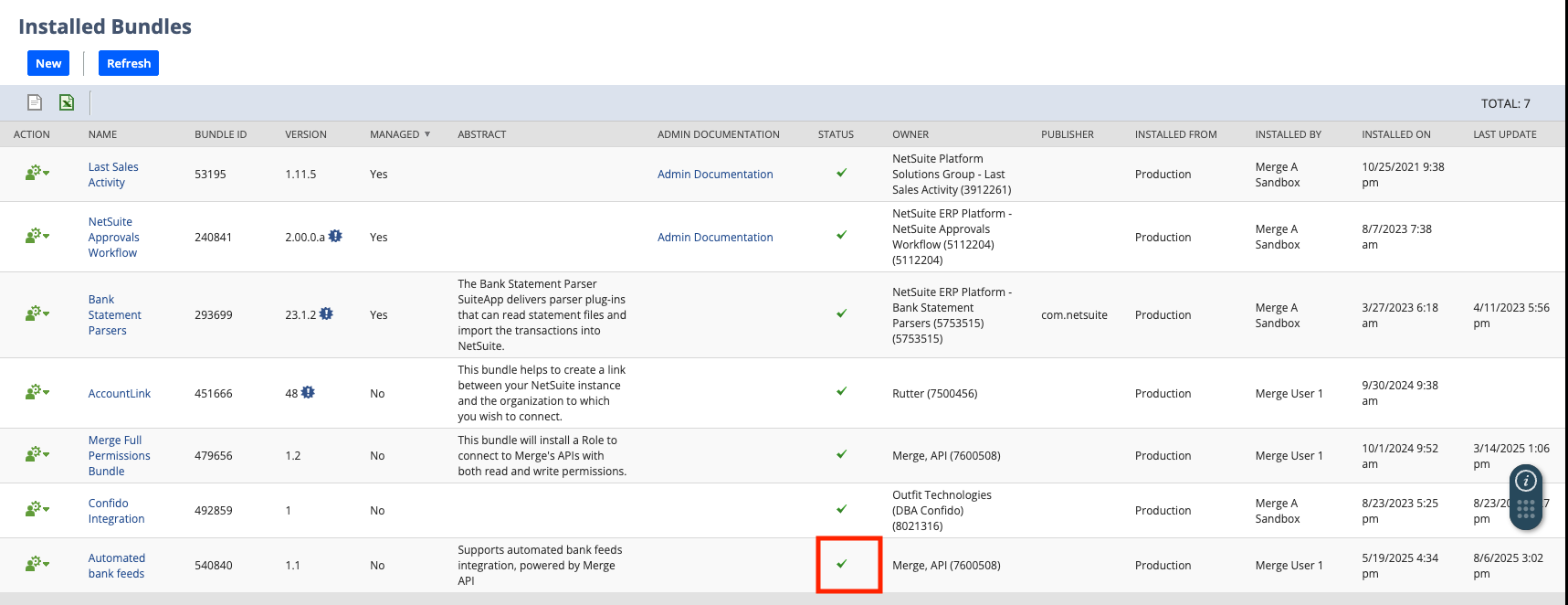
NetSuite - Updating your NetSuite Bank Feeds Bundle
Last updated: August 6, 2025
This guide will help you update your NetSuite Bank Feeds bundle!
Login to your NetSuite instance and navigate to Customization -> SuiteBundler -> Search & Install Bundles -> List here
Find the Automated bank feeds bundle, click its green person/gear icon in the Action column on the left, and select Update
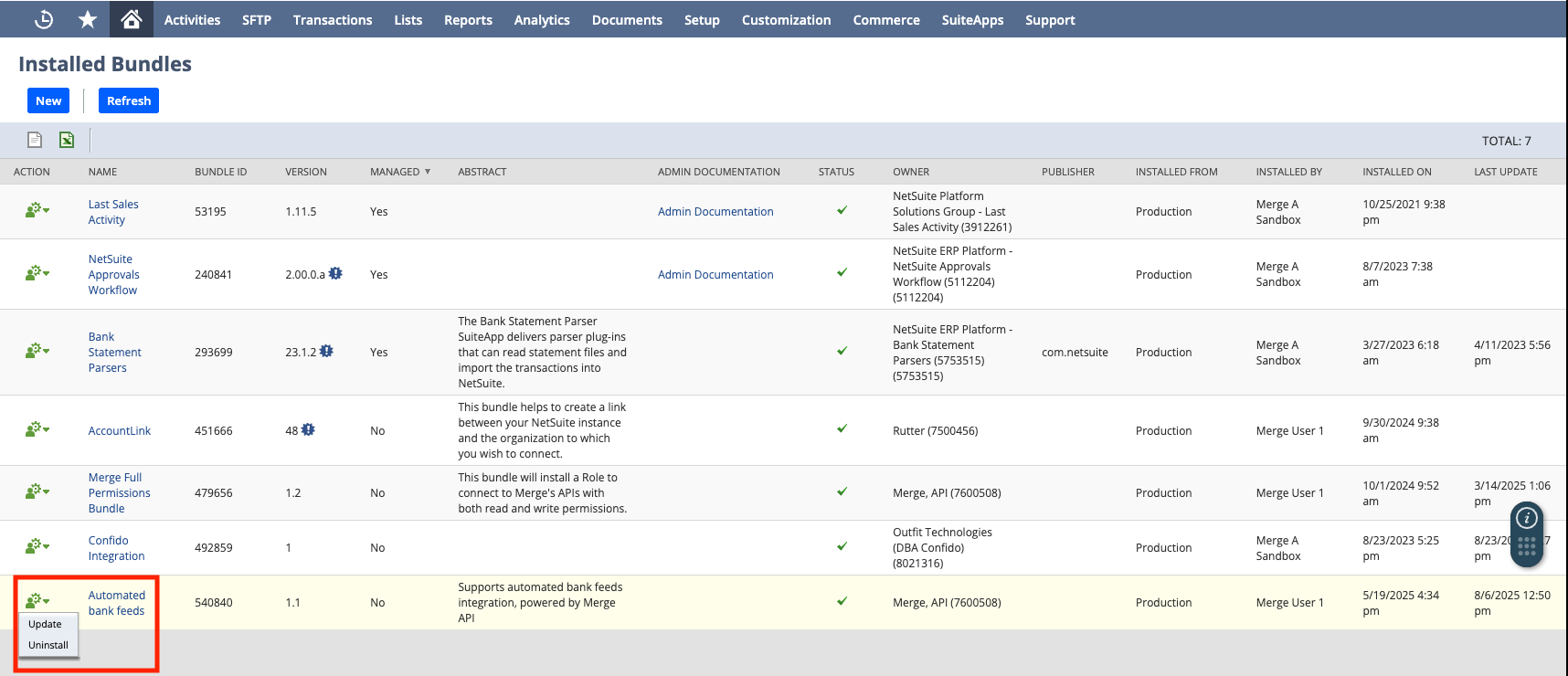
This will take you to the Preview Bundle Update confirmation screen. Click Update Bundle and the subsequent confirmation screen

After you click Update Bundle, it will seem like NetSuite isn't doing anything
Please wait on this page until NetSuite processes and start the request!
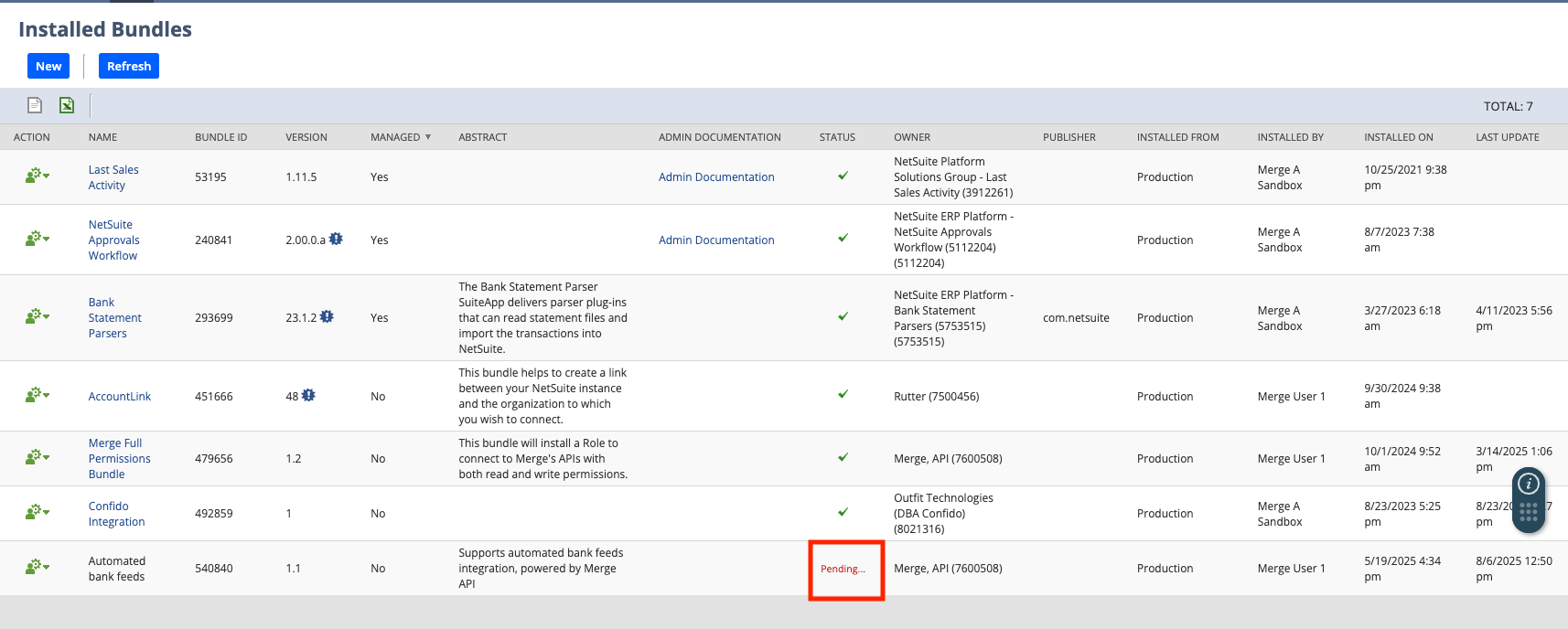
Back on the Installed Bundles page, you'll then see the Status of the bundle become Pending...
Once NetSuite has completed updating the bundle, you'll then see the green check mark - you've completed your Bank Feeds bundle update!