Common Issues with SAP SuccessFactors
Last updated: May 5, 2026
Here is our Help Center Article detailing the authentication of a SAP SuccessFactors account via Merge Link.
The Account will not link or says Relink Needed:
Troubleshooting Tip 1: Make sure that the URL entered is the API Server URL not the Web URL, as shown in Step 1.
Troubleshooting Tip 2: The end user did not correctly paste the URL in Merge Link, as shown in Step 2. The end user must paste the entire URL in Merge Link.
Troubleshooting Tip 3: The end user did not input the correct API Key or Client Secret, as shown in Step 3.
For Merge Link, SAP API Key = Client ID
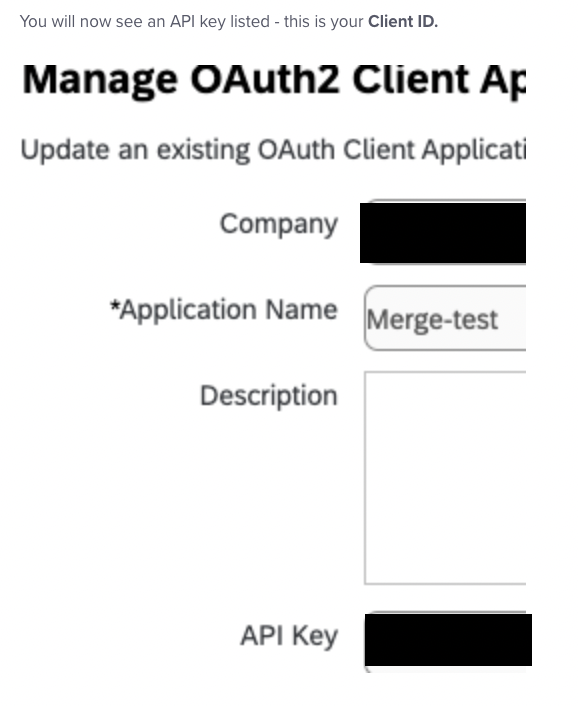
For Merge Link, Client Secret. is the string between ——BEGIN ENCRYPTED PRIVATE KEY——- and —-END ENCRYPTED PRIVATE KEY——- in the X.509 Certificate.

Troubleshooting Tip 4: If your SAP SuccessFactors instance has IP restrictions enabled, the connection may fail to link unless our IP addresses are allowlisted. To see if there are IP restrictions
In SAP, go to Admin Center → IP Restriction Management.
Check whether any IP addresses are listed:
If IPs are listed: Your instance is restricted to those IPs for both UI and API access. Contact your integration representative to add Merge’s IP addresses from the relevant tenant to their SAP IP allowlist, then try linking again.
If no IPs are defined: SAP indicates the instance should allow access from any IP (as long as valid credentials are used).