Customizing the integrations shown to your customers
Last updated: May 28, 2025
Step 1: Click on the Integrations tab in your dashboard.
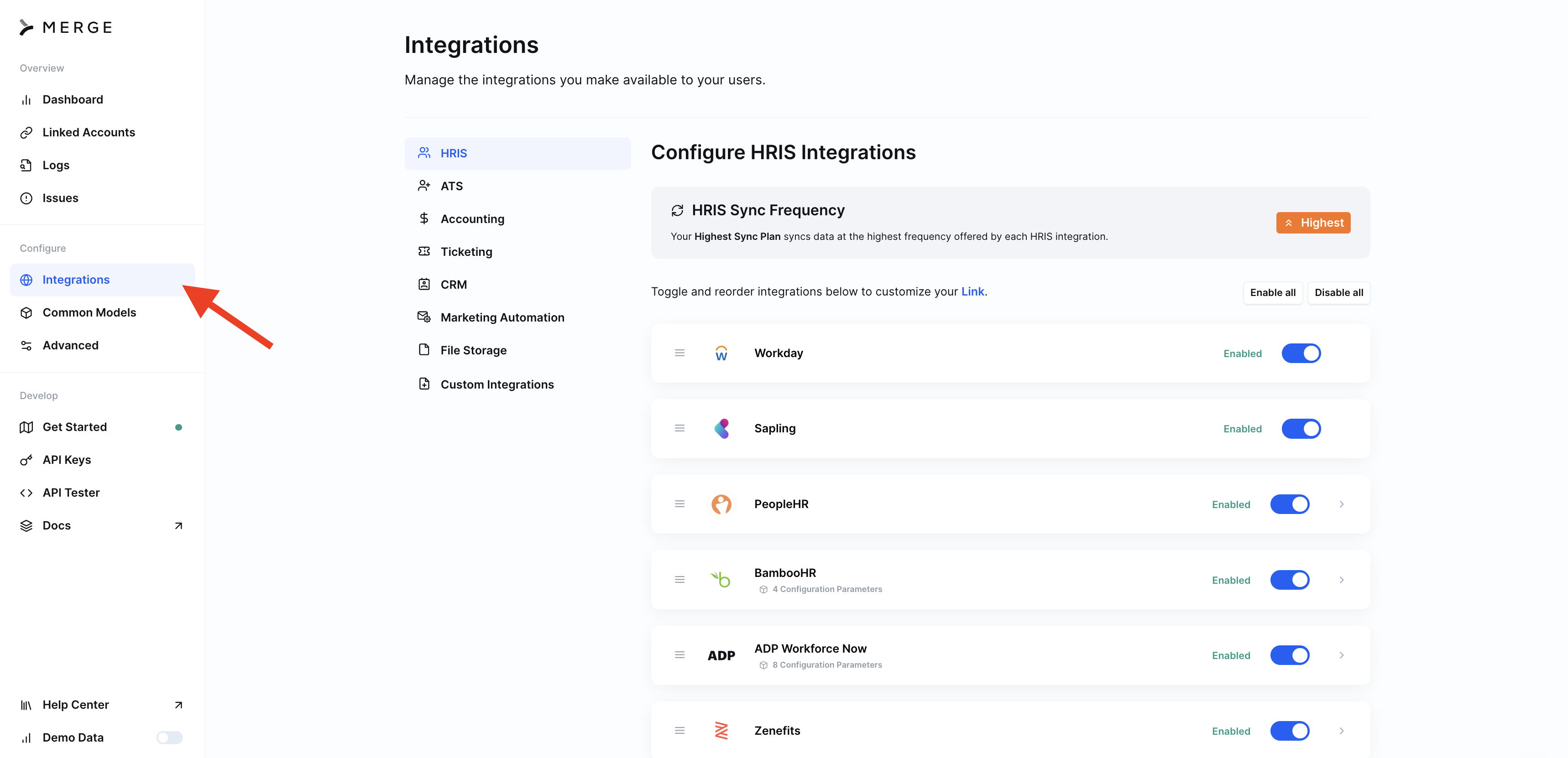
Step 2: Click on the specific Integration Category you'd like to modify
Step 3: Enable the Integrations you'd like available to your customers
You can toggle to enable or disable integrations across the category!
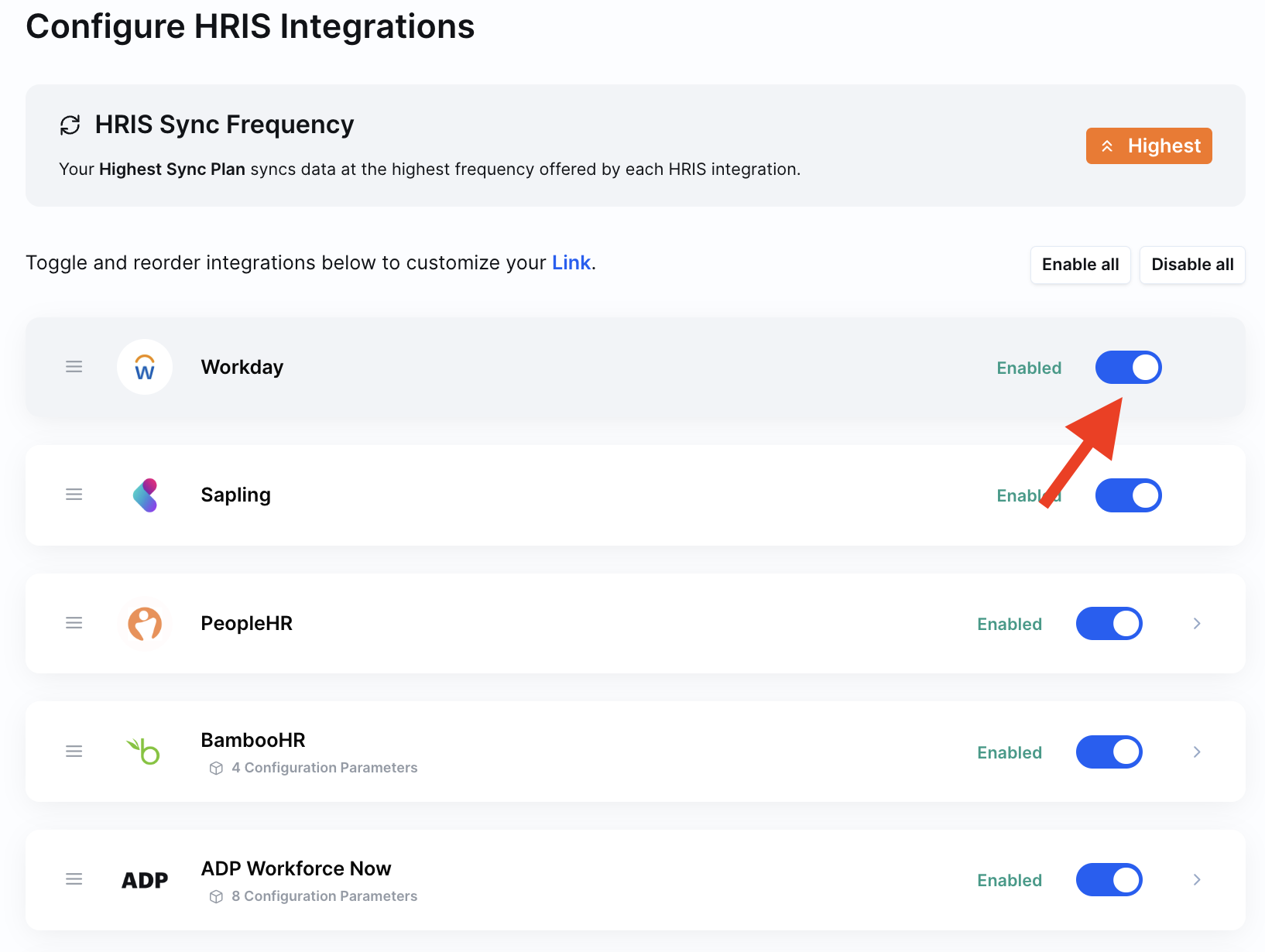
Note: If any your users have any active linked accounts with an integration, you won't be able to disable that integration.