Enabling your users to edit or update their integration with Merge Link
Last updated: June 22, 2026
Overview
Merge Link can open an update screen that lets your end users edit or relink their existing Linked Account from inside your application. The flow is controlled by the end_user_origin_id value passed to the /link-token endpoint — if Merge sees a Linked Account that already exists for that id, Link opens the update screen instead of the standard new-connection flow.
How do I let users edit or relink their integration?
Generate a new link token via the /link-token endpoint.
Pass the same
end_user_origin_idthat you used when the Linked Account was first created.Open Merge Link with the returned link token. Merge will surface the update screen shown below.
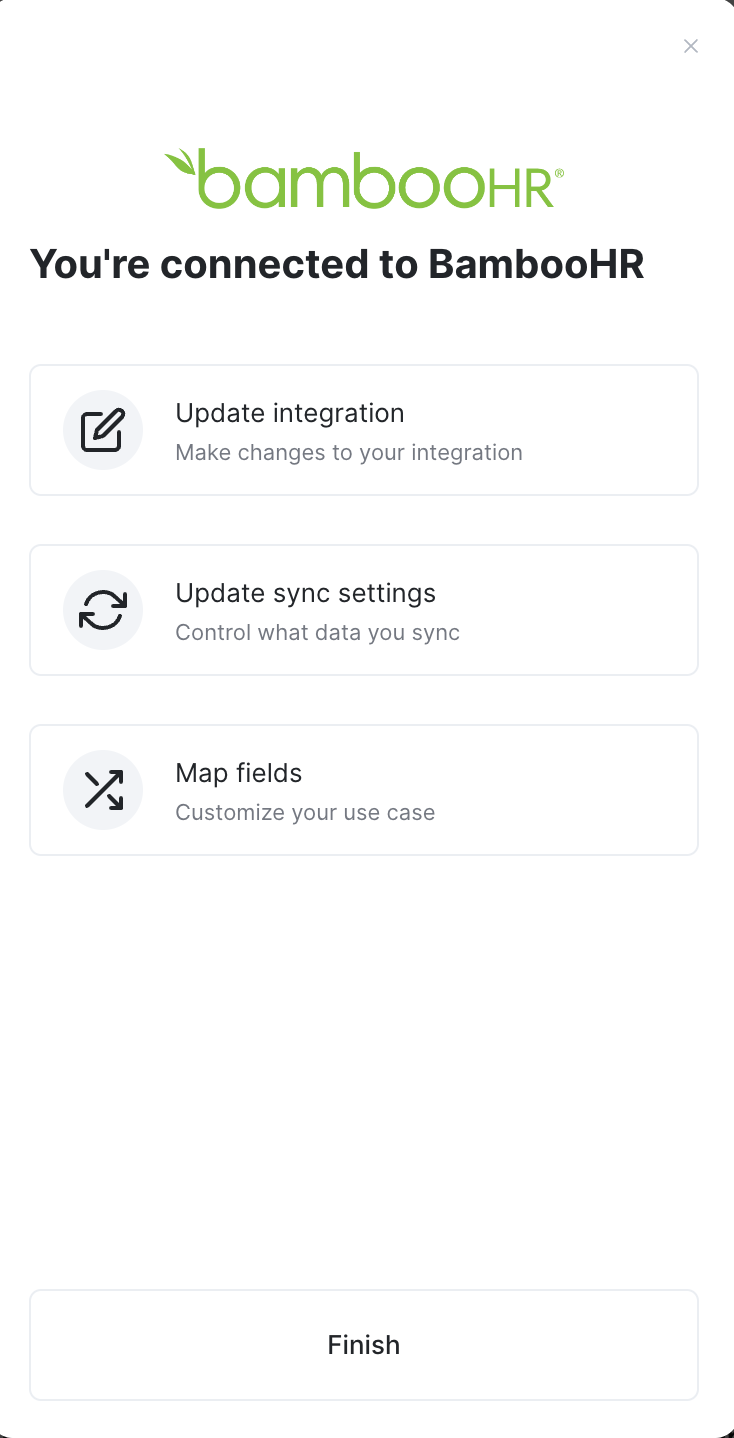
Note: The update screen will keep opening for that end_user_origin_id until the underlying Linked Account is deleted. If you want the user to create a brand-new connection, delete the existing Linked Account first.
If the Linked Account is in a Relink Needed status, Merge Link will instead prompt the end user to re-authenticate their credentials. See Relinking a Linked Account for the full flow.
Who should I contact for help?
If your users are seeing the wrong screen or relinking is not behaving as expected, reach out to us at [email protected].