Editing or Deleting Webhooks
Last updated: May 28, 2025
Introduction
Merge supports both webhook receivers and emitters, which allow you to synchronize your data on our platform.
Managing your webhooks
To manage your webhooks,
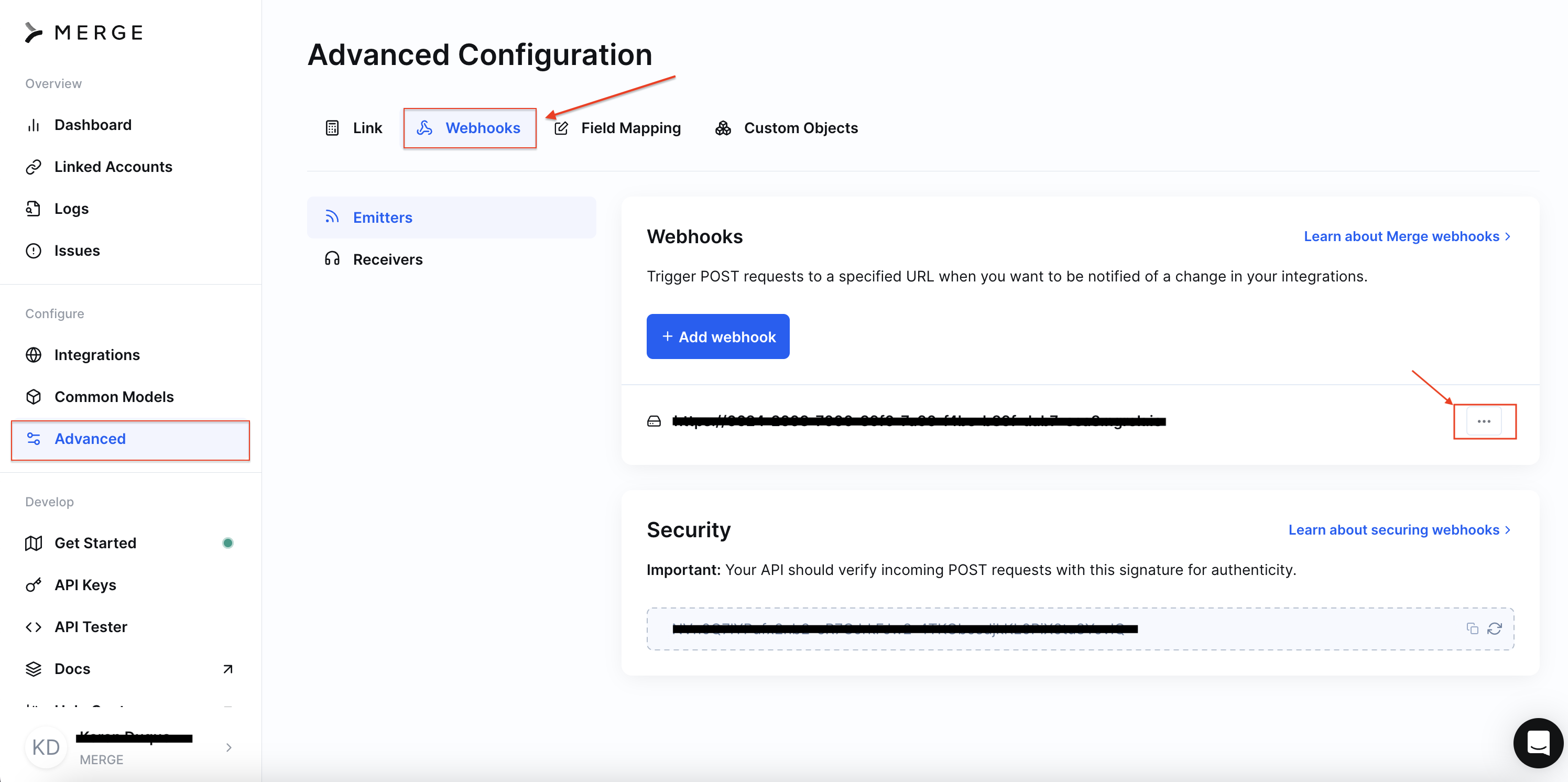
Navigate Merge Dashboard > Advanced > Webhooks.
Select the three-dot icon next to the webhook of choice.
Pick 'Edit' or 'Delete'.
Tips and Recommendations
If an initial webhook fails, and the error response code was not in the 400 range, it will go back into the queue of events and retry two subsequent times!
Additionally, if the response takes longer than 30 seconds, Merge will also try to send the webhook up to two more times.