What are Merge's role-based access controls (RBAC)?
Last updated: June 17, 2026
Overview
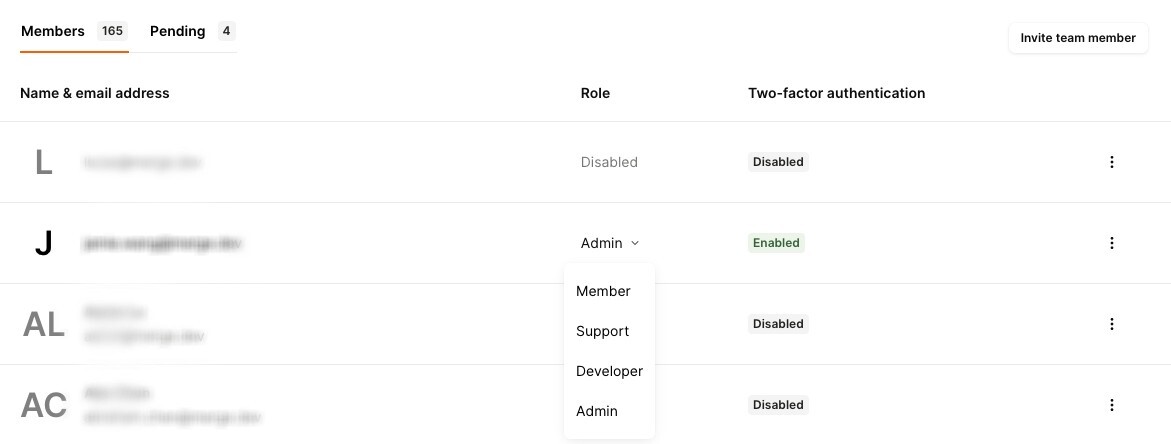
Merge currently has four levels of permissions: Members, Supports, Developers, and Admins. Admins can modify permissions for other members of their organization via the Organization page.
In general:
Admin — full access to all information.
Developer — access to everything technical.
Member — standard access; API logs are hidden from this role.
Support — access only to features necessary for customer investigations.
Modifying permissions
To adjust permissions for team members in Merge:
Hover over your name in the bottom left-hand corner of the dashboard and select Settings.
Open the Organization tab.
Select the team member you want to update.
From the role dropdown, choose the permission level you'd like to assign.
Permissions breakdown
Permission | Support | Member | Developer | Admin |
|---|---|---|---|---|
Generate a Magic Link | Y | Y | Y | |
Convert Test to Production Linked Accounts | Y | Y | ||
Force a Resync on Linked Accounts | Y | Y | Y | Y |
Delete Linked Accounts | Y | Y | Y | |
Update Organization Name | Y | Y | ||
Customize Merge Link | Y | Y | Y | |
Enable/Disable Integrations | Y | Y | Y | |
Enforce Organization-wide 2FA | Y | Y | ||
Send API Requests from API Tester | Y | Y | Y | |
Update User Roles | Y | |||
Edit Scopes | Y | |||
Enable Remote Data | Y | |||
View and Create Field Mappings | Y | Y | Y | |
Create Merge Webhooks | Y | Y | ||
View Logs | Y | Y | Y | |
Invite New Users | Y | |||
Enable/Disable Unmapped Data Redaction | Y | |||
Create/Delete API Keys | Y | |||
Add/Modify New Payment Method | Y | |||
Setup Autopay | Y |