Creating webhooks in Merge
Last updated: June 26, 2026
Overview
Merge supports two webhook types: Merge webhooks sent to you (Merge sends events to your system) and third-party webhooks sent to Merge (Merge listens for events from a third-party system). This article walks through where to configure Merge webhooks in your Merge dashboard, the full list of supported events, and the shape of a webhook payload.
How do I create a webhook?
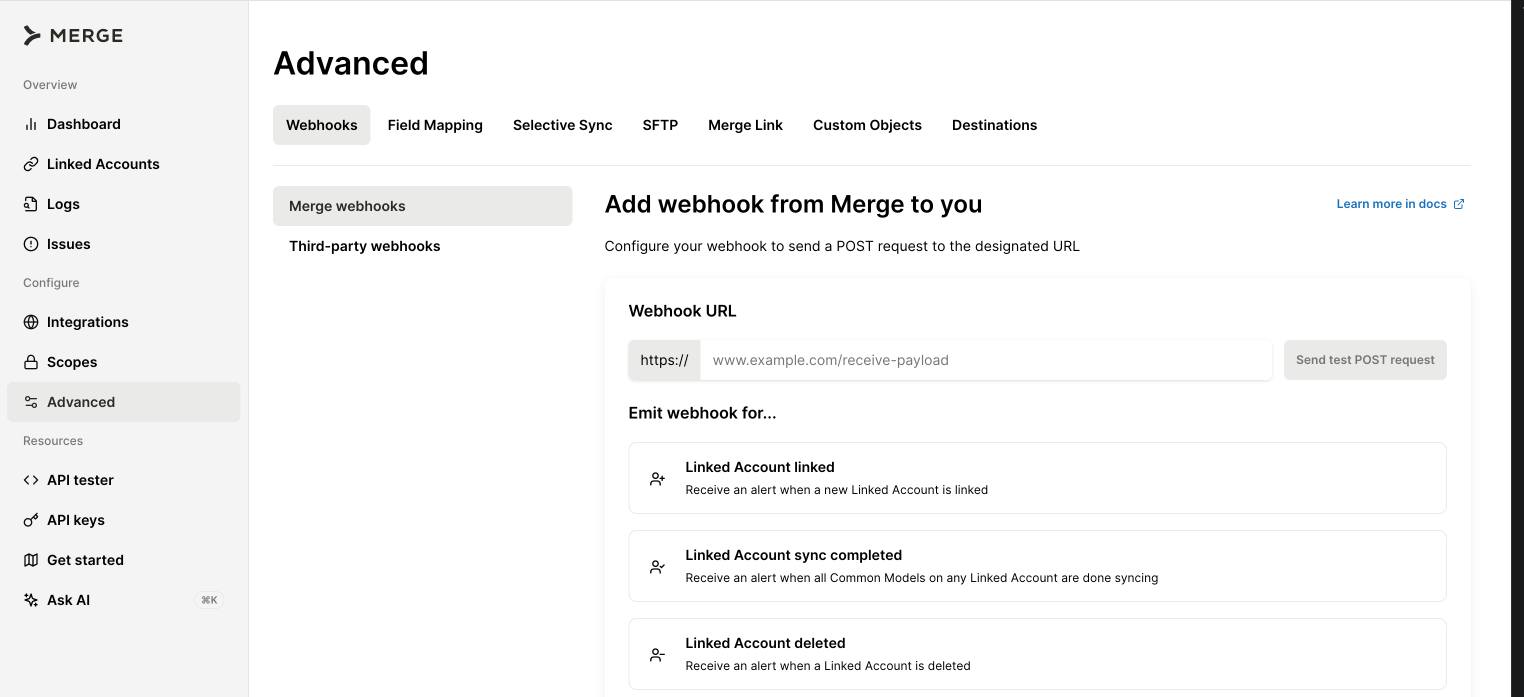
Log in to your Merge dashboard and click Advanced in the left panel.
Open the Webhooks page.
Click +Webhook.
Enter the Webhook URL and pick the webhook type you want to create. The full configuration guide is in the Merge webhooks overview.
Use the Send a POST request button at the bottom of the page to test the webhook end-to-end.
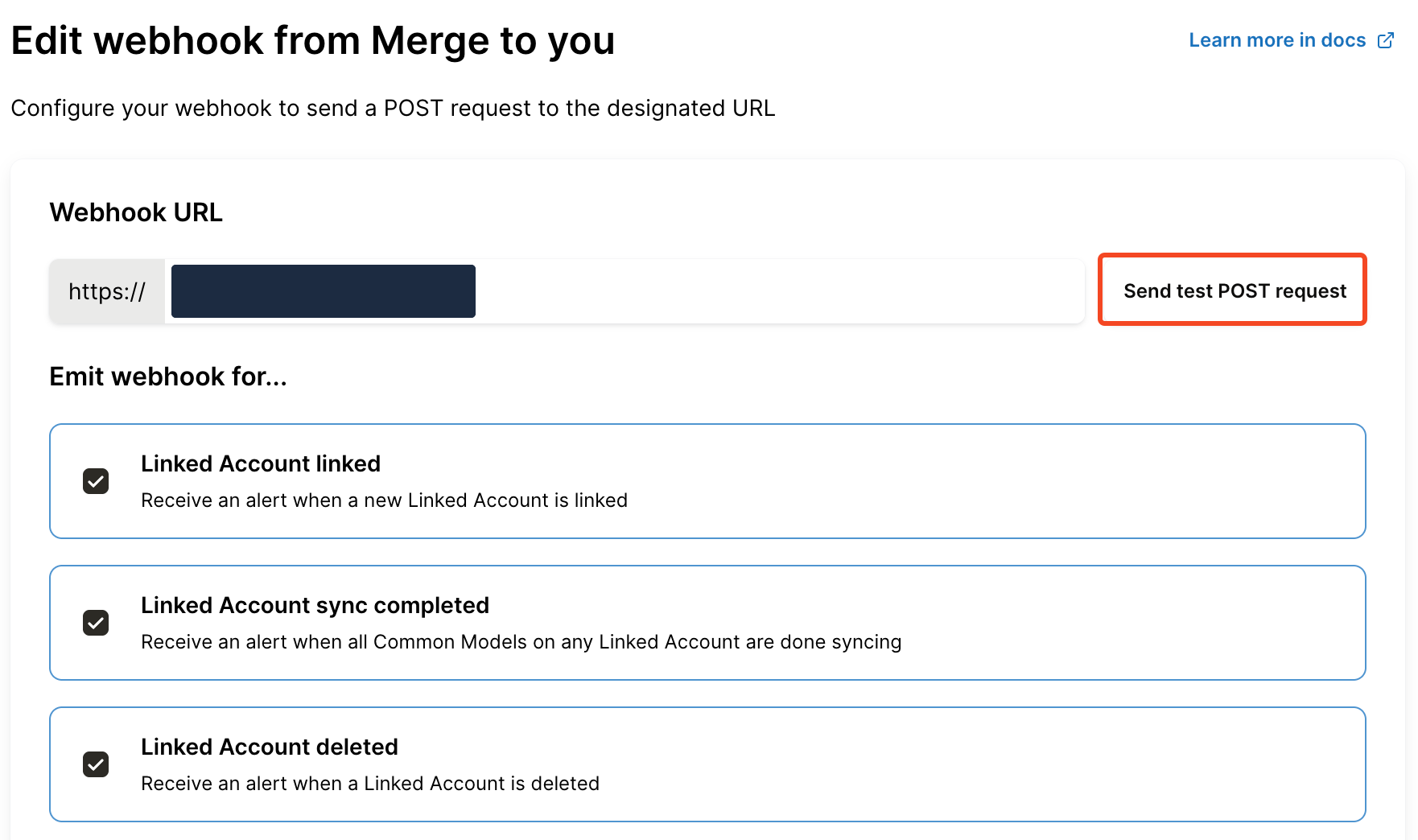
What webhook events are available?
Sync notifications —
LinkedAccount.sync_completedand{common_model}.syncedIssue notifications —
Issue.new,Issue.reopened, andIssue.resolved.Common Model notifications —
{common_model}.synced,{common_model}.added,{common_model}.changed, and{common_model}.removed, where{common_model}is the actual model name (for example,candidate.changedoremployee.added).
What does a webhook payload look like?
Every webhook payload contains three top-level objects:
hook— information about the webhook itself, including itsid,event, andtargetURL.linked_account— identifying information about the Linked Account that triggered the webhook, includingintegration,category,account_type(e.g.,PRODUCTION), and the end-user fields.data— the part that changes depending on your webhook configuration:A Linked Account Issue webhook sends an issue object.
A sync notification webhook (
LinkedAccount.sync_completed) sends anis_initial_syncboolean and async_statusmap keyed by Common Model.A data-changed webhook sends the actual Common Model — a
candidate.changedwebhook sends the candidate object, anemployee.addedwebhook sends the employee object, and so on.
Example LinkedAccount.sync_completed payload:
{
  "hook": {
    "id": "164f934e-5b1a-433e-9f7f-85c72b8cd155",
    "event": "LinkedAccount.sync_completed",
    "target": "https://typedwebhook.tools/webhook/620e9c36-9242-4f53-9ea5-fb908bc16556"
  },
  "linked_account": {
    "id": "0e7cceaa-9b5c-4d44-8606-6e99f2b83026",
    "integration": "Linear",
    "integration_slug": "linear",
    "category": "ticketing",
    "account_type": "PRODUCTION",
    "end_user_origin_id": null,
    "end_user_organization_name": "Merge Sandbox Account",
    "end_user_email_address": "[email protected]",
    "status": "COMPLETE",
    "webhook_listener_url": "https://api.merge.dev/api/integrations/webhook-listener/NklqLkUfSocPg2ROML79uBG_xUuIoImRFNkZGG6q7LfE_lETf8O3fA",
    "is_duplicate": null
  },
  "data": {
    "is_initial_sync": false,
    "integration_name": "Linear",
    "integration_id": "linear",
    "sync_status": {
      "ticketing.Comment": {
        "last_sync_finished": "2025-09-01T12:34:56Z",
        "last_sync_result": "DONE"
      }
    }
  }
}
Who should I contact for help?
If you have questions about configuring webhooks or interpreting payloads, reach out to us at [email protected].