Merge Link white labeling and customization options
Last updated: April 13, 2026
Overview
Through Merge Link, you can give your end-users a seamless, on-brand experience when they connect to their third parties. This guide explains which parts of Merge Link you can customize, how to configure them, best practices, limitations, and troubleshooting.
This feature is exclusively available for Enterprise customers. Please contact us to see a demo or upgrade your plan!
Getting started
To see all your customization options available from the Merge Dashboard, click to Advanced, then select the Merge Link tab (link in US tenant here). Use the sub‑tabs to customize your Merge Link. Learn more about them below!
Appearance
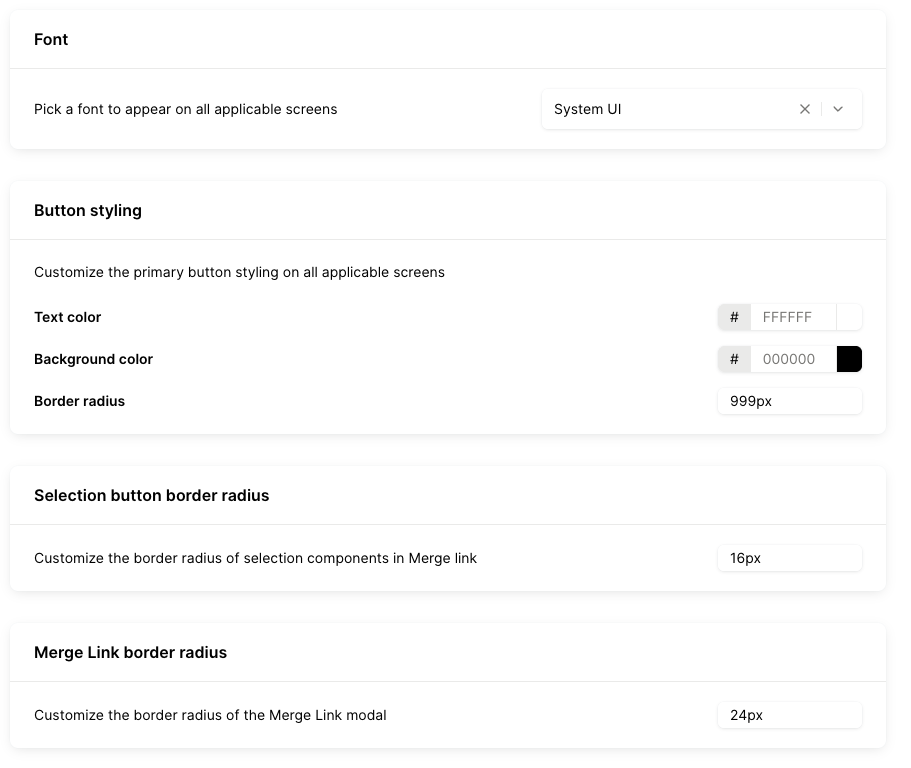
You can customize the Merge Link appearance here in your Dashboard.
Choose your preferred font, button color, and border radius options to align Merge Link with your app’s native look and feel. We provide a dozen-plus common fonts and you have the full color spectrum!
Configuration
You can customize the Merge Link configurations here in your Dashboard.
Enable new integrations by default
Automatically turn on newly released integrations as they become available, so your users can access them without additional setup!

Duplicate Linked Account detection
Be cautious of updates to this tab. In almost all cases, the default option is the best option. If you are unsure, please reach out to us!
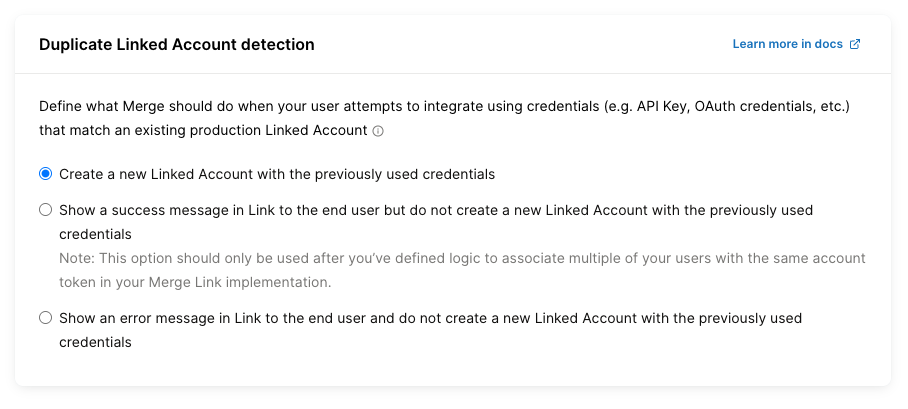
Your Duplicate Linked Account detection setting helps you control what happens when an end user tries to connect using credentials that already belong to an existing production Linked Account. Use this setting to prevent duplicate connections, reduce confusion, and keep your integration data clean. Learn more in our docs!
You can choose one of the following behaviors:
Create a new Linked Account using the previously used credentials.
Show a success message in Merge Link but do not create a new Linked Account.
Note:
Choose this only if your implementation already associates multiple users with the same account token.
The first option fully encrypts user credentials. All others require Merge to store a subset of credentials in one-way hashed fields to enable duplicate detection.
Show an error message in Merge Link and do not create a new Linked Account.
Override guide links
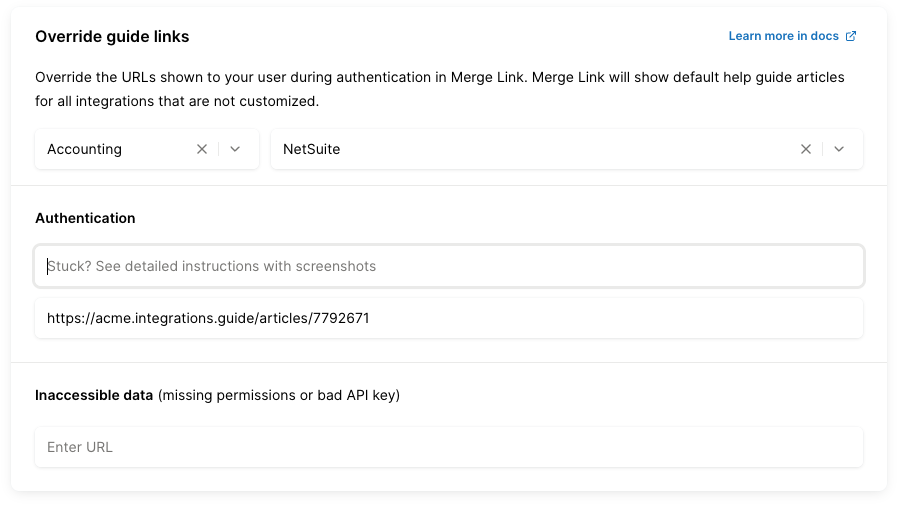
Customize the help links your users see during authentication by overriding the default guide URLs in Merge Link. Provide your own article URLs per integration to deliver tailored instructions that match your product and workflows. Any integrations you don’t customize will continue to use Merge’s default help guides automatically.
Branding
You can customize the Merge Link branding here in your Dashboard!
Logo
You can upload your own logo to be shown in Merge Link and in your white-labeled guides!

Co-branding
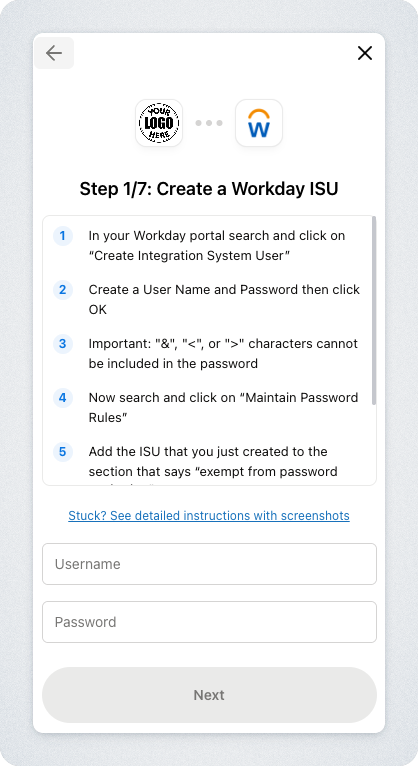
Enable co‑branding to display your logo across your users’ Merge Link experience. Your users will see that your logo is connecting with the integration that they're linking!
White-label guides
The white‑label guides feature lets you brand all help guides! In your dashboard, upload your logo, choose a custom subdomain, and enable the feature.
The guide content stays the same, but links will use your domain in the format your-subdomain.integrations.guide/articles/article-id and display your logo now!
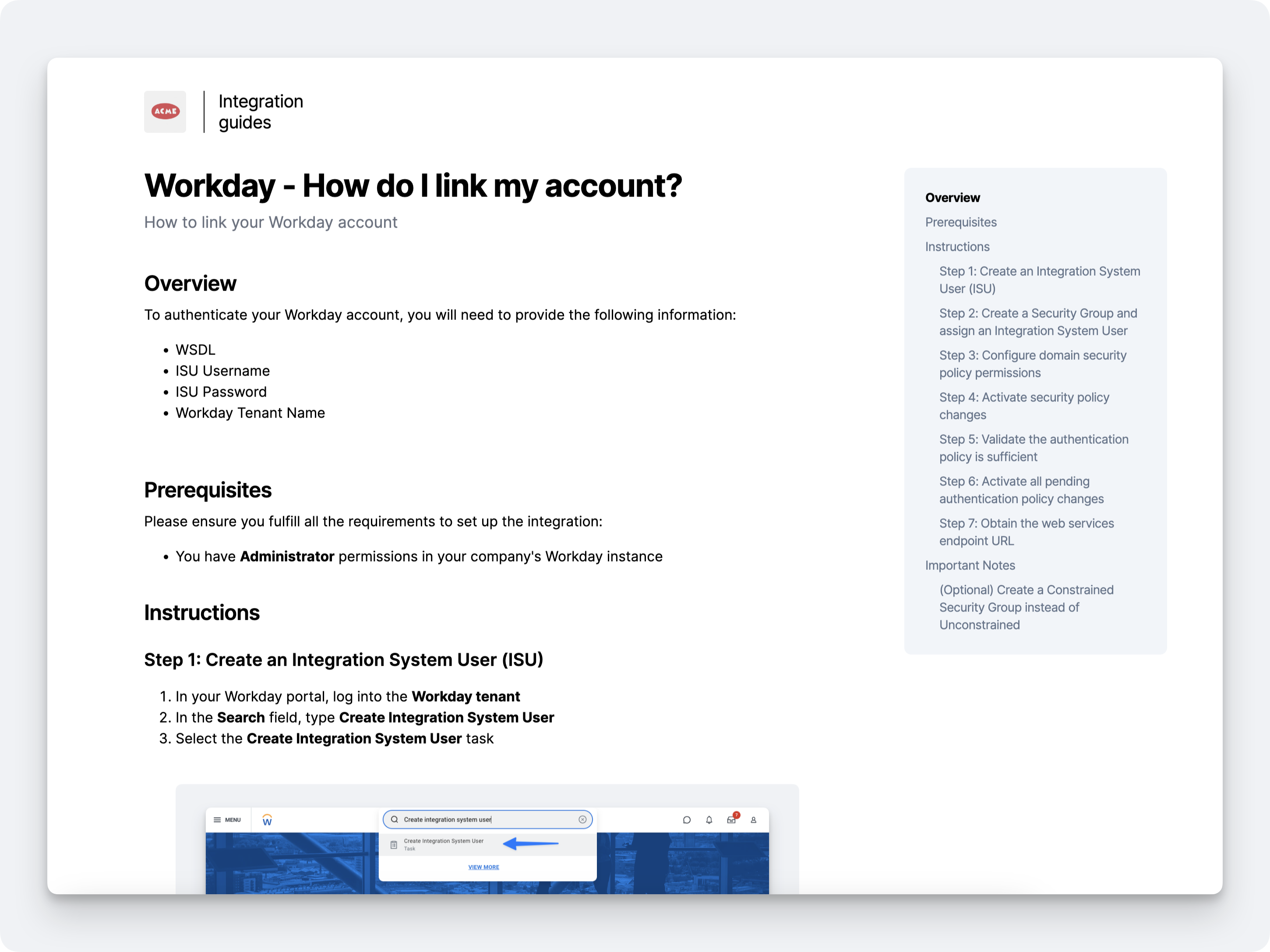
You can learn more about our white-label authentication guides here!
Preview and publishing
While editing, select View Merge Link to preview the experience. When everything looks correct, choose Publish Changes to apply your updates!
