iCIMS - How to POST Applications and Candidates with source
Last updated: January 29, 2026
Overview
This guide illustrates the prerequisites needed and the steps you'll take subsequently to successfully:
POST an Application in your customer's iCIMS instance with the candidate's source and source name
POST a Candidate in your customer's iCIMS instance with the candidate's source and source specifics
Background
Source , Source Name, and Source Specifics is free text. Source has list of options for iCIMS's default valid values, but you can also successfully post non-valid values to Source too.
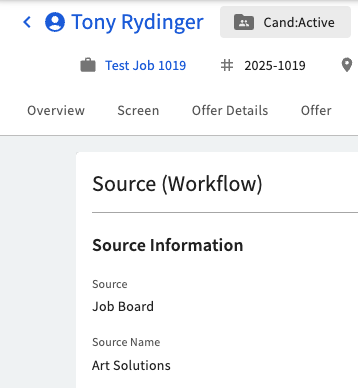
Source Nameexists on iCIMS Applicant Workflow.This value appears under an Application's
Source (Workflow)tab → Source Information section →Source Namefield
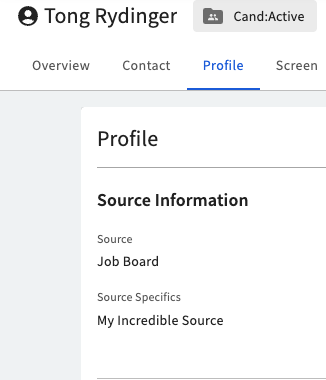
Source Specificexists on iCIMS Candidate.This value appears under Candidate's
Profiletab →Source Informationsection →Source Specificsfield
Prerequisites for Source Name and Source Specifics
To set Source Name or Source Specifics via API, Source must be a valid dropdown option (for example, Job Board) rather than free text.
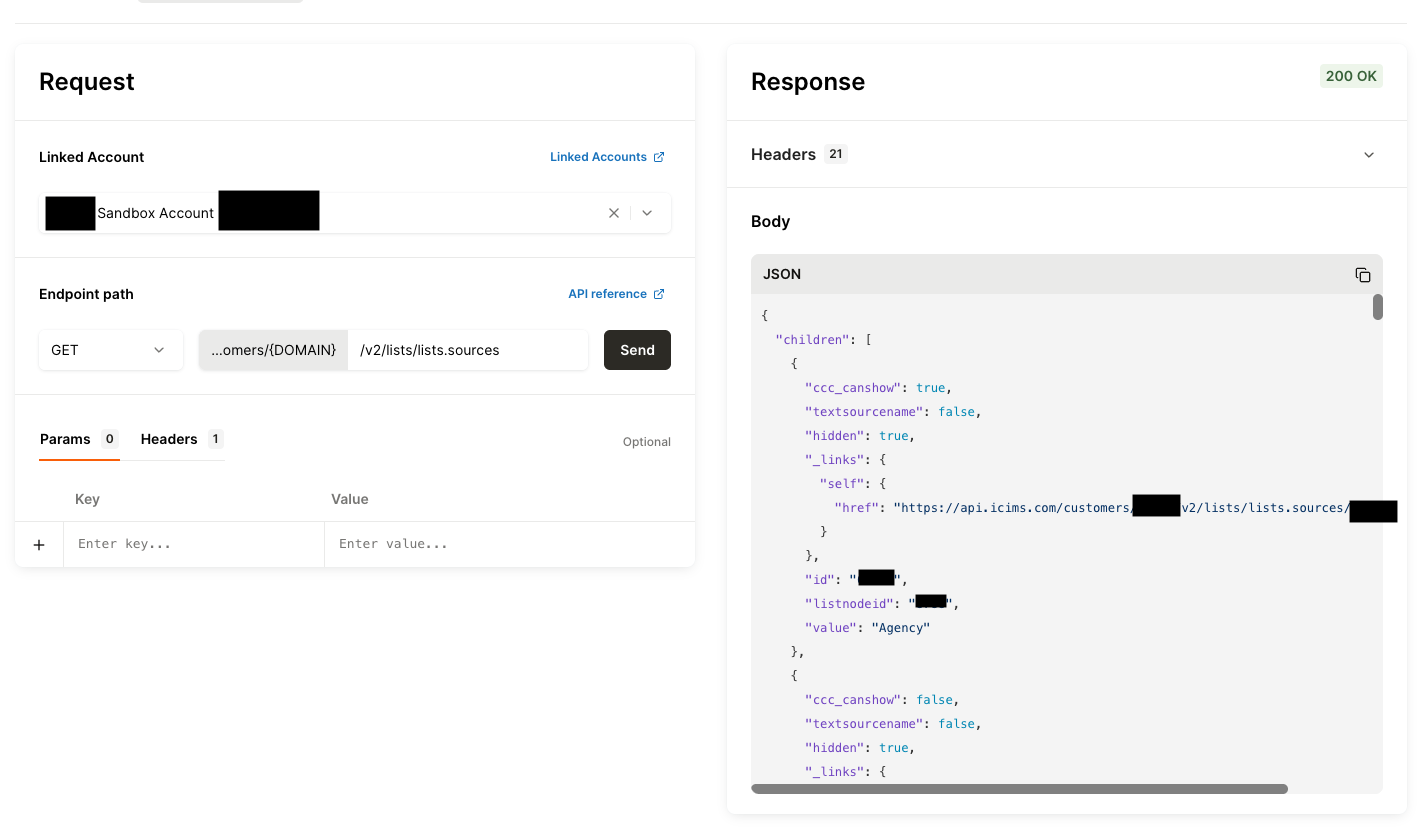
You can use API Tester to find the list of sources by making a direct request to iCIMS, invoking the /v2/lists/lists.sources endpoint. In the response, the valid Source values are listed in the "value" field.
In the following screenshot, one of the valid options is "Agency":
If the Source you submit in your request isn’t a valid option, the request still can succeed and create the application or candidate candidate with Source set to the provided value; However, the API returns sourcename: Provided source is not valid so cannot set sourcename error like below, and the Source Name or Source Specifics fields does not populate in the iCIMS UI for your intended application or candidate.
{
  "errorMessage": "sourcename: Provided source is not valid so cannot set sourcename.",
  "errorCode": 4
}
Recommendation
When calling POST Application or POST Candidate, we recommending identifying a valid Source (via the passthrough above) and populating both fields:
Source with a valid source
Source Name or Source Specifics with your value
POST Application
Base Request
A sample request to create an Application with a source and sourcename in iCIMS is provided below. sourcename is an integration_param.
{
   "model": {
      "job": "{job_uuid}",
      "source": "Job Board",
      "candidate": "{candidate_uuid}",
      "integration_params": {
         "sourcename": "Art Solutions"
      }
   }
}
Result
In the application's page, open the Source (Workflow) tab to see the Source Information section, where source and source name is populated.
POST Candidate
Base Request
A sample request to create a Candidate with a source in iCIMS is provided below. Both source and sourcename are integration_params.
{
   "model": {
      "last_name": "LastName",
      "first_name": "FirstName",
      "email_addresses": [
         {
            "value": "[email protected]",
            "email_address_type": "WORK"
         }
      ],
      "integration_params": {
         "source": "Job Board",
         "sourcename": "{Source Specifics Placeholder}",
         "should_update_folder": true
      }
   }
}
Result
In the candidate’s iCIMS profile, open the Profile tab to see the Source Information section, where source and source specifics is populated.