Checking the Sync Status of my integrations
Last updated: July 31, 2026
Overview
This guide explains how to check the sync status of a Linked Account's integrations, both from the Merge Dashboard and via the Merge API.
What is sync status?
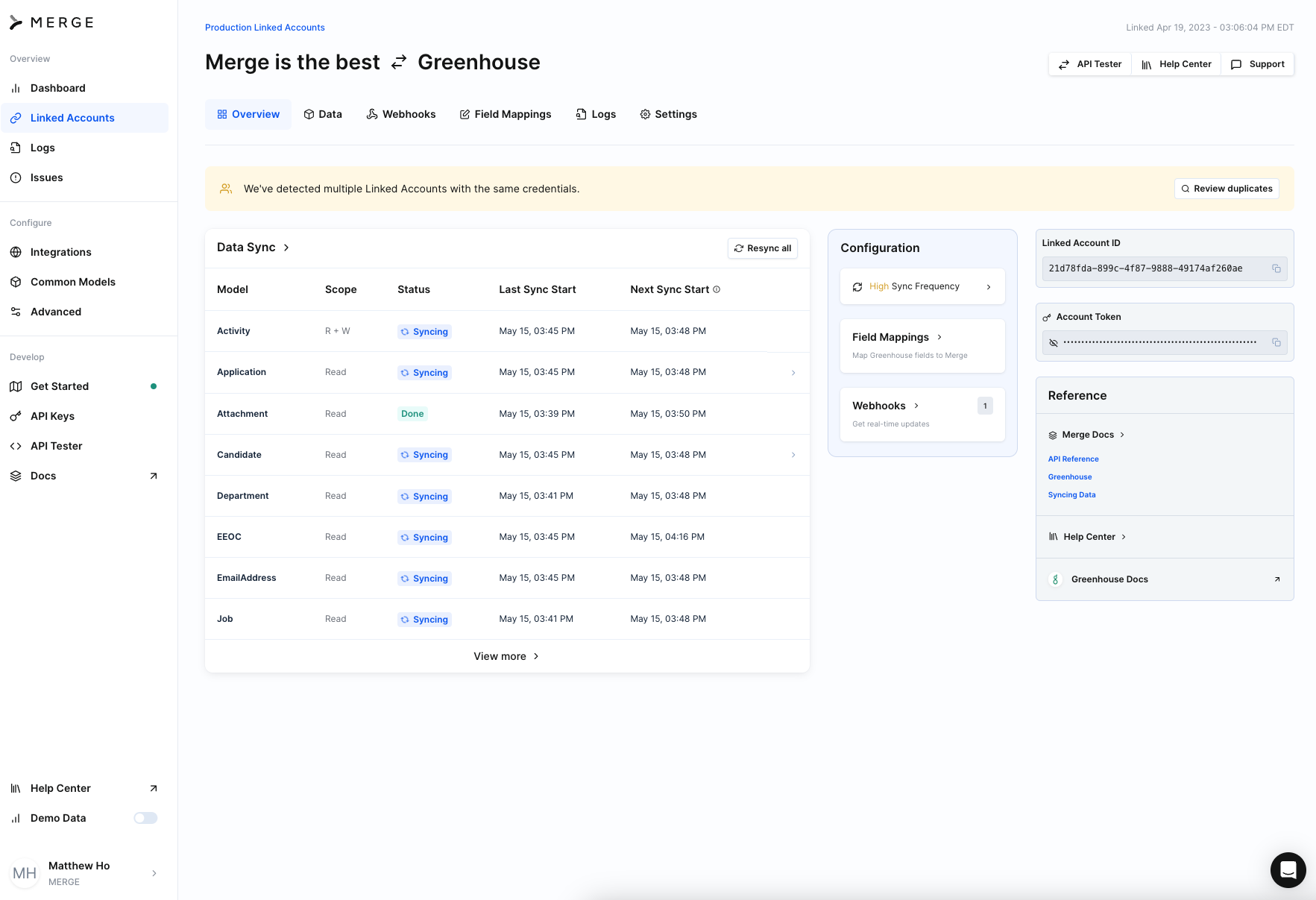
Sync status reflects the current state of each Common Model for a given Linked Account. Merge surfaces sync status per Common Model so you can confirm data is up to date before reading from the API. The possible status values are SYNCING, DONE, FAILED, DISABLED, PAUSED, and PARTIALLY_SYNCED.
How to check sync status in the Merge Dashboard
From your Merge Dashboard, navigate to Linked Accounts.
Click the Linked Account you'd like to check.
Review the status surfaced for each Common Model on the account's detail page.
How to check sync status via the API
You can also retrieve sync status programmatically by sending a GET request to the /sync-status endpoint for the appropriate category base URL. The response returns the status of each Common Model for the Linked Account. See a sample response in the Merge Developer Docs.
When should I call /sync-status?
Call /sync-status before pulling data to ensure you're reading complete data from Merge.
Understanding data freshness during sync
The /sync-status endpoint can help you understand both the current sync state of a Common Model and how fresh the synced data is.
The response includes fields that provide additional context:
data_fresh_as_of: The timestamp through which the Common Model’s data is guaranteed to be fresh and complete. This represents the earliest start time among the most recent successful syncs that populate the model.sync_reason: When a Common Model is marked asSYNCING, but Merge is not actively making API requests, this field explains why further progress is not being made
We recommend using data_fresh_as_of to determine the point through which data can be considered complete. For example, you may show your users a message like:
Data is fresh through July 23, 2026 at 1:45 PM.
If a model has a SYNCING status, check sync_reason to get more context about why the sync has not completed yet.
We recommend using these fields together to understand the overall state and freshness of a Common Model:
Use
statusto determine the model’s current sync state, such asSYNCING,DONE,PAUSED,FAILED, orPARTIALLY_SYNCED
Use
data_fresh_as_ofto determine the timestamp through which the model’s data is guaranteed to be fresh and complete.Use
sync_reasonfor additional context when a model is marked asSYNCINGbut Merge is not actively making API requests.
Together, these fields can help you decide when to fetch data, update your UI, or explain sync progress to your users.