Configuring ServiceNow ACLs to Allow Ticket Tag Updates via API
Last updated: November 26, 2025
Overview
By default, ServiceNow does not allow tags on tickets to be added or removed via the API. This guide provides an overview of how to enable and manage ticket tag updates through the ServiceNow API.
Step 1: Elevate your role to security_admin
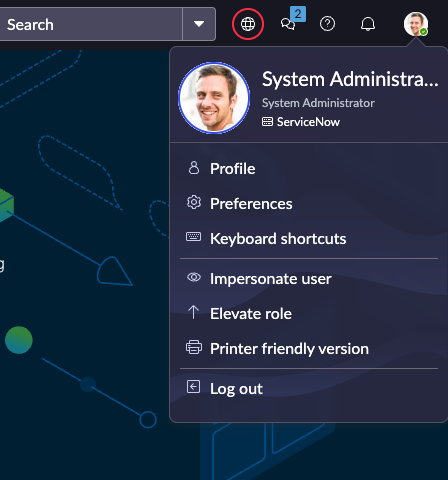
Go to the top right corner and click Elevate Roles.
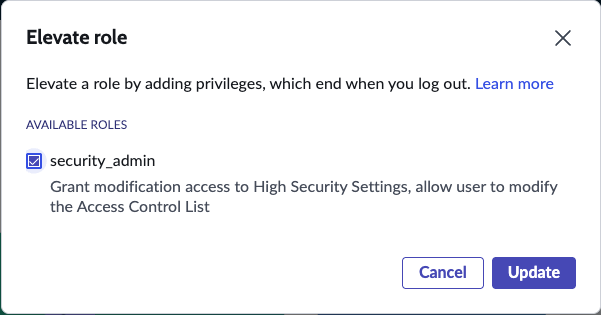
In the pop-up, check security_admin and click Update. After elevating your role, you’ll be able to add and edit ACLs.
Step 2: Search and filter for ACLs
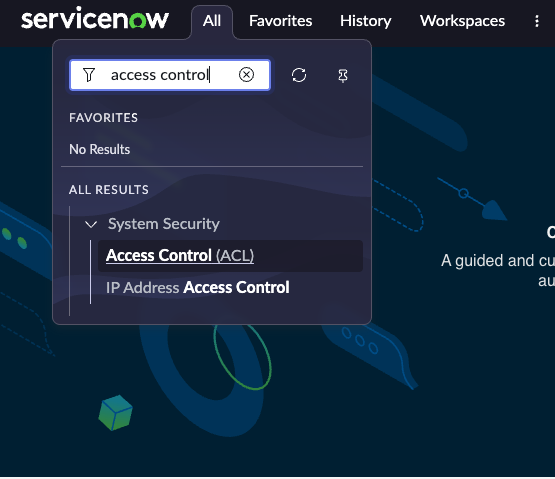
In the top left corner, search for access control and select Access Control (ACL).
Filter the ACL list for:
Name contains label_entry
Operation is write
We’ll be working specifically with label_entry.table and label_entry.table_key.

Step 3: Update ACL permissions
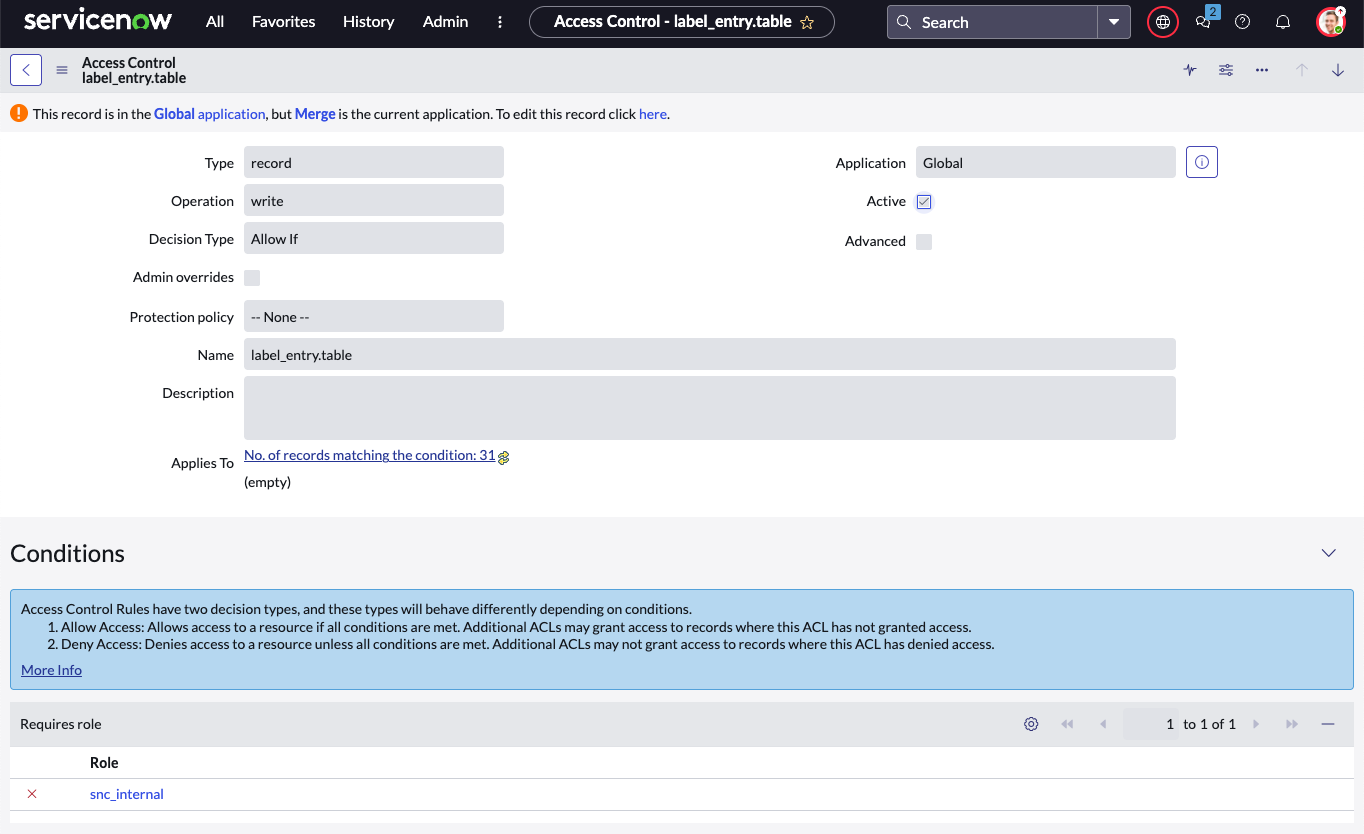
Open the ACLs for
label_entry.tableandlabel_entry.table_key.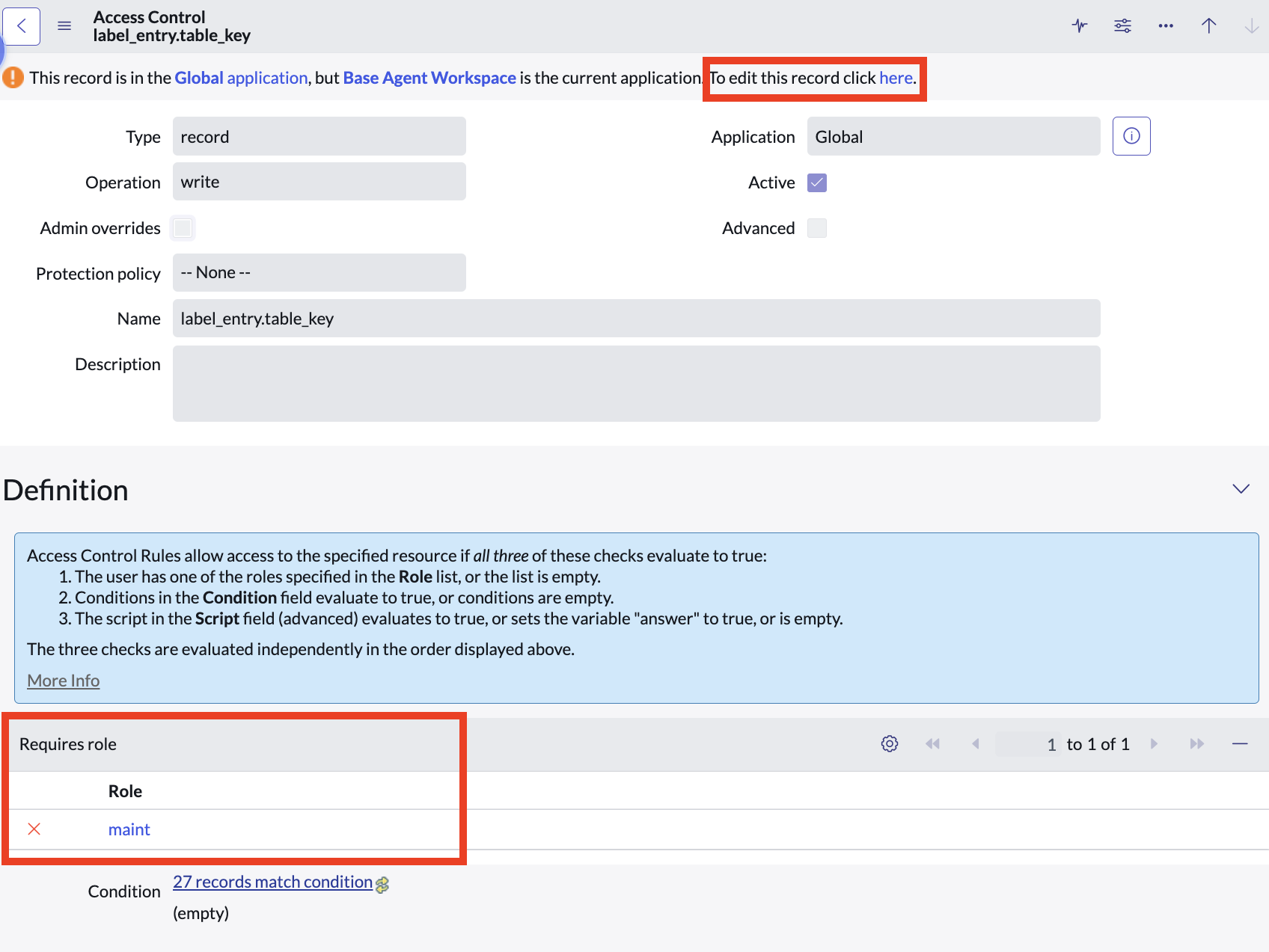
Remove the maint role from each ACL and click Update.
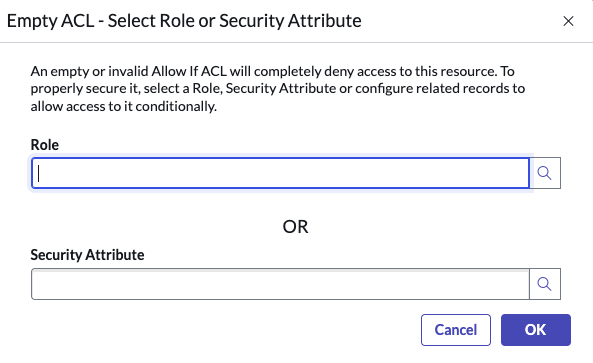
When prompted to select a new role, choose snc_internal and click Update to save your changes.
You’re all set! The ServiceNow integration can now programmatically create and edit tags on tickets via the API.